







Question: Lab #4-MARIE Program Create a MARIE assembly program which inputs two integers, X and Y, computes 3X + 4Y, and outputs the result. Requirements 1.
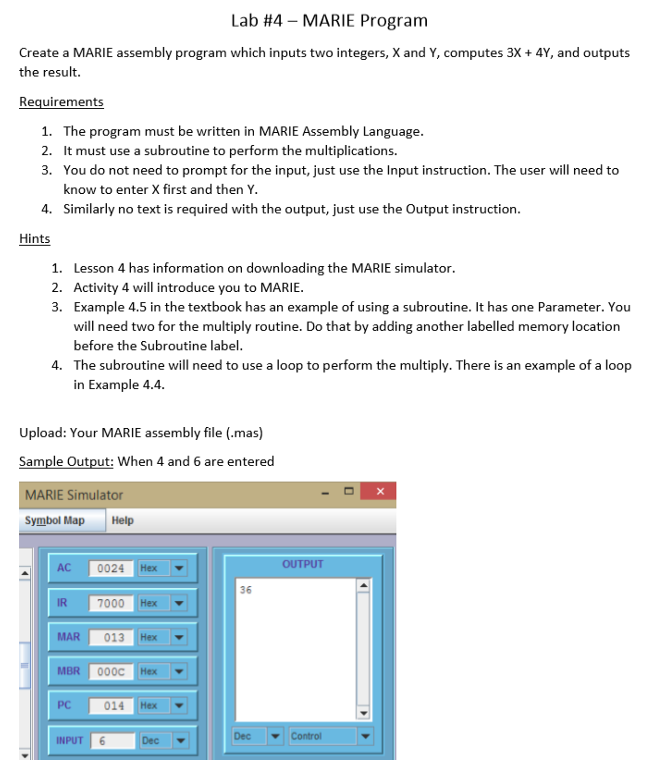
Lab #4-MARIE Program Create a MARIE assembly program which inputs two integers, X and Y, computes 3X + 4Y, and outputs the result. Requirements 1. 2. 3. The program must be written in MARIE Assembly Language It must use a subroutine to perform the multiplications. You do not need to prompt for the input, just use the Input instruction. The user will need to know to enter X first and then Y Similarly no text is required with the output, just use the Output instruction 4. Hints 1. Lesson 4 has information on downloading the MARIE simulator 2. Activity 4 will introduce you to MARIE. 3. Example 4.5 in the textbook has an example of using a subroutine. It has one Parameter. You will need two for the multiply routine. Do that by adding another labelled memory location before the Subroutine label The subroutine will need to use a loop to perform the multiply. There is an example of a loop in Example 4.4 4. Upload: Your MARIE assembly file (.mas) Sample Output: When 4 and 6 are entered MARIE Simulator Symbol Map Help OUTPUT AC 0024 Hex 36 IR 7000 Hex MBR 000C Hex PC 014 Hex INPUT 6 Dec Dec Control Lab #4-MARIE Program Create a MARIE assembly program which inputs two integers, X and Y, computes 3X + 4Y, and outputs the result. Requirements 1. 2. 3. The program must be written in MARIE Assembly Language It must use a subroutine to perform the multiplications. You do not need to prompt for the input, just use the Input instruction. The user will need to know to enter X first and then Y Similarly no text is required with the output, just use the Output instruction 4. Hints 1. Lesson 4 has information on downloading the MARIE simulator 2. Activity 4 will introduce you to MARIE. 3. Example 4.5 in the textbook has an example of using a subroutine. It has one Parameter. You will need two for the multiply routine. Do that by adding another labelled memory location before the Subroutine label The subroutine will need to use a loop to perform the multiply. There is an example of a loop in Example 4.4 4. Upload: Your MARIE assembly file (.mas) Sample Output: When 4 and 6 are entered MARIE Simulator Symbol Map Help OUTPUT AC 0024 Hex 36 IR 7000 Hex MBR 000C Hex PC 014 Hex INPUT 6 Dec Dec Control
Step by Step Solution
There are 3 Steps involved in it

Get step-by-step solutions from verified subject matter experts
 Study Help