







Question: Lab 5 Task 4 : Frequency Counter Displayed on LCD Code Type in the following code and get the frequency counter functional. Use signal generator
Lab
Task : Frequency Counter Displayed on LCD
Code
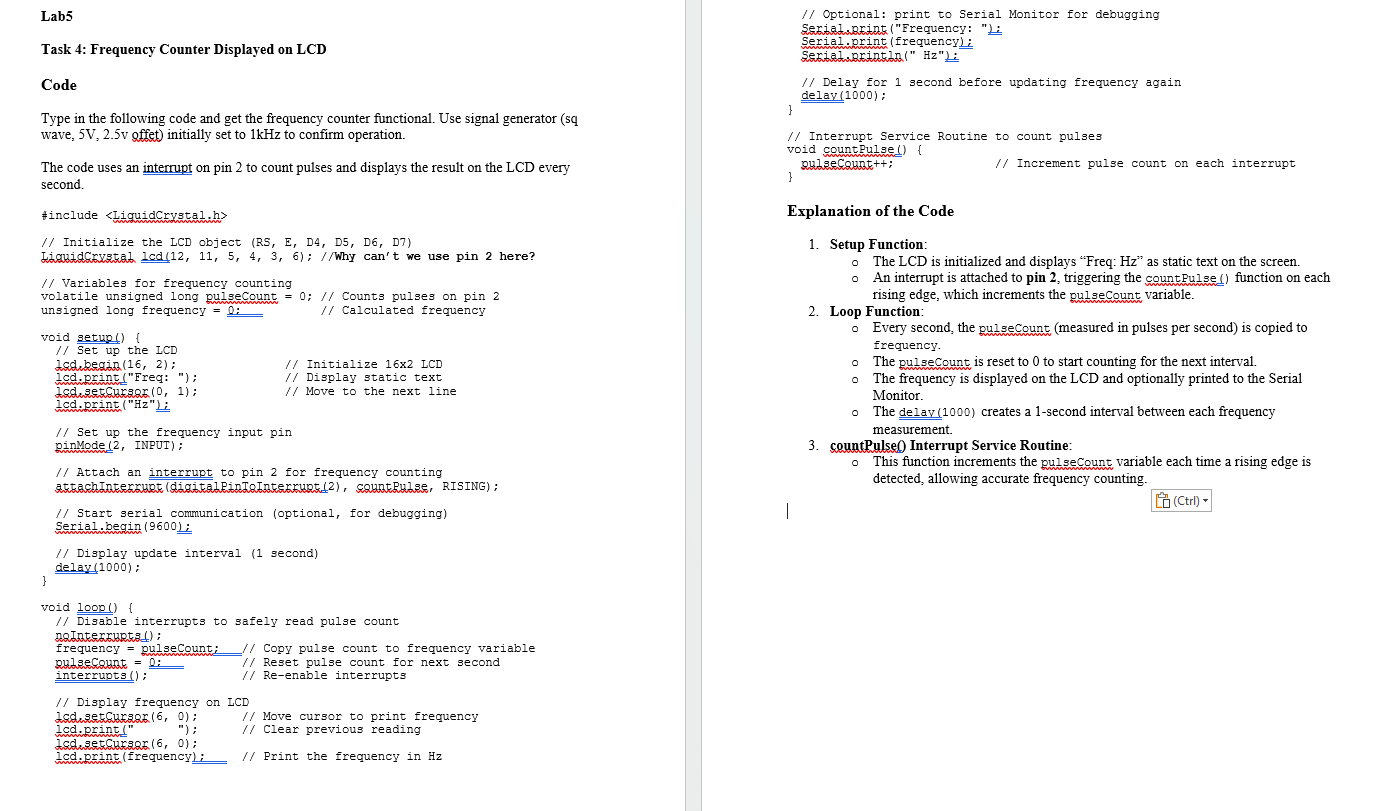
Type in the following code and get the frequency counter functional. Use signal generator sq wave, mathrm~Vmathrmv offet initially set to kHz to confirm operation.
The code uses an interrupt on pin to count pulses and displays the result on the LCD every second.
#include
Initialize the ICD object RS E D D D D
Variables for frequency counting
volatile unsigned long pulsecount ; Counts pulses on pin
unsigned long frequency underlineunderlinep i Calculated frequency
void setup
Set up the ICD
Lcsdubegind ; quad Initialize x ICD
led.amintFreq: ; Display static text
ladhastchas
Set up the frequency input pin
ginMode INPUT;
Attach an interrupt to pin for frequency counting
Start serial conmunication optional for debugging
Serial.begin
Display update interval second
delay;
void fractext I
Disable interrupts to safely read pulse count
MeThaterpuputa;
frequency pulseCount: Copy pulse count to frequency variable
pulsecquat underlineunderline Reset pulse count for next second
interrupts : Reenable interrupts
Display frequency on LCD
dschasetcursage ; Move cursor to print frequency
led.print ; Clear previous reading
lcd.drintfrequency: Print the frequency in Hz
Optional: print to Serial Monitor for debugging
Serial.wnkintFrequency:
Serial.print frequency:
Delay for second before updating frequency again
delav;
Interrupt Service Routine to count pulses
void countulse
pulaeckunt; Increment pulse count on each interrupt
Explanation of the Code
Setup Function:
The LCD is initialized and displays "Freq: Hz as static text on the screen.
An interrupt is attached to pin triggering the countFulse function on each rising edge, which increments the pulsecount variable.
Loop Function:
Every second, the pulseCount measured in pulses per second is copied to frequency.
The pulseCount is reset to to start counting for the next interval.
The frequency is displayed on the LCD and optionally printed to the Serial Monitor.
The delav creates a second interval between each frequency measurement.
countPulse Interrupt Service Routine:
This function increments the gulsecount variable each time a rising edge is detected, allowing accurate frequency counting.
Step by Step Solution
There are 3 Steps involved in it
1 Expert Approved Answer
Step: 1 Unlock

Question Has Been Solved by an Expert!
Get step-by-step solutions from verified subject matter experts
Step: 2 Unlock
Step: 3 Unlock
 Study Help