







Question: Lab 6 - Files: Random Numbers You will create each program in the IDLE environment and save it as a python file. Use the file
Lab Files: Random Numbers
You will create each program in the IDLE environment and save it as a python file. Use the file naming convention yourfirstnameyourlastnameLabpy
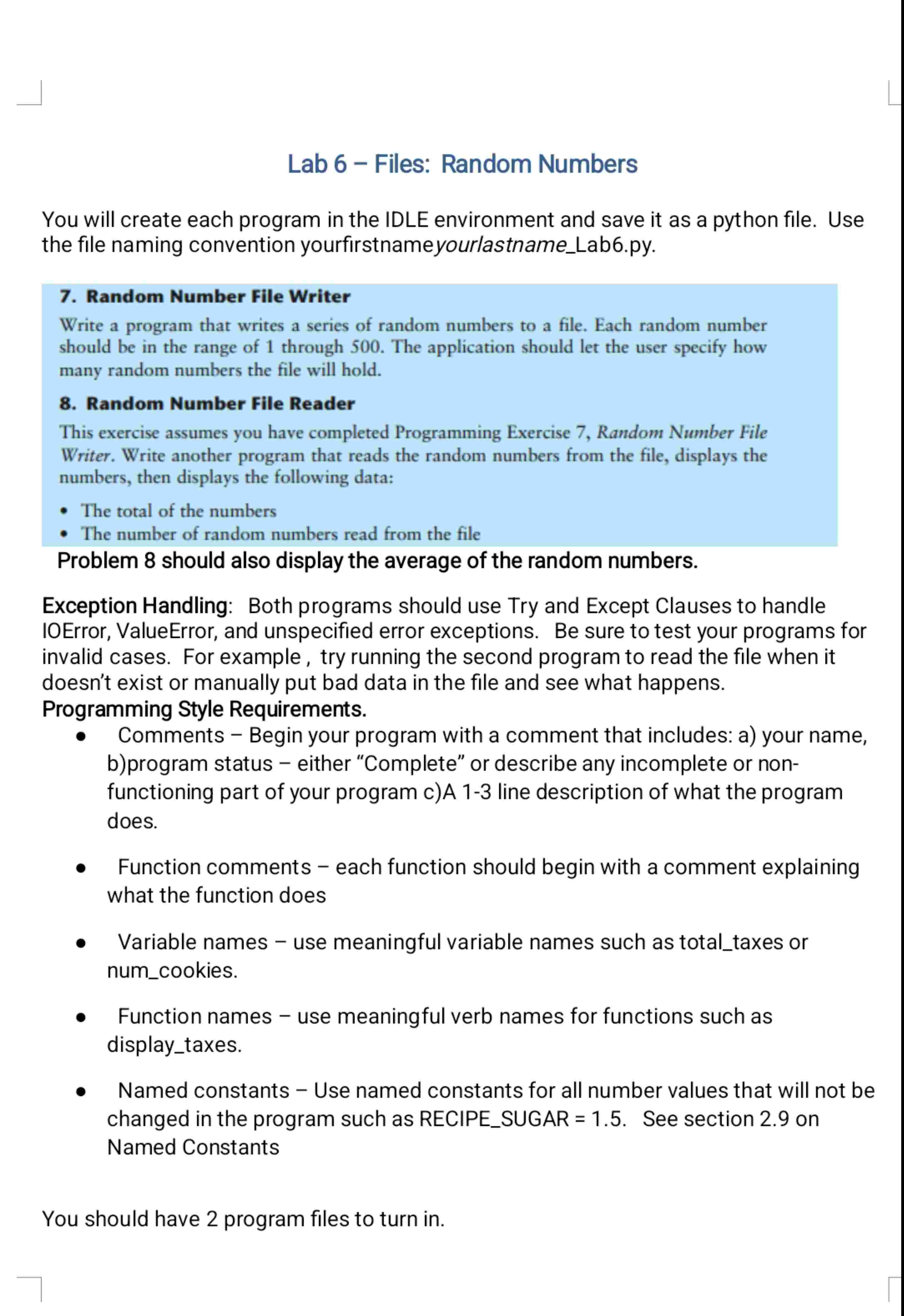
Random Number File Writer
Write a program that writes a series of random numbers to a file. Each random number should be in the range of through The application should let the user specify how many random numbers the file will hold.
Random Number File Reader
This exercise assumes you have completed Programming Exercise Random Number File Writer. Write another program that reads the random numbers from the file, displays the numbers, then displays the following data:
The total of the numbers
The number of random numbers read from the file
Problem should also display the average of the random numbers.
Exception Handling: Both programs should use Try and Except Clauses to handle IOError, ValueError, and unspecified error exceptions. Be sure to test your programs for invalid cases. For example, try running the second program to read the file when it doesn't exist or manually put bad data in the file and see what happens. Programming Style Requirements.
Comments Begin your program with a comment that includes: a your name, bprogram status either "Complete" or describe any incomplete or nonfunctioning part of your program cA line description of what the program does.
Function comments each function should begin with a comment explaining what the function does
Variable names use meaningful variable names such as totaltaxes or numcookies.
Function names use meaningful verb names for functions such as displaytaxes.
Named constants Use named constants for all number values that will not be changed in the program such as RECIPESUGAR See section on Named Constants
You should have program files to turn in
Step by Step Solution
There are 3 Steps involved in it
1 Expert Approved Answer
Step: 1 Unlock

Question Has Been Solved by an Expert!
Get step-by-step solutions from verified subject matter experts
Step: 2 Unlock
Step: 3 Unlock
 Study Help