







Question: Lab 6 : Files streams Objective Practice reading and writing to files using files streams. Requirements - Create a text file that contains some text.
Lab : Files streams
Objective
Practice reading and writing to files using files streams.
Requirements
Create a text file that contains some text.
Create an empty file to store the output results.
Write a program that does the following:
Print a welcome message and instructions on how to use the program. See the example output below.
The user must be allowed to enter both files' names from the console. File names variables must have char type.
Check whether both the input and output files are opened correctly or not.
Write code to read the input text file and count how many words in it
Print out the result to both the output file and the console.
When running the code several times, all results must be retained in the output file.
Close all streams.
Use meaningful variable names and add comments to explain your code.
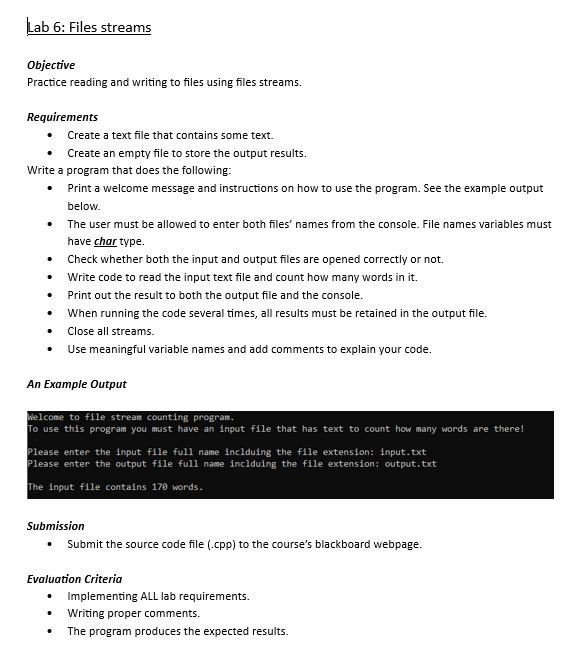
An Example Output
Welcome to file stream counting program.
To use this program you must have an input file that has text to count how many words are there!
Please enter the input file full name inclduing the file extension: input.txt
Please enter the output file full name inclduing the file extension: output.txt
The input file contains words.
Submission
Submit the source code file cpp to the course's blackboard webpage.
Evaluation Criteria
Implementing ALL lab requirements.
Writing proper comments.
The program produces the expected results.
Step by Step Solution
There are 3 Steps involved in it
1 Expert Approved Answer
Step: 1 Unlock

Question Has Been Solved by an Expert!
Get step-by-step solutions from verified subject matter experts
Step: 2 Unlock
Step: 3 Unlock
 Study Help