





Question: Lab Chapter 4 Here we will be taking data in as a file. Note that the sample file provided here is not the file that
 Lab Chapter 4 Here we will be taking data in as
a file. Note that the sample file provided here is not the

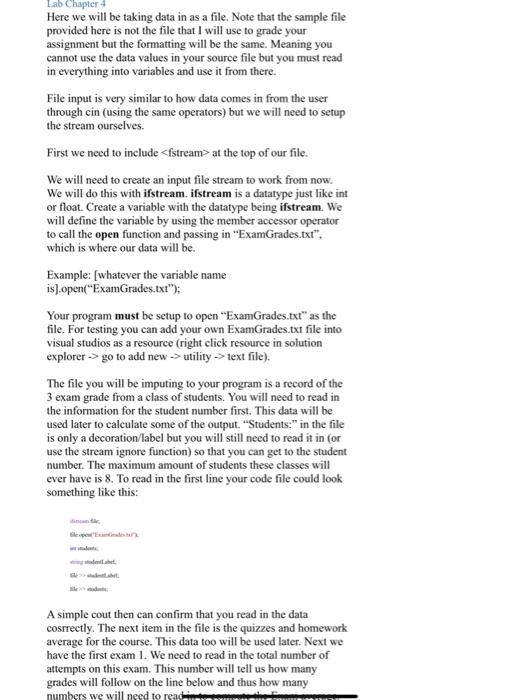
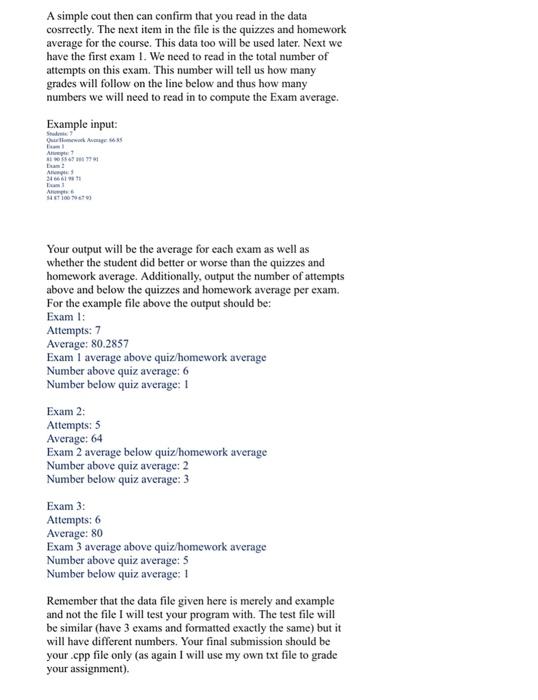
Lab Chapter 4 Here we will be taking data in as a file. Note that the sample file provided here is not the file that I will use to grade your assignment but the formatting will be the same. Meaning you cannot use the data values in your source file but you must read in everything into variables and use it from there. File input is very similar to how data comes in from the user through cin (using the same operators) but we will need to setup the stream ourselves. First we need to include at the top of our file. We will need to create an input file stream to work from now. We will do this with ifstream.ifstream is a datatype just like int or float. Create a variable with the datatype being ifstream. We will define the variable by using the member accessor operator to call the open function and passing in "ExamGrades.txt", which is where our data will be. Example: [whatever the variable name is).open("ExamGrades.txt"); Your program must be setup to open "ExamGrades.txt" as the file. For testing you can add your own ExamGrades.txt file into visual studios as a resource (right click resource in solution explorer -> go to add new -> utility -> text file). The file you will be imputing to your program is a record of the 3 exam grade from a class of students. You will need to read in the information for the student number first. This data will be used later to calculate some of the output. "Students:" in the file is only a decoration/label but you will still need to read it in (or use the stream ignore function) so that you can get to the student number. The maximum amount of students these classes will ever have is 8. To read in the first line your code file could look something like this: A simple cout then can confirm that you read in the data cosrrectly. The next item in the file is the quizzes and homework average for the course. This data too will be used later. Next we have the first exam 1. We need to read in the total number of attempts on this exam. This number will tell us how many grades will follow on the line below and thus how many numbers we will need to read A simple cout then can confirm that you read in the data cosrrectly. The next item in the file is the quizzes and homework average for the course. This data too will be used later. Next we have the first exam 1. We need to read in the total number of attempts on this exam. This number will tell us how many grades will follow on the line below and thus how many numbers we will need to read in to compute the Exam average. Example input: A SI56 A B A Your output will be the average for each exam as well as whether the student did better or worse than the quizzes and homework average. Additionally, output the number of attempts above and below the quizzes and homework average per exam. For the example file above the output should be: Exam 1: Attempts: 7 Average: 80.2857 Exam I average above quiz/homework average Number above quiz average: 6 Number below quiz average: 1 Exam 2: Attempts: 5 Average: 64 Exam 2 average below quiz/homework average Number above quiz average: 2 Number below quiz average: 3 Exam 3: Attempts: 6 Average: 80 Exam 3 average above quiz homework average Number above quiz average: 5 Number below quiz average: 1 Remember that the data file given here is merely and example and not the file I will test your program with. The test file will be similar (have 3 exams and formatted exactly the same) but it will have different numbers. Your final submission should be your.cpp file only (as again I will use my own txt file to grade your assignment)

Step by Step Solution

There are 3 Steps involved in it

1 Expert Approved Answer
Step: 1 Unlock blur-text-image
Question Has Been Solved by an Expert!

Get step-by-step solutions from verified subject matter experts

Step: 2 Unlock
Step: 3 Unlock

Students Have Also Explored These Related Databases Questions!