







Question: Lab Exercise Using Primavera P6 Objectives In this exercise you will learn how to use Primavera P6 in creating a project schedule. This exercise will
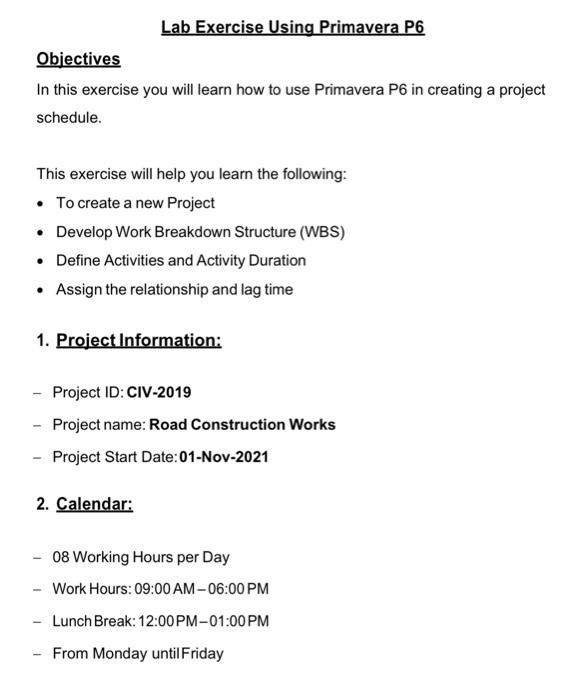
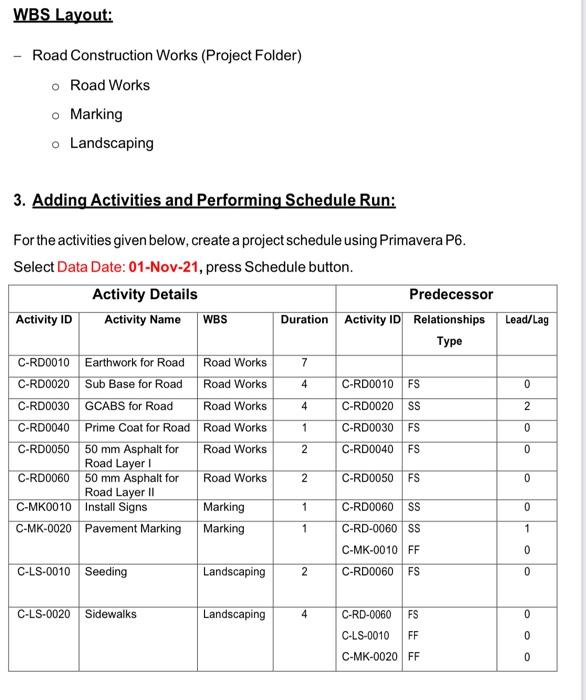
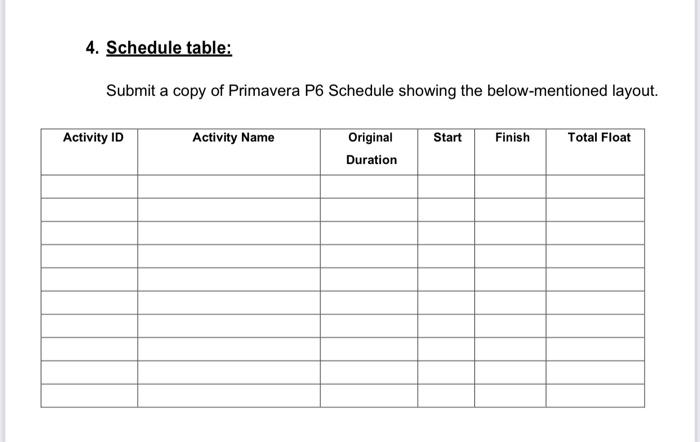
Lab Exercise Using Primavera P6 Objectives In this exercise you will learn how to use Primavera P6 in creating a project schedule. This exercise will help you learn the following: - To create a new Project - Develop Work Breakdown Structure (WBS) - Define Activities and Activity Duration - Assign the relationship and lag time 1. Project Information: - Project ID: CIV-2019 - Project name: Road Construction Works - Project Start Date:01-Nov-2021 2. Calendar: - 08 Working Hours per Day - Work Hours: 09:00 AM-06:00 PM - Lunch Break:12:00PM-01:00 PM - From Monday untilFriday WBS Layout: - Road Construction Works (Project Folder) Road Works Marking Landscaping 3. Adding Activities and Performing Schedule Run: For the activities given below, create a project schedule using Primavera P6. Select Data Date: 01-Nov-21, press Schedule button. 4. Schedule table: Submit a copy of Primavera P6 Schedule showing the below-mentioned layout
Step by Step Solution
There are 3 Steps involved in it

Get step-by-step solutions from verified subject matter experts
 Study Help