







Question: Lab : Part A : Create a Visio ERD with an Associative Entity Step 1 : Open the Lablived file 3 . Open the Latz
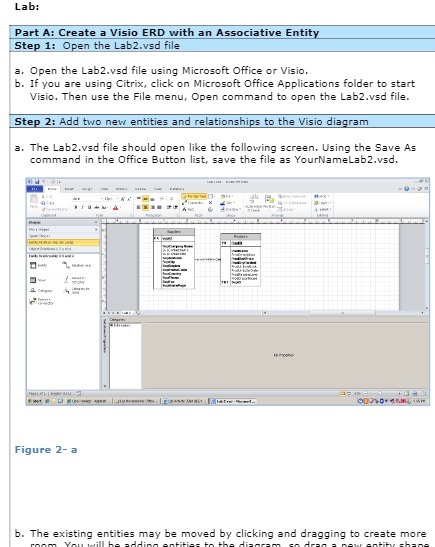
Lab : Part A : Create a Visio ERD with an Associative Entity Step 1 : Open the Lablived file 3 . Open the Latz wed file using Microsoft Office or Visio 5 . I ifyou are using Citrix , click on Microsoft Office Applications folder to start TEL Visio , Then use the File menu , Open command to open the Labzed file Step 2 : Add two new entities and relationships to the Visio diagram 3 . The Labz ved file should open like the following screen . Using the Save As command in the Office Button list , save the file as YournameLabz ved , | IN those 1 3 Stars see Any Going Figure 2 - b . The existing entities may be moved by clicking and dragging to create more
Step by Step Solution
There are 3 Steps involved in it

Get step-by-step solutions from verified subject matter experts
 Study Help