







Question: Lab Task: Create a Value and Compare It with Its Hash In this task, you will get hash values and decrypt them to show that
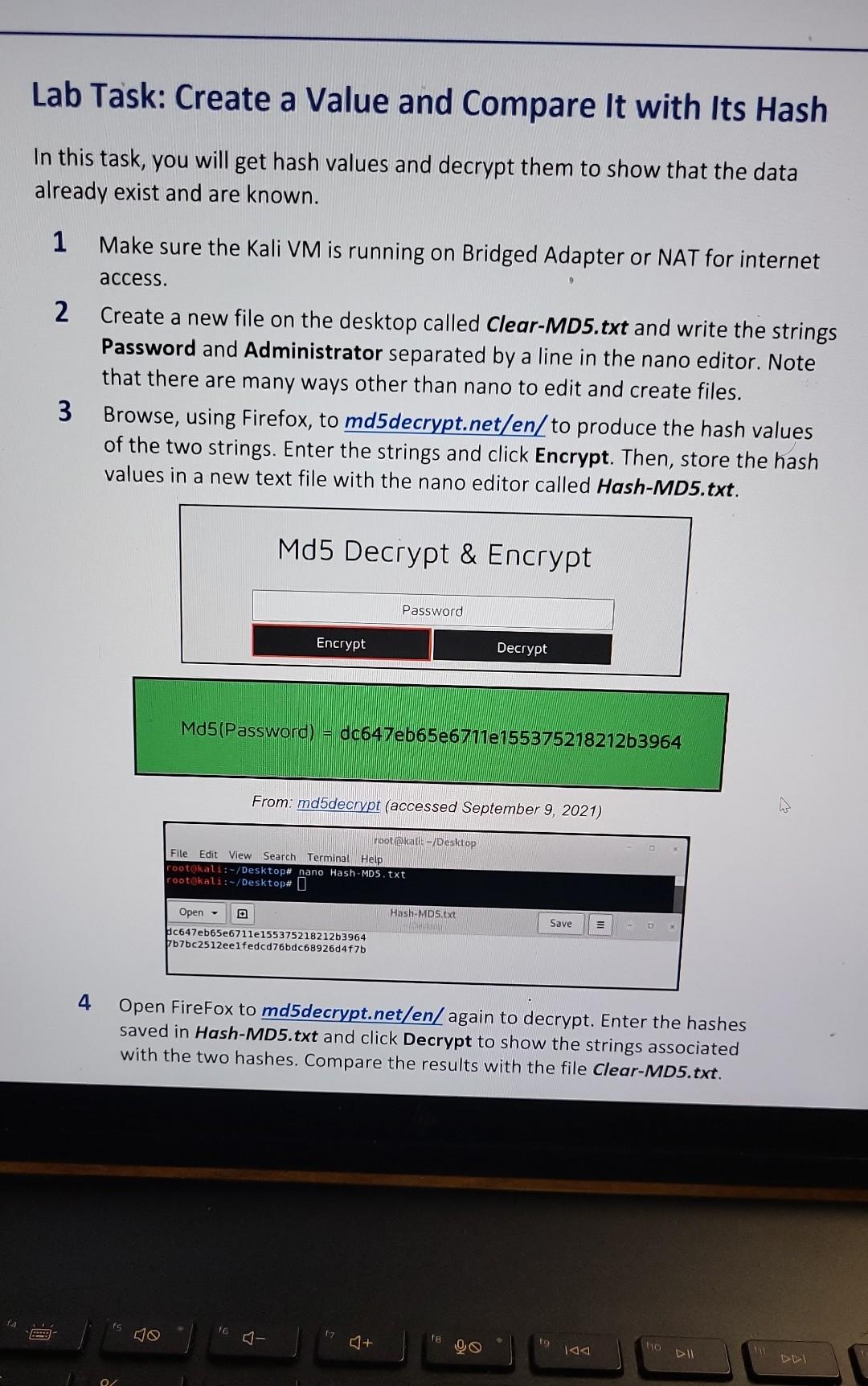
Lab Task: Create a Value and Compare It with Its Hash In this task, you will get hash values and decrypt them to show that the data already exist and are known. 1 Make sure the Kali VM is running on Bridged Adapter or NAT for internet access. 2 Create a new file on the desktop called Clear-MD5.txt and write the strings Password and Administrator separated by a line in the nano editor. Note that there are many ways other than nano to edit and create files. 3 Browse, using Firefox, to md5 decrypt.net/en/to produce the hash values of the two strings. Enter the strings and click Encrypt. Then, store the hash values in a new text file with the nano editor called Hash-MD5.txt. Md5(Password)=dc647eb65e6711e155375218212b3964 From: md5decrypt (accessed September 9, 2021) 4 Open FireFox to md5 decrypt.net/en/again to decrypt. Enter the hashes saved in Hash-MD5.txt and click Decrypt to show the strings associated with the two hashes. Compare the results with the file Clear-MD5.txt
Step by Step Solution
There are 3 Steps involved in it

Get step-by-step solutions from verified subject matter experts
 Study Help