







Question: Lab9-Searching and Sorting an Array - Menu Driven [Compatibility Mode] Mailings Review View AoBbCcDdEe AaBbCcD AaBbCcD Emphasis Heading1 Heading2 Instructions: Code a program with methods
![Lab9-Searching and Sorting an Array - Menu Driven [Compatibility Mode] Mailings](https://dsd5zvtm8ll6.cloudfront.net/si.experts.images/questions/2024/09/66f46297cdf66_05566f462973cf86.jpg)
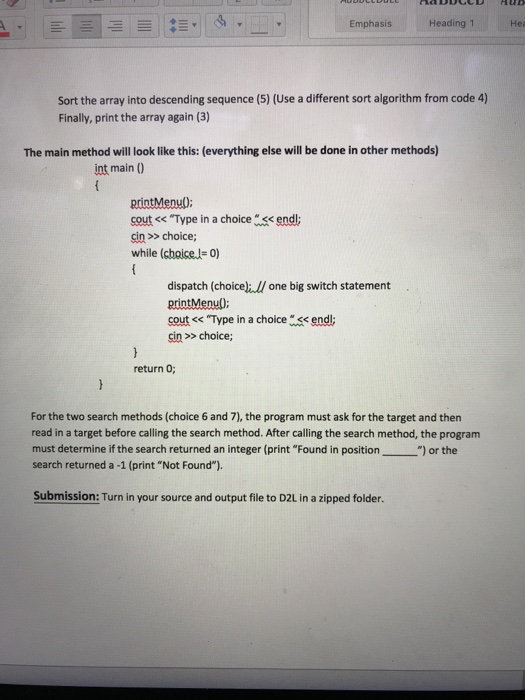
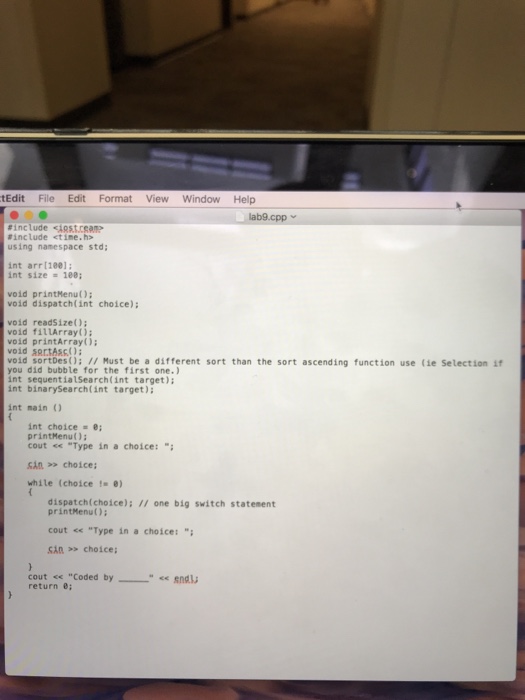
Lab9-Searching and Sorting an Array - Menu Driven [Compatibility Mode] Mailings Review View AoBbCcDdEe AaBbCcD AaBbCcD Emphasis Heading1 Heading2 Instructions: Code a program with methods to search and sort an array, along with a print menu method and a dispatch method. Also set up a 100 position integer array and an integer variable, called size, globally (before all methods are coded). Then the array and size does not have to be passed to any of the methods. (The alternative approach would be to define the array in the dispatch method after reading in a size. Then array name and size would be passed to all methods.) The menu should look like the following: 0. 1. 2. 3. 4. 5. 6. Exit Get the size needed for today's use of the array. Fill an array with random numbers from 1-100. Print the array with position numbers. Sort the array in ascending sequence Sort the array in descending sequence- use a different algorithm from step 4. Sequential search of the array for a target-target should be passed to method and the method returns the found location or-1 7. Binary search of the array for a target target should be passed to method and the method returns the found location or -1 Run: The program should start with a request for a size from the user. (Type in 15) this order Run the lab in Ask the user for the size of the array (1) Fill the array with random values (2) Print the array (3) (List the position number and the contents of the array position) Sequentially search the array for a number in the array and then one not in the array, printing the appropriate messages of "Found in position"and "Not Found" (6, 6) Sort the array into ascending sequence (4) Print the array (3) Do a binary search of the array for a number in the array and then for a value not in the array, printing the appropriate messages of "Found in positionand "Not Found" (7, 7)
Step by Step Solution
There are 3 Steps involved in it

Get step-by-step solutions from verified subject matter experts
 Study Help