







Question: Lambda Run is a game in which a plucky red panda (Lambda) tries to find their way home through a pleasant land of grass, trees,
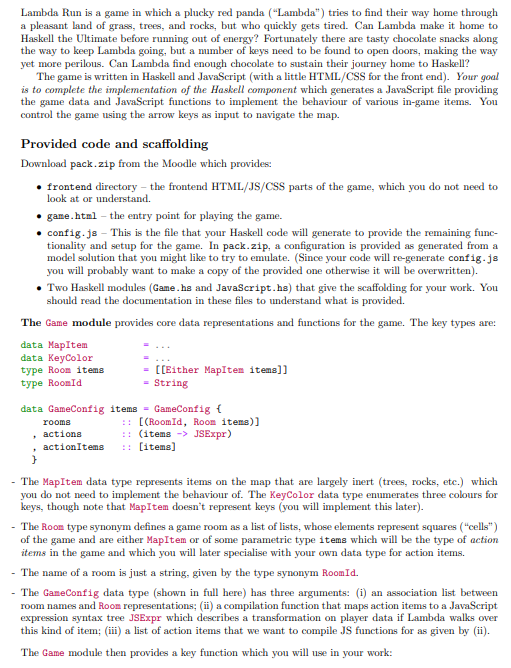
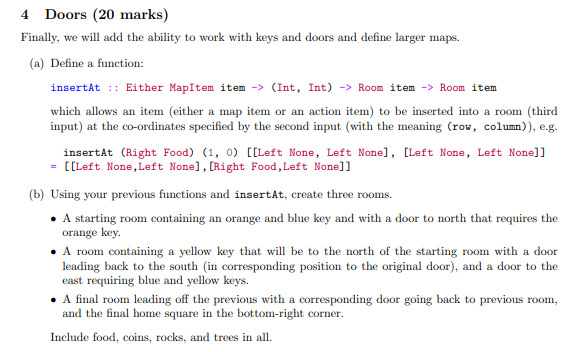
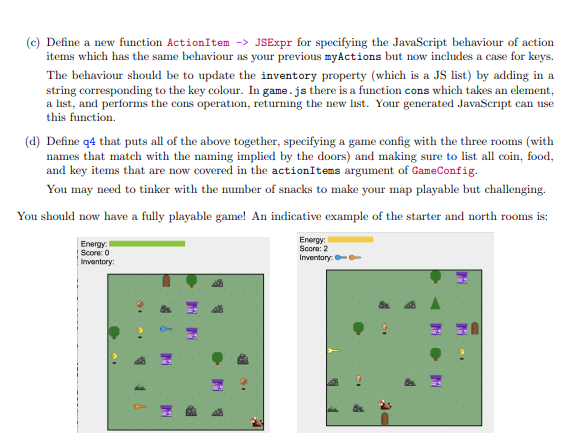
Lambda Run is a game in which a plucky red panda ("Lambda") tries to find their way home through a pleasant land of grass, trees, and rocks, but who quickly gets tired. Can Lambda make it home to Haskell the Ultimate before running out of energy? Fortunately there are tasty chocolate snacks along the way to keep Lambda going, but a number of keys need to be found to open doors, making the way yet more perilous. Can Lambda find enough chocolate to sustain their journey home to Haskell? The game is written in Haskell and JavaScript (with a little HTML/CSS for the front end). Your goal is to complete the implementation of the Haskell component which generates a JavaScript file providing the game data and JavaScript functions to implement the behaviour of various in-game items. You control the game using the arrow keys as input to navigate the map. Provided code and scaffolding Download pack. zip from the Moodle which provides: - frontend directory - the frontend HTML/JS/CSS parts of the game, which you do not need to look at or understand. - game.html - the entry point for playing the game. - config. js - This is the file that your Haskell code will generate to provide the remaining functionality and setup for the game. In pack.zip, a configuration is provided as generated from a model solution that you might like to try to emulate. (Since your code will re-generate config.js you will probably want to make a copy of the provided one otherwise it will be overwritten). - Two Haskell modules (Game.hs and JavaScript.hs) that give the scaffolding for your work. You should read the documentation in these files to understand what is provided. The Game module provides core data representations and functions for the game. The key types are: - The MapItem data type represents items on the map that are largely inert (trees, rocks, etc.) which you do not need to implement the behaviour of. The Keycolor data type enumerates three colours for keys, though note that MapItem doesn't represent keys (you will implement this later). - The Room type synonym defines a game room as a list of lists, whose elements represent squares ("cells") of the game and are either MapItem or of some parametric type items which will be the type of action items in the game and which you will later specialise with your own data type for action items. - The name of a room is just a string, given by the type synonym Roomid. - The GameConfig data type (shown in full here) has three arguments: (i) an association list between room names and Room representations; (ii) a compilation function that maps action items to a JavaScript expression syntax tree JSExpr which describes a transformation on player data if Lambda walks over this kind of item; (iii) a list of action items that we want to compile JS functions for as given by (ii). The Game module then provides a key function which you will use in your work: Finally, we will add the ability to work with keys and doors and define larger maps. (a) Define a function: insertAt : : Either MapItem item (Int, Int) Room item Room item which allows an item (either a map item or an action item) to be inserted into a room (third input) at the co-ordinates specified by the second input (with the meaning (row, column)), e.g- insertAt (Right Food) (1, 0) [[Left None, Left None], [Left None, Left None]] =[ [Left None, Left None], [Right Food, Left None] ] (b) Using your previous functions and insertAt, create three rooms. - A starting room containing an orange and blue key and with a door to north that requires the orange key. - A room containing a yellow key that will be to the north of the starting room with a door leading back to the south (in corresponding position to the original door), and a door to the east requiring blue and yellow keys. - A final room leading off the previous with a corresponding door going back to previous room, and the final home square in the bottom-right corner. Include food, coins, rocks, and trees in all. (c) Define a new function ActionItem JSExpr for specifying the JavaScript behaviour of action items which has the same behaviour as your previous myActions but now includes a case for keys. The behaviour should be to update the inventory property (which is a JS list) by adding in a string corresponding to the key colour. In game . j there is a function cons which takes an element, a list, and performs the cons operation, returning the new list. Your generated JavaScript can use this function. (d) Define q4 that puts all of the above together, specifying a game config with the three rooms (with names that match with the naming implied by the doors) and making sure to list all coin, food, and key items that are now covered in the actionItems argument of GameConfig. You may need to tinker with the number of snacks to make your map playable but challenging. You should now have a fully playable game! An indicative example of the starter and north rooms is
Step by Step Solution
There are 3 Steps involved in it

Get step-by-step solutions from verified subject matter experts
 Study Help