







Question: language is in java. thank you given files: import java.util.Scanner; public class CipherDemo { public static void main(String[] args) { Scanner keyboard = new Scanner(System.in);
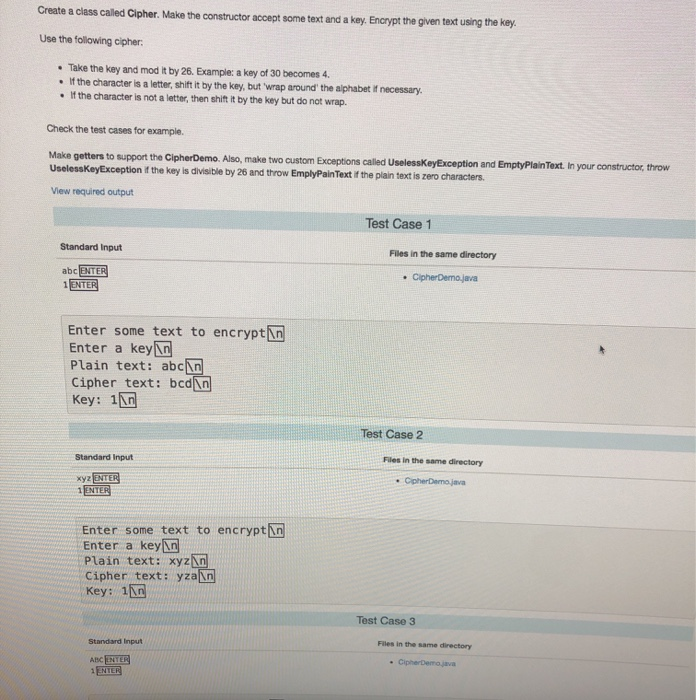
Create a class called Cipher. Make the constructor accept some text and a key. Encrypt the given text using the key. Use the following cipher: Take the key and mod it by 26. Example: a key of 30 becomes 4. . If the character is a letter, shift it by the key, but wrap around the alphabet if necessary . If the character is not a letter, then shift it by the key but do not wrap. Check the test cases for example, Make getters to support the Cipher Demo. Also, make two custom Exceptions called UselessKeyException and EmptyPlain Text. In your constructor, throw Useless KeyException the key is divisible by 26 and throw EmplyPain Text if the plain text is zero characters View required output Test Case 1 Standard Input Files in the same directory abc ENTER 1 ENTER Cipher Demo.java Enter some text to encryptin Enter a keyin Plain text: abc In Cipher text: bcd[in Key: 11n Test Case 2 Standard Input Files in the same directory Cpher Demo java xyz ENTER 1 ENTER Enter some text to encryptin Enter a key in Plain text: xyzn Cipher text: yza in Key: 1in Test Case 3 Standard Input Files in the same directory - Cipremaja ABC ENTER
Step by Step Solution
There are 3 Steps involved in it

Get step-by-step solutions from verified subject matter experts
 Study Help