







Question: Language must be used: PHP using XAMPP. Visual Studio Code 1) Download the lab template from 2) Extract it 3) Fill in the relevant code
Language must be used: PHP using XAMPP.
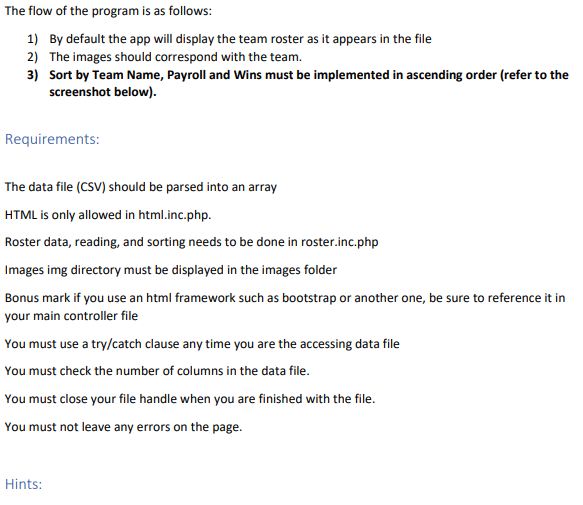
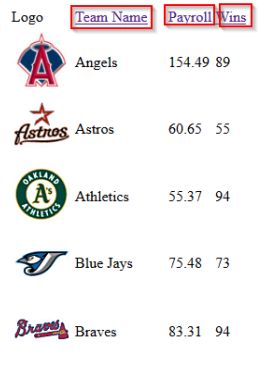
Visual Studio Code 1) Download the lab template from 2) Extract it 3) Fill in the relevant code to create the solution and meet the requirements The flow of the program is as follows: 1) By default the app will display the team roster as it appears in the file 2) The images should correspond with the team. 3) Sort by Team Name, Payroll and Wins must be implemented in ascending order (refer to the screenshot below). Requirements: The data file (CSV) should be parsed into an array HTML is only allowed in html.inc.php. Roster data, reading, and sorting needs to be done in roster.inc.php Images img directory must be displayed in the images folder Bonus mark if you use an html framework such as bootstrap or another one, be sure to reference it in your main controller file You must use a try/catch clause any time you are the accessing data file a You must check the number of columns in the data file. You must close your file handle when you are finished with the file. You must not leave any errors on the page. Hints: Logo Team Name Payroll Vins Angels 154.49 89 Astros Astros 60.65 55 (A. Athletics 55.37 94 V Blue Jays 75.48 73 Brons Braves 83.31 94
Step by Step Solution
There are 3 Steps involved in it

Get step-by-step solutions from verified subject matter experts
 Study Help