







Question: Language: PowerShell. I am using Windows so PowerShell came with is. I need guidance how to do steps 2, 3, 4. I have no background
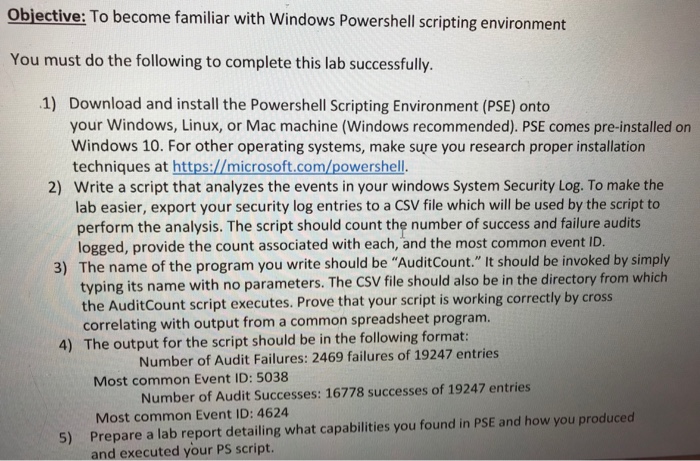
Objective: To become familiar with Windows Powershell scripting environment You must do the following to complete this lab successfully 1) Download and install the Powershell Scripting Environment (PSE) onto your Windows, Linux, or Mac machine (Windows recommended). PSE comes pre-installed on Windows 10. For other operating systems, make sure you research proper installation techniques at https://microsoft.com/powershell. Write a script that analyzes the events in your windows System Security Log. To make the lab easier, export your security log entries to a CSV file which will be used by the script to perform the analysis. The script should count the number of success and failure audi logged, provide the count associated with each, and the most common event ID The name of the program you write should be "AuditCount." It should be invoked by simply typing its name with no parameters. The CSV file should also be in the directory from which the AuditCount script executes. Prove that your script is working correctly by cross 2) 3) correlating with output from a common spreadsheet program 4) The output for the script should be in the following format: Number of Audit Failures: 2469 failures of 19247 entries Most common Event ID: 5038 Number of Audit Successes: 16778 successes of 19247 entries Most common Event ID: 4624 Prepare a lab report detailing what capabilities you found in PSE and how you produced and executed your PS script. 5)
Step by Step Solution
There are 3 Steps involved in it

Get step-by-step solutions from verified subject matter experts
 Study Help