







Question: Larry, your supervisor, asked you to create a presentation comparing three laptop computers that the department is considering purchasing. You have decided to add hyperlinks
Larry, your supervisor, asked you to create a presentation comparing three laptop computers that the department is considering purchasing. You have decided to add hyperlinks to the websites of the three companies on which you have focused your research. What are some key points to keep in mind for using these hyperlinks? What kind of internal hyperlinks-to slideswithin the presentation--might you use?
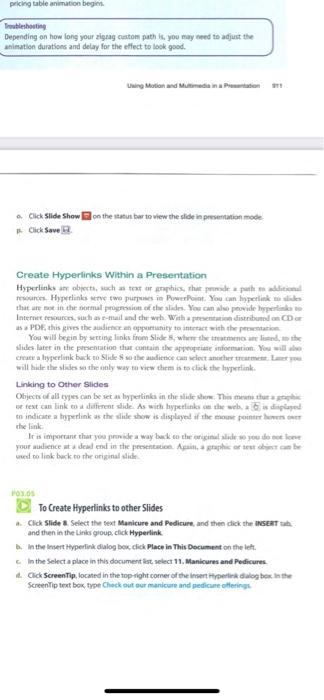
Trautlethosting Depending on how long your zigrag cartom path is, you may ned to adjunt the animation durations and deiay for the effect to lask good. Uwing Motion avd Mutimeti in a Pranitaten tit! a. Gick Slide show B on the iatun bar to wiew the slide in prremation mode. p. Click Save Li. Create Hyperlinks Within a Presentation Hyperlinks an obpecti, sach as teat ar graphiss, thar formale a faite ma alciesenul that an nee in the notmal prognssiout of the aladrs. You can also peovide lipperlisk to Internet rempurces, suth as e-mail and the wat, With a precnemine sistribused on CD or as a PDE, this gives the aialience an appartianity to intrtact with the peomentariom. Yoa wili begin by setring links from Stide 5, whern the tratmarno ane liand, to the Slites later in the presentation that cuntain the appoyteiate infoenution. You will who will biak ute slieles wa the anly way fa view then is to sterk the hyperienk. Linking to Other Slides Cbjecis of all tyjes can be set as byjerlinka in the slide shene. This mewi thur a jepghie tn indicate a byperlink as the slike shew is alisployed af the enous pointer hoven ower whe link: Ir is importane that you prinide a way bank teo the ariginul alude wo you so soe lerer pour audience at a deal end in the persenenice. Apeial, a graphhis of sest atsors eat be uend no liek berk to the originial shidk. hay.64 To Create Hyperlinks to other Slides a. Click Slide a. Select the Sext Manicure and Pedicure, and then dick the INGear tuk. and then in the Liris gioup, click Hyperlink. 1. In the Ineert Hyperlinik dialog bex, cick Place in This Decument on the lets. c. In the Select a place in this document list select 11. Manicures and Pedicures. 1. Cick SoreenTip, located in the top-ight comer of the inient ityperiek dalog bes, In the Screentip tent bek, thet Chock out eur maricare and pedicame ollerings
Step by Step Solution
There are 3 Steps involved in it

Get step-by-step solutions from verified subject matter experts
 Study Help