







Question: LC - 3 Assembly Programming: The beginning of the end Overview Recall lab 1 2 where you were tasked with printing a single character. In
LC Assembly Programming: The beginning of the end
Overview
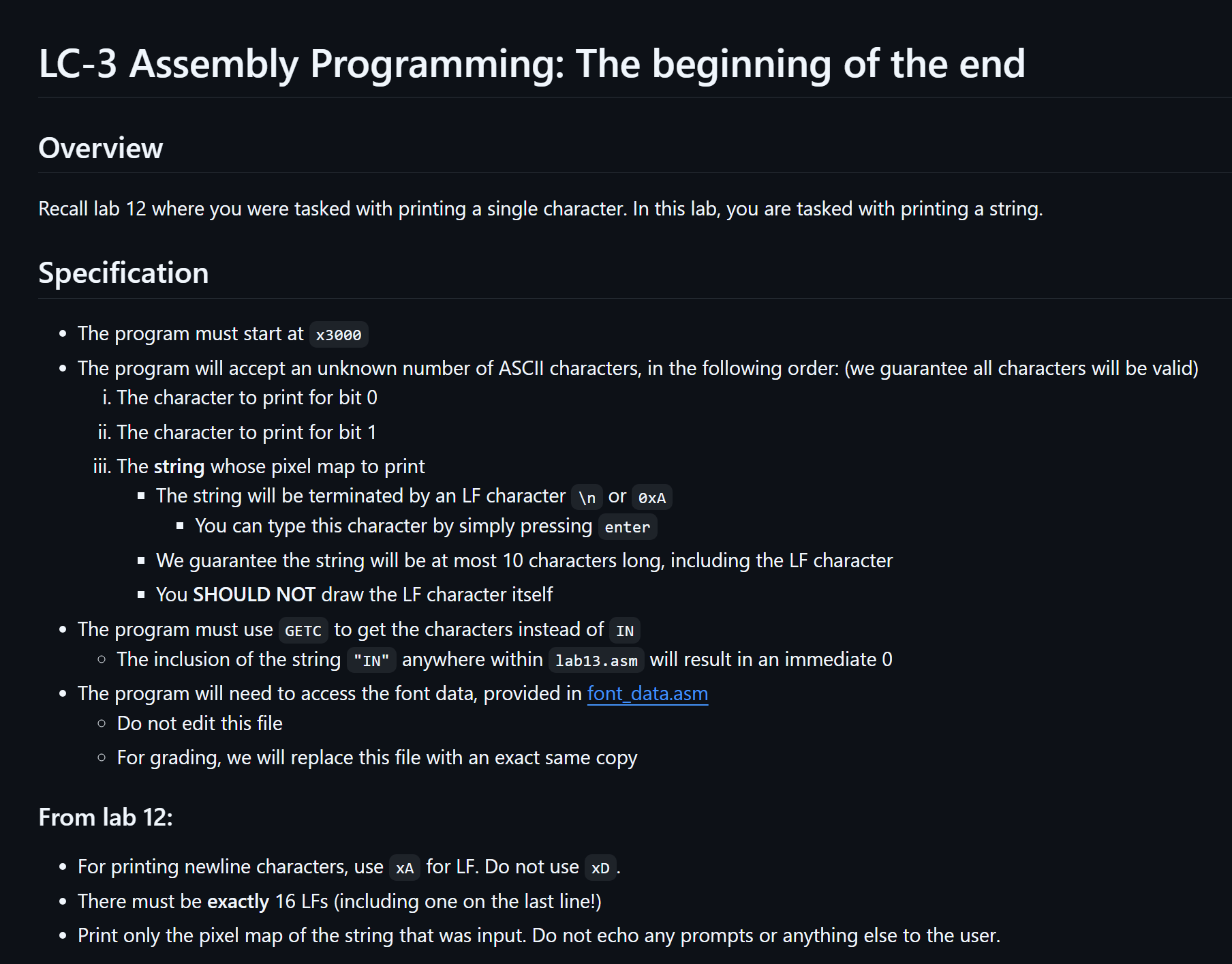
Recall lab where you were tasked with printing a single character. In this lab, you are tasked with printing a string.
Specification
The program must start at x
The program will accept an unknown number of ASCII characters, in the following order: we guarantee all characters will be valid
i The character to print for bit
ii The character to print for bit
iii. The string whose pixel map to print
The string will be terminated by an LF character
or xA
You can type this character by simply pressing enter
We guarantee the string will be at most characters long, including the LF character
You SHOULD NOT draw the LF character itself
The program must use GETC to get the characters instead of IN
The inclusion of the string IN anywhere within labasm will result in an immediate
The program will need to access the font data, provided in fontdata.asm
Do not edit this file
For grading, we will replace this file with an exact same copy
From lab :
For printing newline characters, use xA for LF Do not use xD
There must be exactly LFs including one on the last line!
Print only the pixel map of the string that was input. Do not echo any prompts or anything else to the user. Example
What should be printed for @Pipeline"
@@@@ @@@@@@@@@@@@@@@@@@@ @@@@@@@@@@
@@@@@@@@@@@@@@@@@@@@@@@@@@@@@@@
@@@@@@@ @@@@@@ @@@@@@@@@
Reminder
Avoid The Four Deadly Sins of LC:
square NEVER assume the value of a register before you set it
square NEVER assume the value at an unspecified memory address
NEVER change the ORIG location of your program
NEVER forget to halt and make sure that you are halting correctly using the correct TRAP vector
Step by Step Solution
There are 3 Steps involved in it
1 Expert Approved Answer
Step: 1 Unlock

Question Has Been Solved by an Expert!
Get step-by-step solutions from verified subject matter experts
Step: 2 Unlock
Step: 3 Unlock
 Study Help