







Question: Learning Materials: Excel Chapter 5 Answer the following questions: MULTIPLE CHOICE. Choose the one alternative that best completes the statement or answers the question. Q1-What
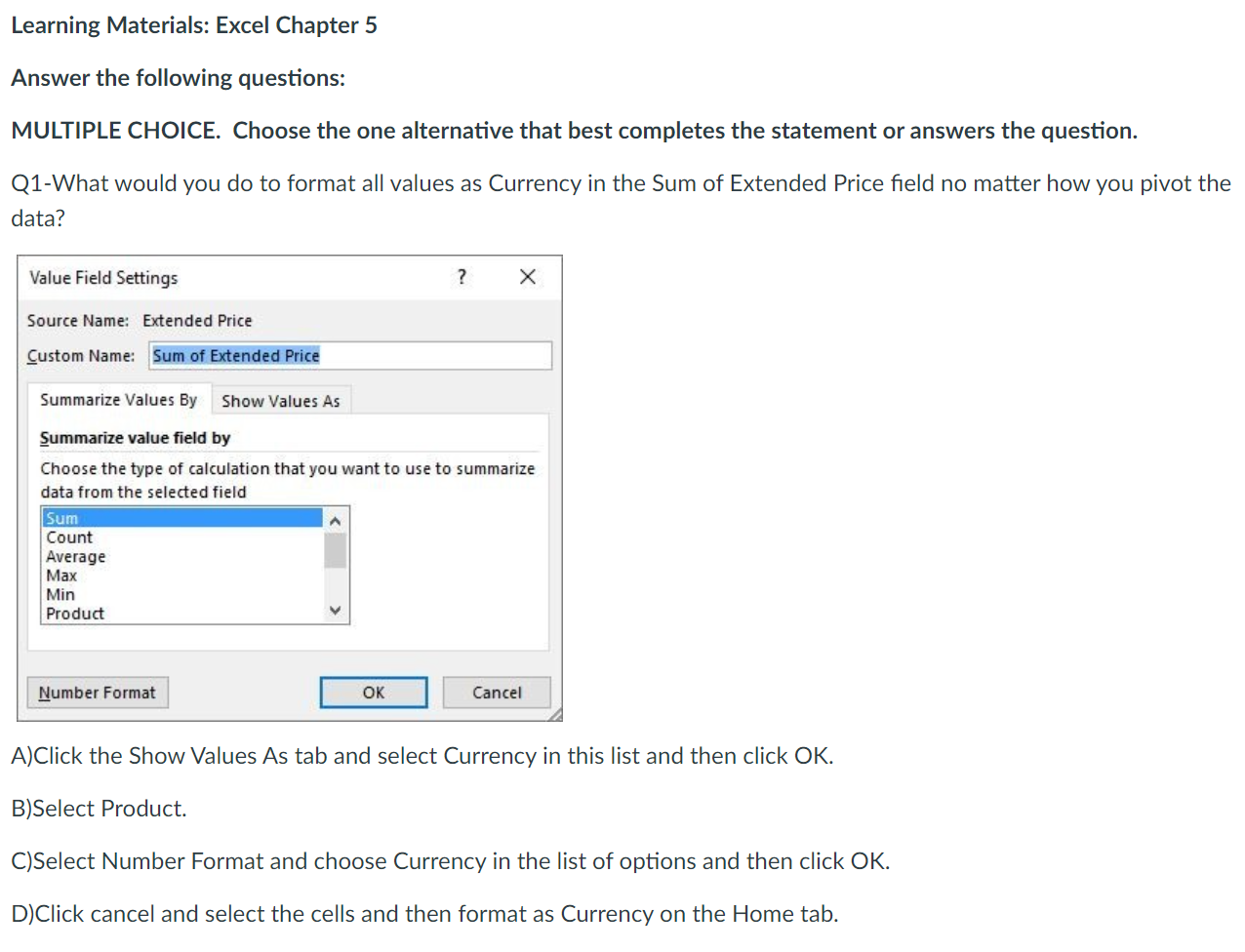
Learning Materials: Excel Chapter 5 Answer the following questions: MULTIPLE CHOICE. Choose the one alternative that best completes the statement or answers the question. Q1-What would you do to format all values as Currency in the Sum of Extended Price field no matter how you pivot the data? Value Field Settings ? Source Name: Extended Price Custom Name: Sum of Extended Price Summarize Values By Show Values As Summarize value field by Choose the type of calculation that you want to use to summarize data from the selected field Sum Count Average Max Min Product Number Format OK Cancel A)Click the Show Values As tab and select Currency in this list and then click OK. B)Select Product. C)Select Number Format and choose Currency in the list of options and then click OK. D)Click cancel and select the cells and then format as Currency on the Home tab
Step by Step Solution
There are 3 Steps involved in it

Get step-by-step solutions from verified subject matter experts
 Study Help