







Question: Learning Objectives: - Creating a RandomAccessFile- Access Modes - Seeking in a RandomAccessFile - Get File Position - Read Byte from a RandomAccessFile - Read
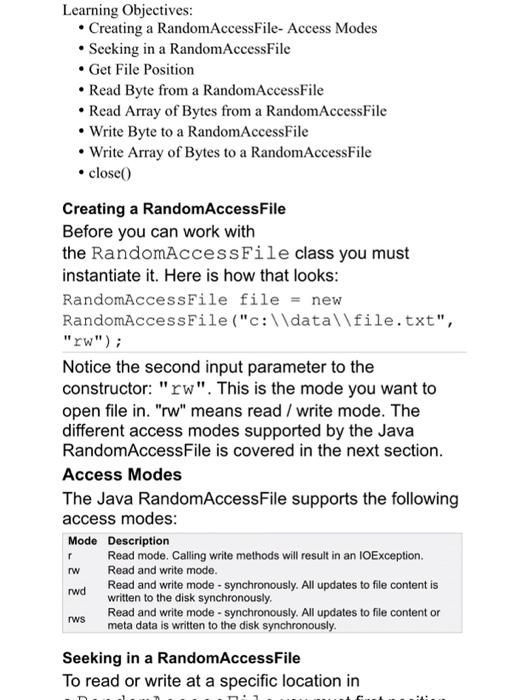
Learning Objectives: - Creating a RandomAccessFile- Access Modes - Seeking in a RandomAccessFile - Get File Position - Read Byte from a RandomAccessFile - Read Array of Bytes from a RandomAccessFile - Write Byte to a RandomAccessFile - Write Array of Bytes to a RandomAccessFile - close( Creating a RandomAccessFile Before you can work with the RandomAccessFile class you must instantiate it. Here is how that looks: RandomAccessilile file = new RandomAccessFile ("c: \ data \ file.txt", "rw"); Notice the second input parameter to the constructor: "rw". This is the mode you want to open file in. "rw" means read / write mode. The different access modes supported by the Java RandomAccessFile is covered in the next section. Access Modes The Java RandomAccessFile supports the following access modes: Mode Description r Read mode. Calling write methods will result in an IOException. Iw Read and write mode. rwd Read and write mode - synchronously. All updates to file content is written to the disk synchronously. Read and write mode - synchronously. All updates to file content or meta data is written to the disk synchronously. Seeking in a RandomAccessFile To read or write at a specific location in
Step by Step Solution
There are 3 Steps involved in it

Get step-by-step solutions from verified subject matter experts
 Study Help