



Question: Learning Outcomes Use TinkerCAD to develop an Arduino sketch. Create documentation using flow chart. Steps Start the TinkerCAD. Note: Other programming editors like Arduino IDE
Learning Outcomes
Use TinkerCAD to develop an Arduino sketch.
Create documentation using flow chart.
Steps
Start the TinkerCAD. Note: Other programming editors like Arduino IDE are also acceptable.
Learn from the instructions from references and in Reference section about creating flow charts using Microsoft
Visio online You may use other online software like
draw.io to draw the flow chart. Different flowchart symbols and
their meanings are shown in the reference
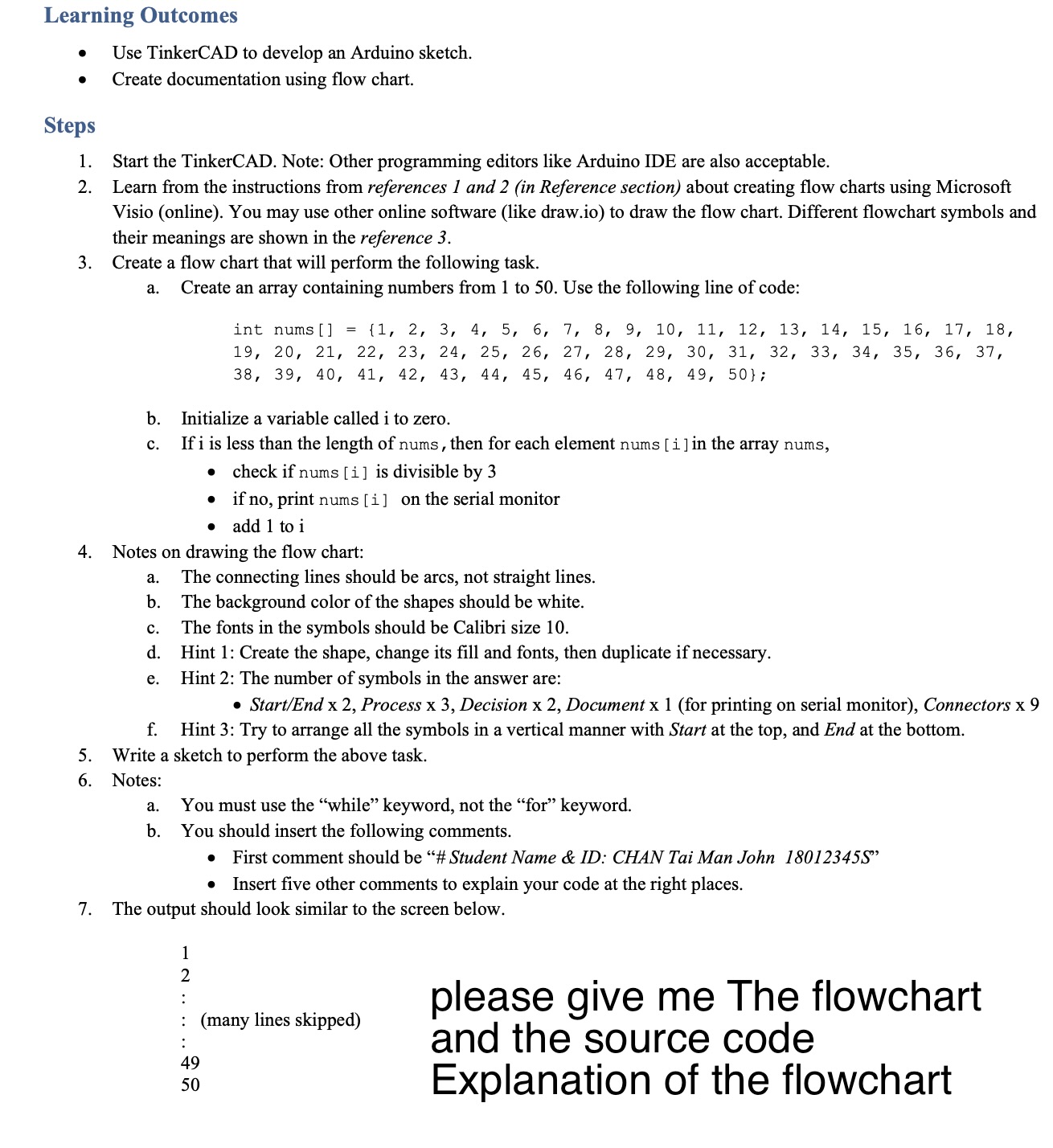
Create a flow chart that will perform the following task.
a Create an array containing numbers from to Use the following line of code:
int nums
;
b Initialize a variable called to zero.
c If is less than the length of nums, then for each element nums in the array nums,
check if nums i is divisible by
if no print nums i on the serial monitor
add to
Notes on drawing the flow chart:
a The connecting lines should be arcs, not straight lines.
b The background color of the shapes should be white.
c The fonts in the symbols should be Calibri size
d Hint : Create the shape, change its fill and fonts, then duplicate if necessary.
e Hint : The number of symbols in the answer are:
StartEnd x Process x Decision x Document for printing on serial monitor Connectors
f Hint : Try to arrange all the symbols in a vertical manner with Start at the top, and End at the bottom.
Write a sketch to perform the above task.
Notes:
a You must use the "while" keyword, not the "for" keyword.
b You should insert the following comments.
First comment should be # Student Name & ID: CHAN Tai Man John S
Insert five other comments to explain your code at the right places.
The output should look similar to the screen below.
please give me The flowchart
and the source code
Explanation of the flowchart
Step by Step Solution
There are 3 Steps involved in it
1 Expert Approved Answer
Step: 1 Unlock

Question Has Been Solved by an Expert!
Get step-by-step solutions from verified subject matter experts
Step: 2 Unlock
Step: 3 Unlock