







Question: Learning Outcomes:Assignment 2 Setup some Double Entry Bookkeeping System sheets You will setup a Company in Sage 50: {Sage 50 Data File = The General
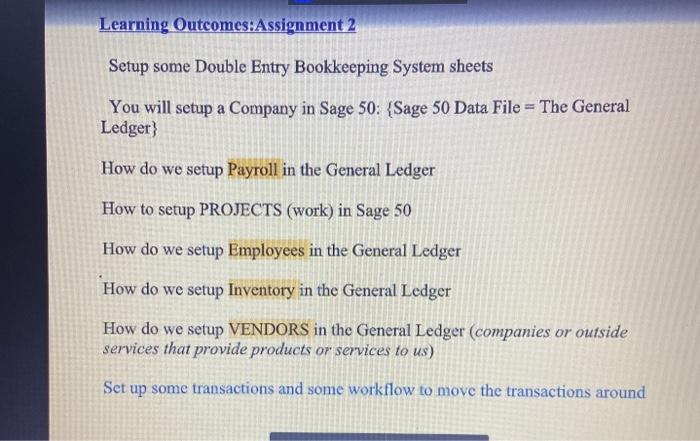
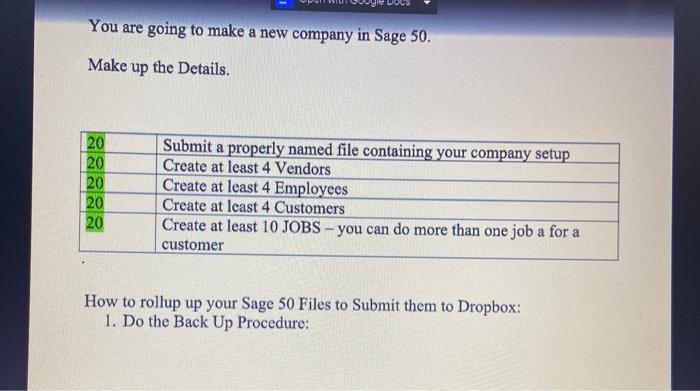
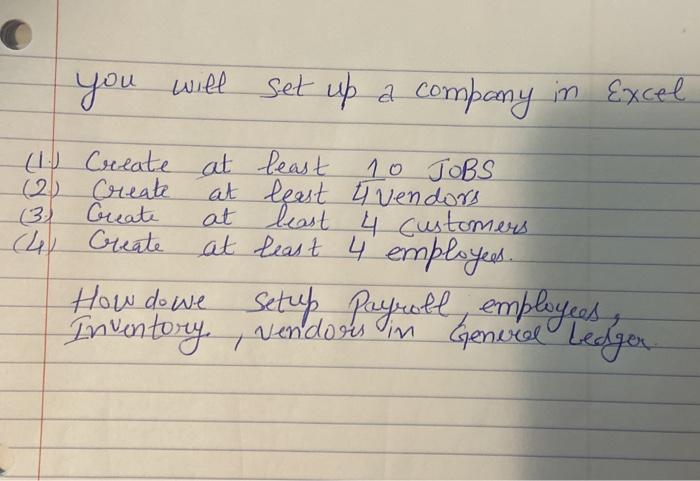
Learning Outcomes:Assignment 2 Setup some Double Entry Bookkeeping System sheets You will setup a Company in Sage 50: {Sage 50 Data File = The General Ledger) How do we setup Payroll in the General Ledger How to setup PROJECTS (work) in Sage 50 How do we setup Employees in the General Ledger How do we setup Inventory in the General Ledger How do we setup VENDORS in the General Ledger (companies or outside services that provide products or services to us) Set up some transactions and some workflow to move the transactions around You are going to make a new company in Sage 50. Make up the Details. 20 20 20 20 20 Submit a properly named file containing your company setup Create at least 4 Vendors Create at least 4 Employees Create at least 4 Customers Create at least 10 JOBS - you can do more than one job a for a customer How to rollup up your Sage 50 Files to Submit them to Dropbox: 1. Do the Back Up Procedure: you will set up a company in Excel (1. Create at least 10 JOBS (2) Create at least 4 vendors (3) Create at least 4 customers (4) Create at least 4 employees. How do we setup Payroll, employees Inventory vendors in Genvel ledger Learning Outcomes:Assignment 2 Setup some Double Entry Bookkeeping System sheets You will setup a Company in Sage 50: {Sage 50 Data File = The General Ledger) How do we setup Payroll in the General Ledger How to setup PROJECTS (work) in Sage 50 How do we setup Employees in the General Ledger How do we setup Inventory in the General Ledger How do we setup VENDORS in the General Ledger (companies or outside services that provide products or services to us) Set up some transactions and some workflow to move the transactions around You are going to make a new company in Sage 50. Make up the Details. 20 20 20 20 20 Submit a properly named file containing your company setup Create at least 4 Vendors Create at least 4 Employees Create at least 4 Customers Create at least 10 JOBS - you can do more than one job a for a customer How to rollup up your Sage 50 Files to Submit them to Dropbox: 1. Do the Back Up Procedure: you will set up a company in Excel (1. Create at least 10 JOBS (2) Create at least 4 vendors (3) Create at least 4 customers (4) Create at least 4 employees. How do we setup Payroll, employees Inventory vendors in Genvel ledger
Step by Step Solution
There are 3 Steps involved in it

Get step-by-step solutions from verified subject matter experts
 Study Help