







Question: Learning to See Programming Challenge Instructions The Challenge and Data Your mission is to write a computer vision algorithm to count the number fingers in
Learning to See Programming Challenge Instructions
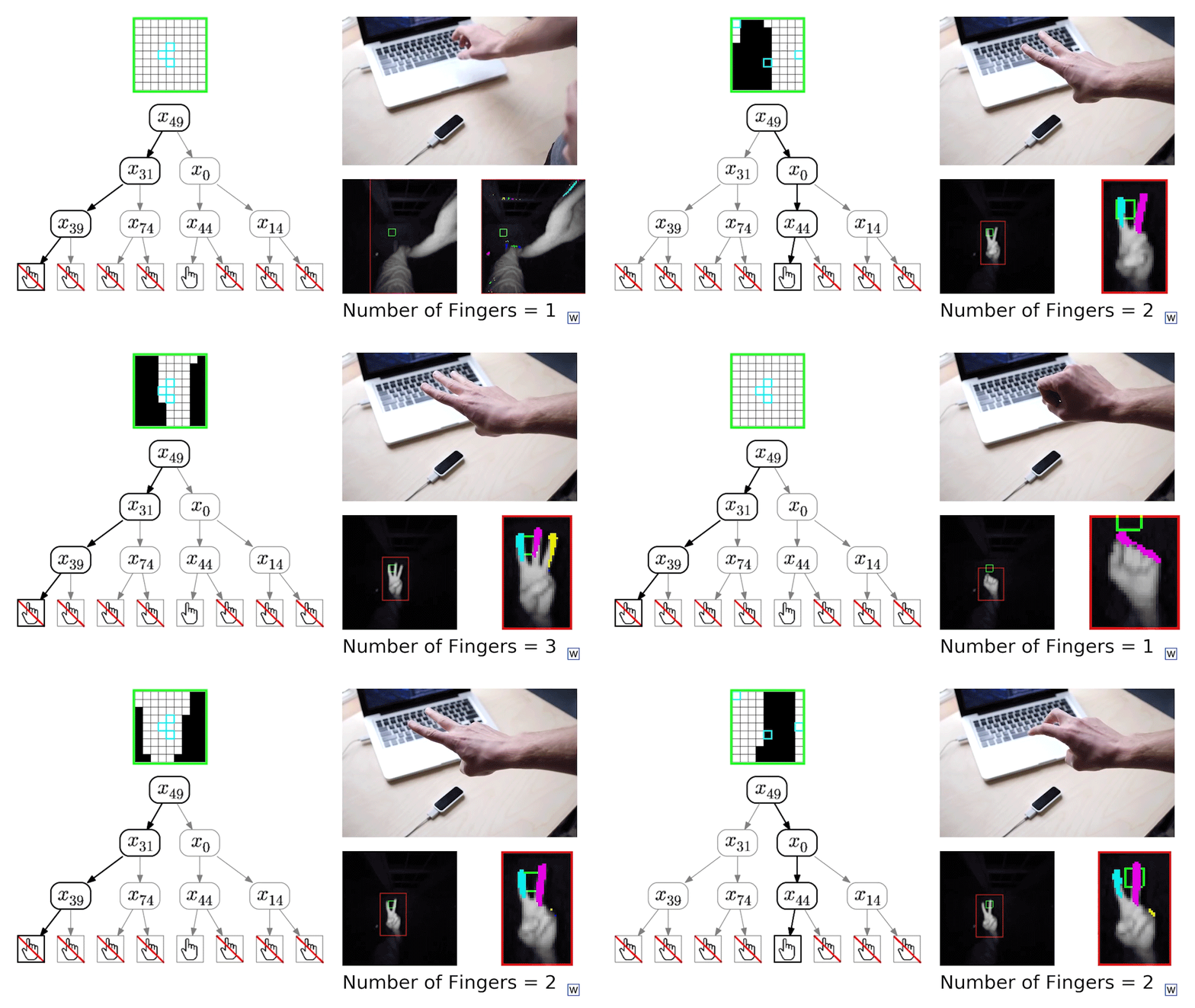
The Challenge and Data
Your mission is to write a computer vision algorithm to count the number fingers in an image from a Leap Motion Infrared Camera. In this repository you'll find a pickle file containing 42 training examples.
In [1]:
%pylab inline import pickle import sys sys.path.append('../util') from data_handling import extractFeatures from image import makeGrayScale Populating the interactive namespace from numpy and matplotlib
In [2]:
#Load data: with open('data/training_data.p', 'rb') as f: d = pickle.load(f) In [3]:
fig = figure(0, (20, 12)) for i in range(len(d)): fig.add_subplot(5, 9, i+1) cropped_image = d[i]['image'][d[i]['boxEdges'][2]:d[i]['boxEdges'][3], \ d[i]['boxEdges'][0]:d[i]['boxEdges'][1]] imshow(cropped_image) title(str(d[i]['numFingers'])) axis('off') The Data
In addition to images and labels, the dataset also includes some other helpful information.
In [4]:
#Data is stored as a list of dicts: len(d)
Out[4]:
42
In [5]:
d[0].keys()
Out[5]:
dict_keys(['box', 'middleFingerPoints', 'handPoints', 'trackingIndices', 'allFingerPoints', 'boxWidth', 'image', 'boxEdges', 'croppedImage', 'numFingers', 'numPointsInBox', 'handEdges', 'indexFingerPoints', 'picCount', 'image1bit', 'ringFingerPoints', 'boxHeight'])
Perhaps the most helpful infomration is finger pixel labels:
In [6]:
exampleIndices = [7, 30, 38]
In [7]:
fig = figure(0, (12, 6)) for i in range(3): fig.add_subplot(1,3,i+1) imageDict = d[exampleIndices[i]] X1, y1 = extractFeatures(imageDict, whichImage = 'image1bit', dist = 4) yImage = y1.reshape(imageDict['boxHeight'], imageDict['boxWidth']) im = makeGrayScale(imageDict) #Paint with matches: im[:,:,0][yImage==1] = 0 im[:,:,1][yImage==1] = .5 im[:,:,2][yImage==1] = 1 imshow(im, interpolation = 'none') title('Number of finger pixels = ' + str(sum(y1==1))) As you'll see in this series, these labels can be used to train a finger pixel classifier.
#Use this sample code
| import numpy as np | |
| #It's kk to import whatever you want from the local util module if you would like: | |
| #from util.X import ... | |
| def count_fingers(im): | |
| ''' | |
| Example submission for coding challenge. | |
| Args: im (nxm) unsigned 8-bit grayscale image | |
| Returns: One of three integers: 1, 2, 3 | |
| ''' | |
| #Let's guess randomly! Maybe we'll get lucky. | |
| labels = [1, 2, 3] | |
| random_integer = np.random.randint(low = 0, high = 3) | |
| return labels[random_integer] |
Step by Step Solution
There are 3 Steps involved in it
1 Expert Approved Answer
Step: 1 Unlock

Question Has Been Solved by an Expert!
Get step-by-step solutions from verified subject matter experts
Step: 2 Unlock
Step: 3 Unlock
 Study Help