







Question: Lesson 13 - Python Lists . 1. Working List Make a list that includes four careers, such as 'programmer' and 'truck driver'. Use the list.index()
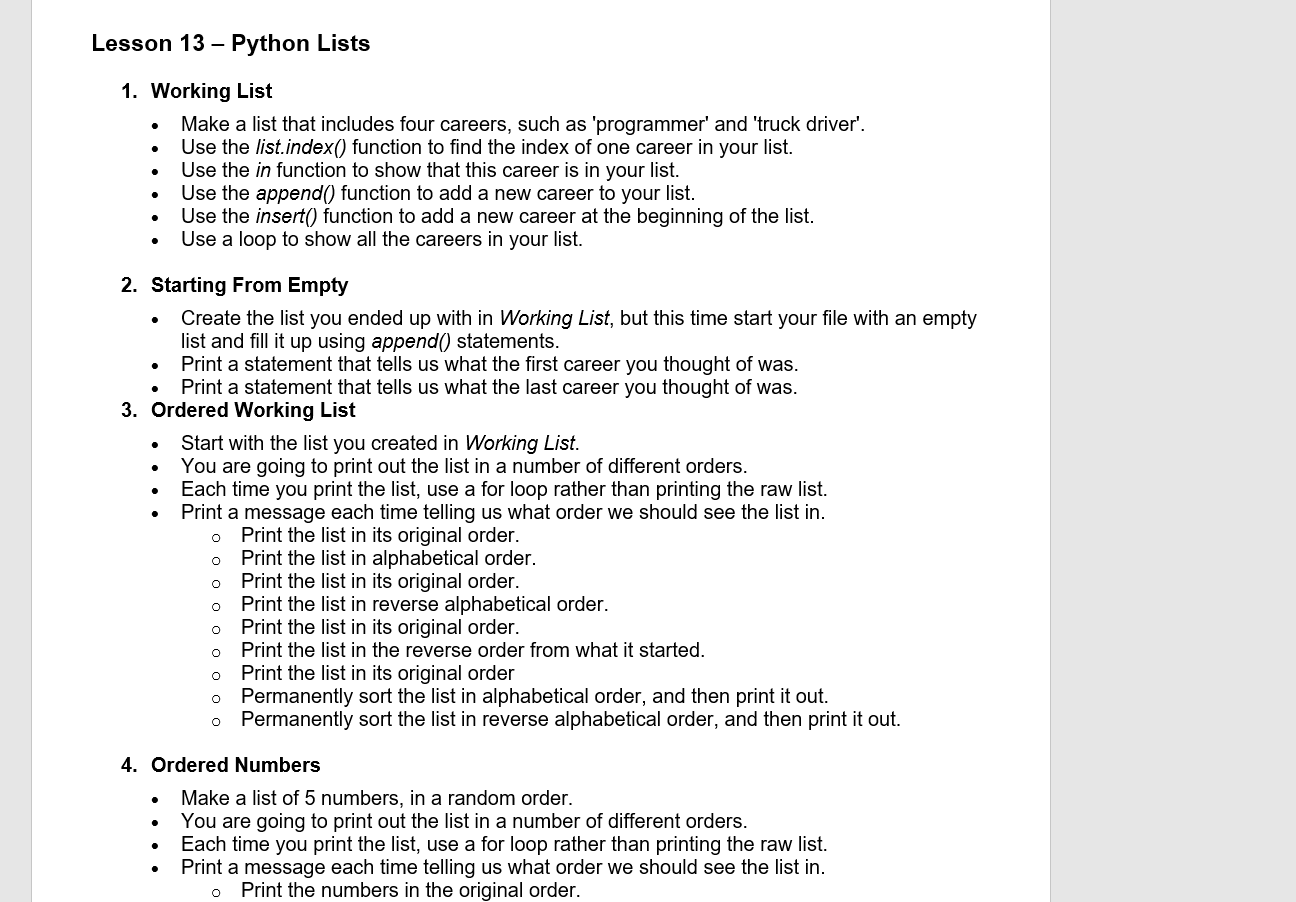
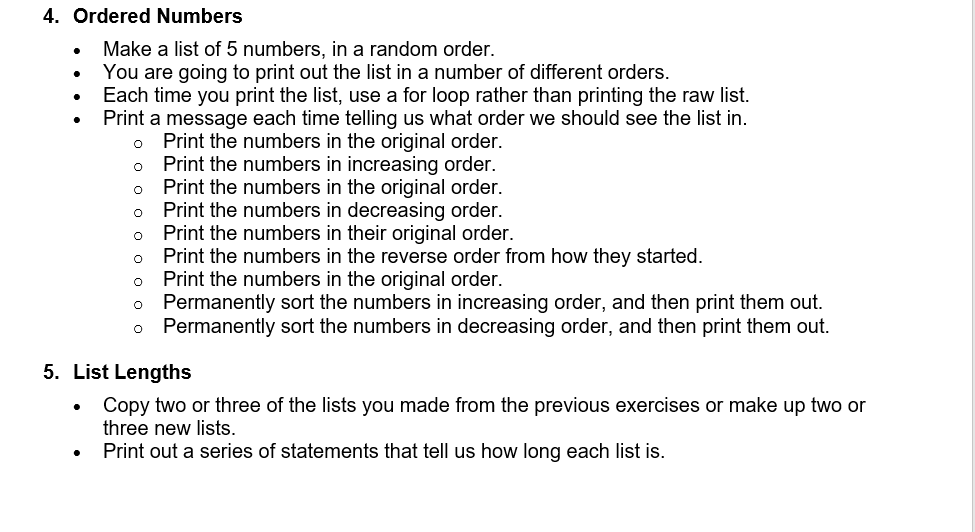
Lesson 13 - Python Lists . 1. Working List Make a list that includes four careers, such as 'programmer' and 'truck driver'. Use the list.index() function to find the index of one career in your list. Use the in function to show that this career is in your list. Use the append() function to add a new career to your list. Use the insert() function to add a new career at the beginning of the list. Use a loop to show all the careers in your list. 2. Starting From Empty Create the list you ended up with in Working List, but this time start your file with an empty list and fill it up using append() statements. Print a statement that tells us what the first career you thought of was. Print a statement that tells us what the last career you thought of was. 3. Ordered Working List Start with the list you created in Working List. You are going to print out the list in a number of different orders. Each time you print the list, use a for loop rather than printing the raw list. Print a message each time telling us what order we should see the list in. Print the list in its original order. o Print the list in alphabetical order. Print the list in its original order. Print the list in reverse alphabetical order. Print the list in its original order. Print the list in the reverse order from what it started. Print the list in its original order Permanently sort the list in alphabetical order, and then print it out. Permanently sort the list in reverse alphabetical order, and then print it out. o 0 o o 4. Ordered Numbers Make a list of 5 numbers, in a random order. You are going to print out the list in a number of different orders. Each time you print the list, use a for loop rather than printing the raw list. Print a message each time telling us what order we should see the list in. Print the numbers in the original order. . 4. Ordered Numbers Make a list of 5 numbers, in a random order. You are going to print out the list in a number of different orders. Each time you print the list, use a for loop rather than printing the raw list. Print a message each time telling us what order we should see the list in. Print the numbers in the original order. Print the numbers in increasing order. Print the numbers in the original order. Print the numbers in decreasing order. Print the numbers in their original order. Print the numbers in the reverse order from how they started. Print the numbers in the original order. Permanently sort the numbers in increasing order, and then print them out. o Permanently sort the numbers in decreasing order, and then print them out. 5. List Lengths Copy two or three of the lists you made from the previous exercises or make up two or three new lists. Print out a series of statements that tell us how long each list is
Step by Step Solution
There are 3 Steps involved in it

Get step-by-step solutions from verified subject matter experts
 Study Help