







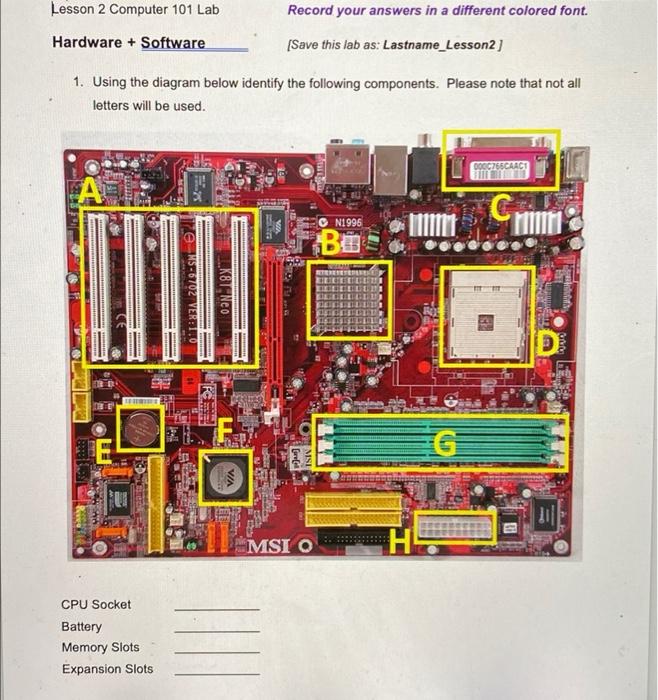
Question: Lesson 2 Computer 101 Lab Record your answers in a different colored font. Hardware + Software (Save this lab as: Lastname_Lesson2] 1. Using the diagram
![colored font. Hardware + Software (Save this lab as: Lastname_Lesson2] 1. Using](https://dsd5zvtm8ll6.cloudfront.net/si.experts.images/questions/2024/09/66f506ffcf50c_14366f506ff4e43e.jpg)
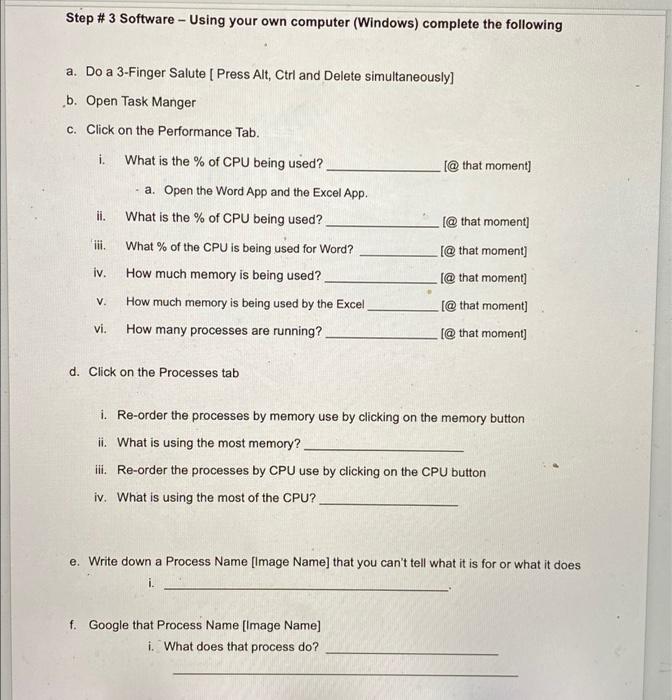
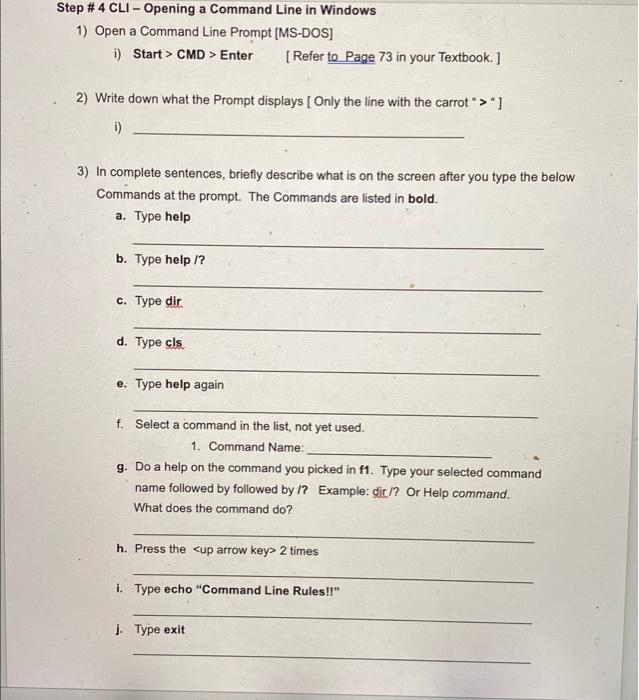
Lesson 2 Computer 101 Lab Record your answers in a different colored font. Hardware + Software (Save this lab as: Lastname_Lesson2] 1. Using the diagram below identify the following components. Please note that not all letters will be used. DOGC766CAACI CN1996 B Gre MSI BI MSI O CPU Socket Battery Memory Slots Expansion Slots 2. Repeat the first exercise using the following motherboard. REVOL Design in Taipei ALSO RE TUID AGID ASSEM K10 HCIELI BYSTANS VIS AIN L. USB 2.0 Dual Channel DDR3 JU PCI Express 2.0 SATA 2 YDIS TUTARA Gigabit LAN sorgjeng GIGABYTE GA-PIST-$36 BUSS LESS LESSE WIRE. TA2 VRDS MVI 29 Easy Energy Saver 45nm CPU Read SH MVVS CPU Socket Expansion Slots Battery Memory Slots Step #3 Software - Using your own computer (Windows) complete the following a. Do a 3-Finger Salute [ Press Alt, Ctrl and Delete simultaneously b. Open Task Manger c. Click on the Performance Tab. i. [@ that moment] ii. [@ that moment] lii. What is the % of CPU being used? - a. Open the Word App and the Excel App. What is the % of CPU being used? What % of the CPU is being used for Word? How much memory is being used? How much memory is being used by the Excel How many processes are running? [@ that moment] iv. f@ that moment) V. CMD > Enter [Refer to Page 73 in your Textbook.] 2) Write down what the Prompt displays Only the line with the carrot >] i) 3) In complete sentences, briefly describe what is on the screen after you type the below Commands at the prompt. The Commands are listed in bold. a. Type help b. Type help /? c. Type dir d. Type cls. e. Type help again f. Select a command in the list, not yet used. 1. Command Name: g. Do a help on the command you picked in f1. Type your selected command name followed by followed by 1? Example: dic /? Or Help command. What does the command do? h. Press the
Step by Step Solution
There are 3 Steps involved in it

Get step-by-step solutions from verified subject matter experts
 Study Help