


Question: Lesson 7: Training and Development Qualification You have decided on the perfect candidate for the open position. You will now need to hire them to
Lesson 7: Training and Development Qualification

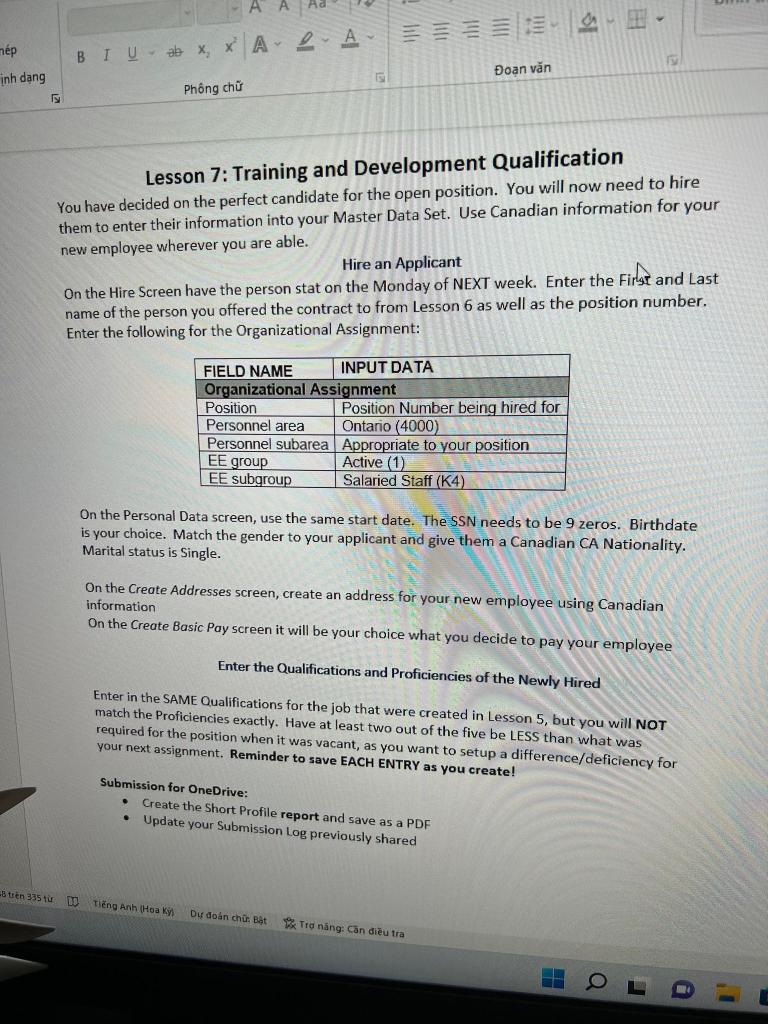
Lesson 7: Training and Development Qualification You have decided on the perfect candidate for the open position. You will now need to hire them to enter their information into your Master Data Set. Use Canadian information for your new employee wherever you are able. Hire an Applicant On the Hire Screen have the person stat on the Monday of NEXT week. Enter the First and Last name of the person you offered the contract to from Lesson 6 as well as the position number. Enter the following for the Organizational Assignment: On the Personal Data screen, use the same start date. The SSN needs to be 9 zeros. Birthdate is your choice. Match the gender to your applicant and give them a Canadian CA Nationality. Marital status is Single. On the Create Addresses screen, create an address for your new employee using Canadian information On the Create Basic Pay screen it will be your choice what you decide to pay your emplayee Enter the Qualifications and Proficiencies of the Newly Hired Enter in the SAME Qualifications for the job that were created in Lesson 5 , but you will NOT match the Proficiencies exactly. Have at least two out of the five be LESS than what was required for the position when it was vacant, as you want to setup a difference/deficiency for your next assignment. Reminder to save EACH ENTRY as you create! Submission for OneDrive: - Create the Short Profile report and save as a PDF - Update your Submission Log previously shared Lesson 7: Training and Development Qualification You have decided on the perfect candidate for the open position. You will now need to hire them to enter their information into your Master Data Set. Use Canadian information for your new employee wherever you are able. Hire an Applicant On the Hire Screen have the person stat on the Monday of NEXT week. Enter the First and Last name of the person you offered the contract to from Lesson 6 as well as the position number. Enter the following for the Organizational Assignment: On the Personal Data screen, use the same start date. The SSN needs to be 9 zeros. Birthdate is your choice. Match the gender to your applicant and give them a Canadian CA Nationality. Marital status is Single. On the Create Addresses screen, create an address for your new employee using Canadian information On the Create Basic Pay screen it will be your choice what you decide to pay your emplayee Enter the Qualifications and Proficiencies of the Newly Hired Enter in the SAME Qualifications for the job that were created in Lesson 5 , but you will NOT match the Proficiencies exactly. Have at least two out of the five be LESS than what was required for the position when it was vacant, as you want to setup a difference/deficiency for your next assignment. Reminder to save EACH ENTRY as you create! Submission for OneDrive: - Create the Short Profile report and save as a PDF - Update your Submission Log previously shared

Step by Step Solution

There are 3 Steps involved in it

1 Expert Approved Answer
Step: 1 Unlock blur-text-image

Question Has Been Solved by an Expert!

Get step-by-step solutions from verified subject matter experts

Step: 2 Unlock
Step: 3 Unlock

Students Have Also Explored These Related General Management Questions!