







Question: Level 2 1 1 . Changing a Variable's Data Type The data set orion.US _ newhire contains information about newly hired employees. Partial orion.US _
Level
Changing a Variable's Data Type
The data set orion.USnewhire contains information about newly hired employees.
Partial orion.USnewhire
tableIDTelephone,BirthdayODECOMAYNOVJUN
Partial PROC CONTENTS Output of orion.USnewhire
a Create a new data set from orion.USnewhire.
Name the new data set USconverted.
Remove the embedded hyphens in ID
Convert ID to a numeric value.
Convert Telephone to character and place a hyphen or dash between the third and fourth digits.
Convert Birthday to a SAS date value.
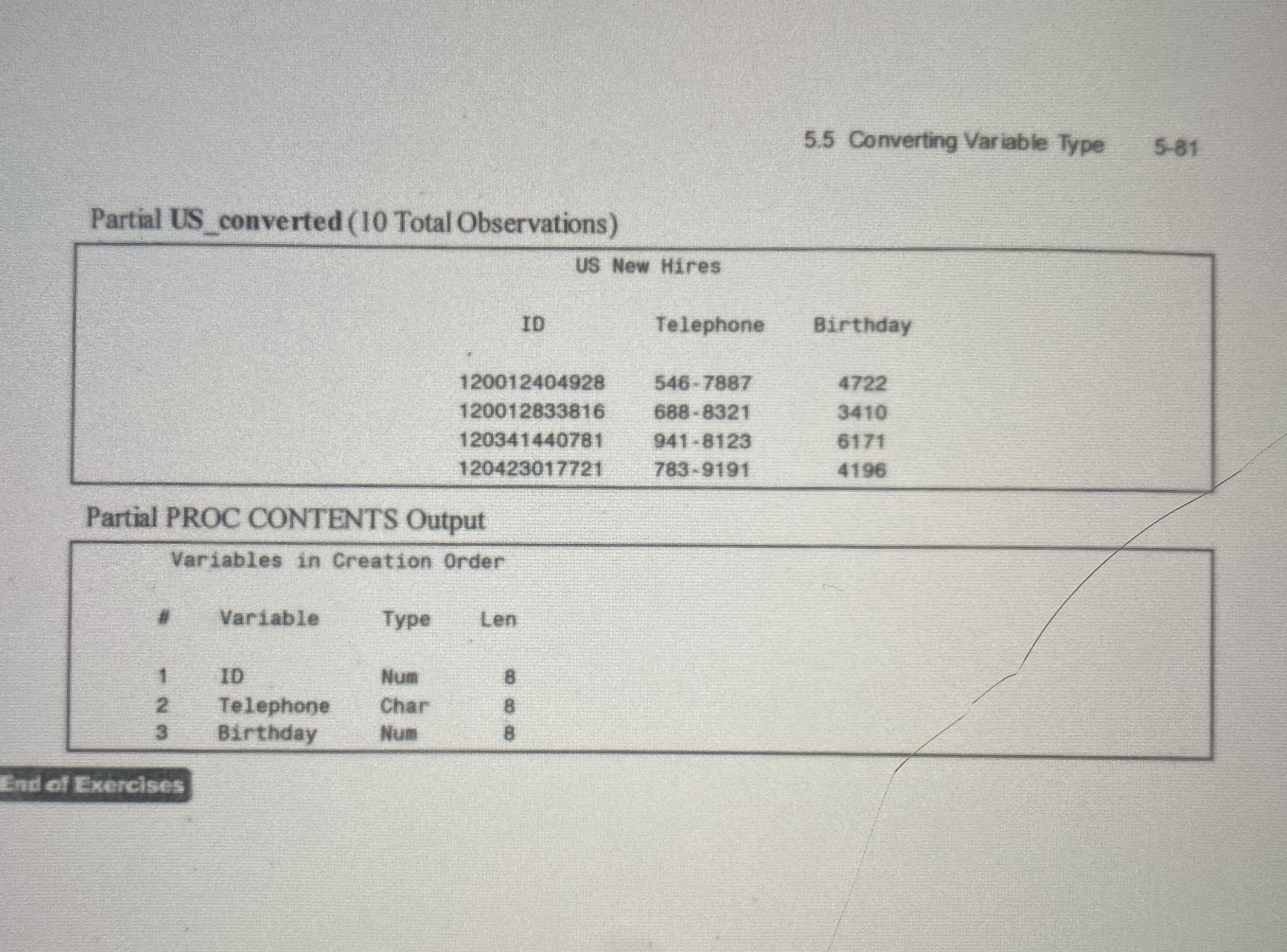
b Print ISconverted with an appropriate title and use PROC CONTENTS to check the variables types Converting Variable Type
Partial USconverted Total Observations
tableUS New HiresIDTelephone,Birthday,
Partial PROC CONTENTS Output
tableVariables in Creation Order#Variable,Type,LentableNumTelephone,Char,Birthday,Num,
End of Exercises
Step by Step Solution
There are 3 Steps involved in it
1 Expert Approved Answer
Step: 1 Unlock

Question Has Been Solved by an Expert!
Get step-by-step solutions from verified subject matter experts
Step: 2 Unlock
Step: 3 Unlock
 Study Help