







Question: //Lexer.java import java.util.*; import java.util.stream.Collectors; /** * The Lexer has several different versions of a parsing method for expressions. * * The first method is
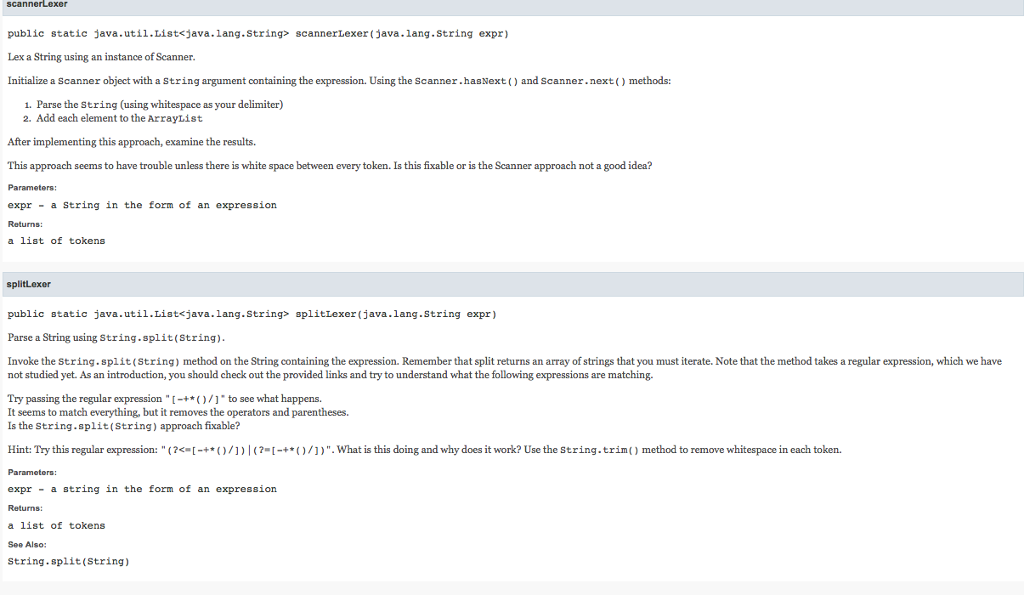 //Lexer.java
import java.util.*;
import java.util.stream.Collectors;
/**
* The Lexer has several different versions of a parsing method for expressions.
*
* The first method is called {@code scannerLexer}, and is based on using a {@link Scanner}.
* The second method is called {@code splitLexer}, which uses {@link String#split(String)}.
* The third method is call {@code tokenizerLexer} and is based on an object called {@link StringTokenizer}.
*
* created by Chris Wilcox Spring17
* modified by {@code rbecwar} and {@code garethhalladay} Fall17
*/
public class Lexer {
/**
* Lex a String using an instance of Scanner.
*
* Initialize a {@code Scanner} object with a {@code String} argument containing the expression.
* Using the {@link Scanner#hasNext()} and {@link Scanner#next()} methods:
*
- Parse the {@code String} (using whitespace as your delimiter)
*
- Add each element to the {@code ArrayList}
*
*
*
* After implementing this approach, examine the results.
*
* This approach seems to have trouble unless there is white space between every token.
* Is this fixable or is the Scanner approach not a good idea?
* @param expr a String in the form of an expression
* @return a list of tokens
*/
public static List
// Allocate list
ArrayList
// YOUR CODE HERE
return tokens;
}
/**
* Parse a String using {@link String#split(String)}.
*
* Invoke the {@code String.split(String)} method on the String containing the expression.
* Remember that split returns an array of strings that you must iterate.
* Note that the method takes a regular expression, which we have not studied yet. As an introduction,
* you should check out the provided links and try to understand what the following expressions are
* matching.
*
* Try passing the regular expression {@code "[-+*()/]"} to see what happens.
* It seems to match everything, but it removes the operators and parentheses.
* Is the {@code String.split(String)} approach fixable?
*
* Hint: Try this regular expression: {@code "(?
* What is this doing and why does it work?
*
* Use the {@link String#trim()} method to remove whitespace in each token.
*
* @param expr a string in the form of an expression
* @return a list of tokens
* @see String#split(String)
*/
public static List
// Allocate list
List
// YOUR CODE HERE
return tokens;
}
/*
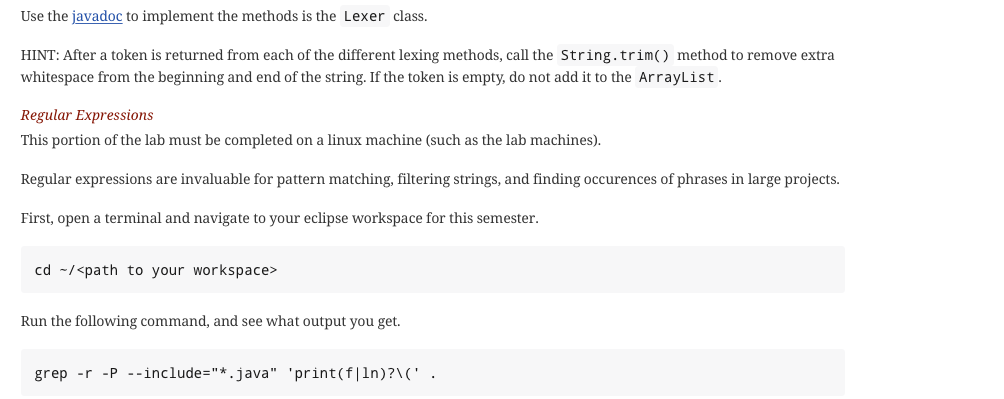
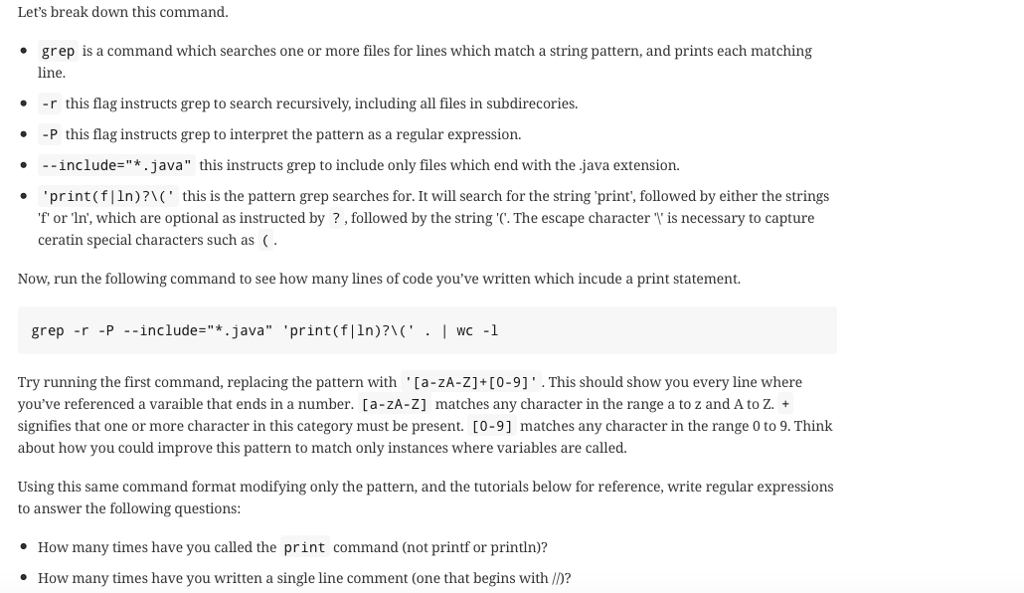
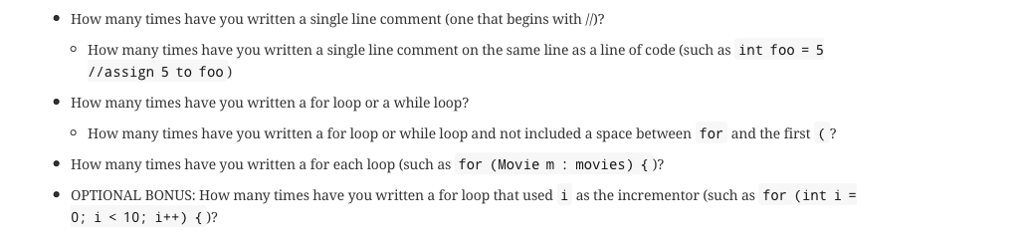
Consult the Regular Expressions section of the documentation and answer the questions using regular expressions. Show the TA the output of your grep commands for completion.
*/
}
// TestCode.java - test code for expression parser
import java.util.List;
public class TestCode {
// Test code public static void main(String[] args) { String expression = ""; List
// Iterate examples for (int example = 0; example
// Iterate parsers for (int parser = 0; parser
System.out.println(expression + " = " + tokens.toString()); } } } }
If you can also answer the questions on the bottom of lexer.java that would be amazing!
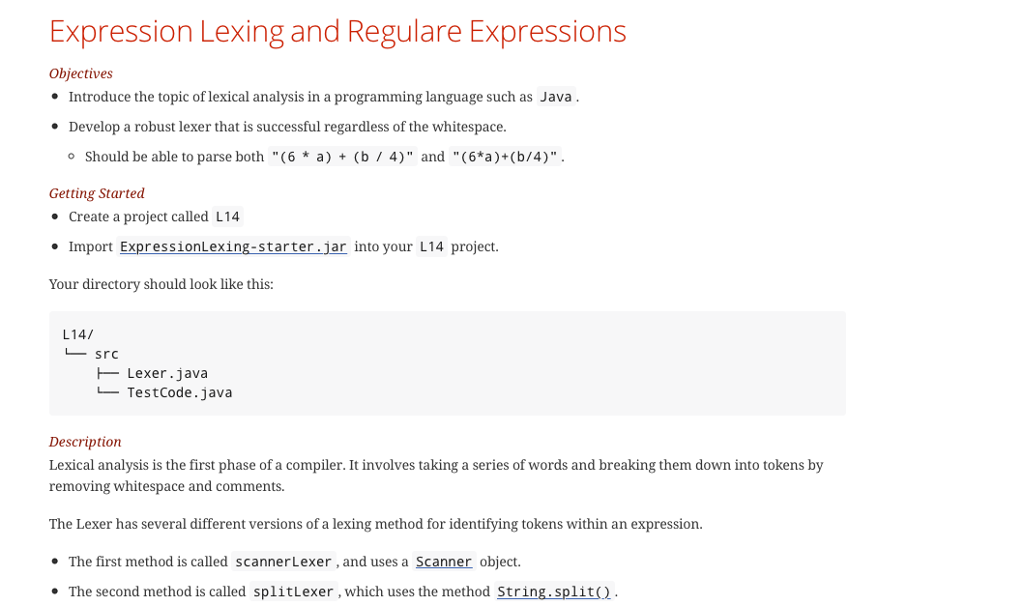
Expression Lexing and Regulare Expressions Objectives Introduce the topic of lexical analysis in a programming language such as Java. Develop a robust lexer that is successful regardless of the whitespace. should be able to parse both "(6 * a) + (b / 4)" and "(6*a)+(b/4)". Getting Started Create a project called L14 Import ExpressionLexing-starter.jar into your L14 project Your directory should look like this: L14/ src - Lexer.java TestCode.java Description Lexical analysis is the first phase of a compiler. It involves taking a series of words and breaking them down into tokens by removing whitespace and comments. The Lexer has several different versions of a lexing method for identifying tokens within an expression The first method is called scannerLexer, and uses a Scanner object. The second method is called split Lexer , which uses the method String. split() . Expression Lexing and Regulare Expressions Objectives Introduce the topic of lexical analysis in a programming language such as Java. Develop a robust lexer that is successful regardless of the whitespace. should be able to parse both "(6 * a) + (b / 4)" and "(6*a)+(b/4)". Getting Started Create a project called L14 Import ExpressionLexing-starter.jar into your L14 project Your directory should look like this: L14/ src - Lexer.java TestCode.java Description Lexical analysis is the first phase of a compiler. It involves taking a series of words and breaking them down into tokens by removing whitespace and comments. The Lexer has several different versions of a lexing method for identifying tokens within an expression The first method is called scannerLexer, and uses a Scanner object. The second method is called split Lexer , which uses the method String. split()
Step by Step Solution
There are 3 Steps involved in it

Get step-by-step solutions from verified subject matter experts
 Study Help