







Question: Linkedin QuickBooks Online Essential Training Multiple Choice Questions: 22. Terry needs to calculate the total amount of product to be shipped so he can calculate
Linkedin QuickBooks Online Essential Training Multiple Choice Questions:
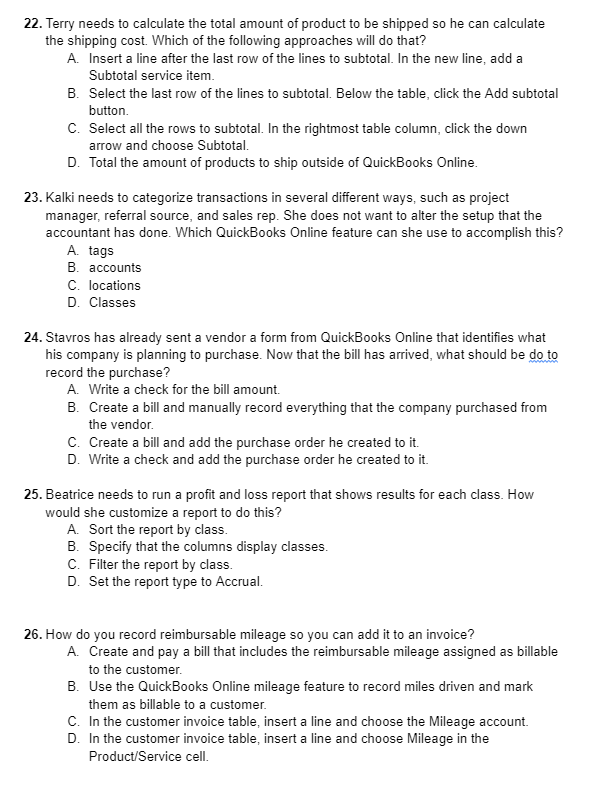
22. Terry needs to calculate the total amount of product to be shipped so he can calculate the shipping cost. Which of the following approaches will do that? A. Insert a line after the last row of the lines to subtotal. In the new line, add a Subtotal service item. B. Select the last row of the lines to subtotal. Below the table, click the Add subtotal button C. Select all the rows to subtotal. In the rightmost table column, click the down arrow and choose Subtotal. D. Total the amount of products to ship outside of QuickBooks Online. 23. Kalki needs to categorize transactions in several different ways, such as project manager, referral source, and sales rep. She does not want to alter the setup that the accountant has done. Which QuickBooks Online feature can she use to accomplish this? A tags B. accounts C. locations D. Classes 24. Stavros has already sent a vendor a form from QuickBooks Online that identifies what his company is planning to purchase. Now that the bill has arrived, what should be do to record the purchase? A. Write a check for the bill amount. B. Create a bill and manually record everything that the company purchased from the vendor. C. Create a bill and add the purchase order he created to it. D. Write a check and add the purchase order he created to it. 25. Beatrice needs to run a profit and loss report that shows results for each class. How would she customize a report to do this? A Sort the report by class. B. Specify that the columns display classes. C. Filter the report by class. D. Set the report type to Accrual. 26. How do you record reimbursable mileage so you can add it to an invoice? A. Create and pay a bill that includes the reimbursable mileage assigned as billable to the customer. B. Use the QuickBooks Online mileage feature to record miles driven and mark them as billable to a customer. C. In the customer invoice table, insert a line and choose the Mileage account. D. In the customer invoice table, insert a line and choose Mileage in the Product/Service cell
Step by Step Solution
There are 3 Steps involved in it

Get step-by-step solutions from verified subject matter experts
 Study Help