Question: links - https://www.grotto-networking.com/SDNfun.html https://www.grotto-networking.com/patents.html If you can't directly access these links please go to https://www.grotto-networking.com and then open the page from there. If even that
If you can't directly access these links please go to https://www.grotto-networking.com and then open the page from there. If even that doesn't work, please just let me know the queries which are used in these.
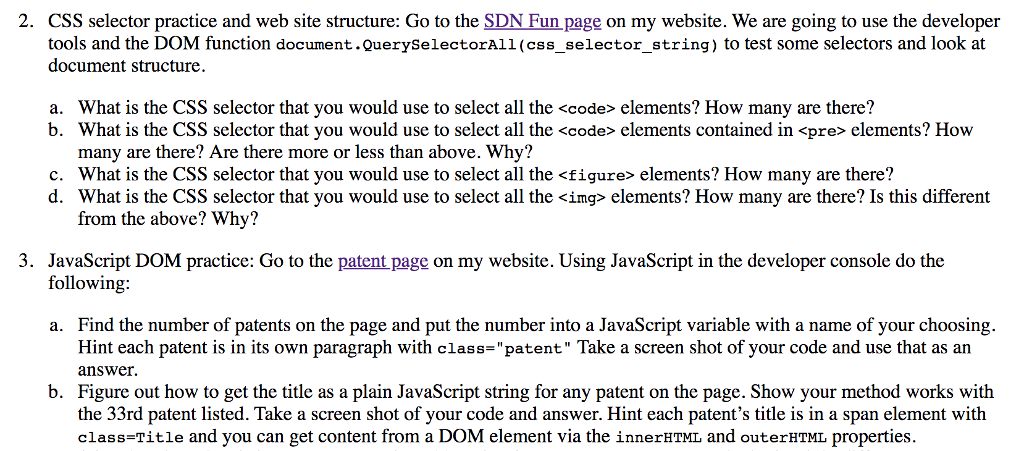
2. CSS selector practice and web site structure: Go to the SDN Fun page on my website. We are going to use the developeir tools and the DOM function document.QuerySelectorAll (css_selector string) to test some selectors and look at document structure What is the CSS selector that you would use to select all the elements? How many are there? b. a. What is the CSS selector that you would use to select all the elements contained in
elements? How many are there? Are there more or less than above. Why? c. What is the CSS selector that you would use to select all the elements? How many are there? d. What is the CSS selector that you would use to select all the elements? How many are there? Is this different from the above? Why? 3. JavaScript DOM practice: Go to the patent page on my website. Using JavaScript in the developer console do the following: Find the number of patents on the page and put the number into a JavaScript variable with a name of your choosing. Hint each patent is in its own paragraph with class-"patent" Take a screen shot of your code and use that as an answer Figure out how to get the title as a plain JavaScript string for any patent on the page. Show your method works with the 33rd patent listed. Take a screen shot of your code and answer. Hint each patent's title is in a span element with class-Title and you can get content from a DOM element via the innerHTML and outerHtMl properties a. b
Step by Step Solution
There are 3 Steps involved in it
1 Expert Approved Answer
Step: 1 Unlock
Question Has Been Solved by an Expert!
Get step-by-step solutions from verified subject matter experts
Step: 2 Unlock
Step: 3 Unlock
Students Have Also Explored These Related Databases Questions!








 links - https://www.grotto-networking.com/SDNfun.html
 Study Help