







Question: linux commands You can do that with the following command: rm mno. Be sure there is no space between the period and asterisk in the
linux commands
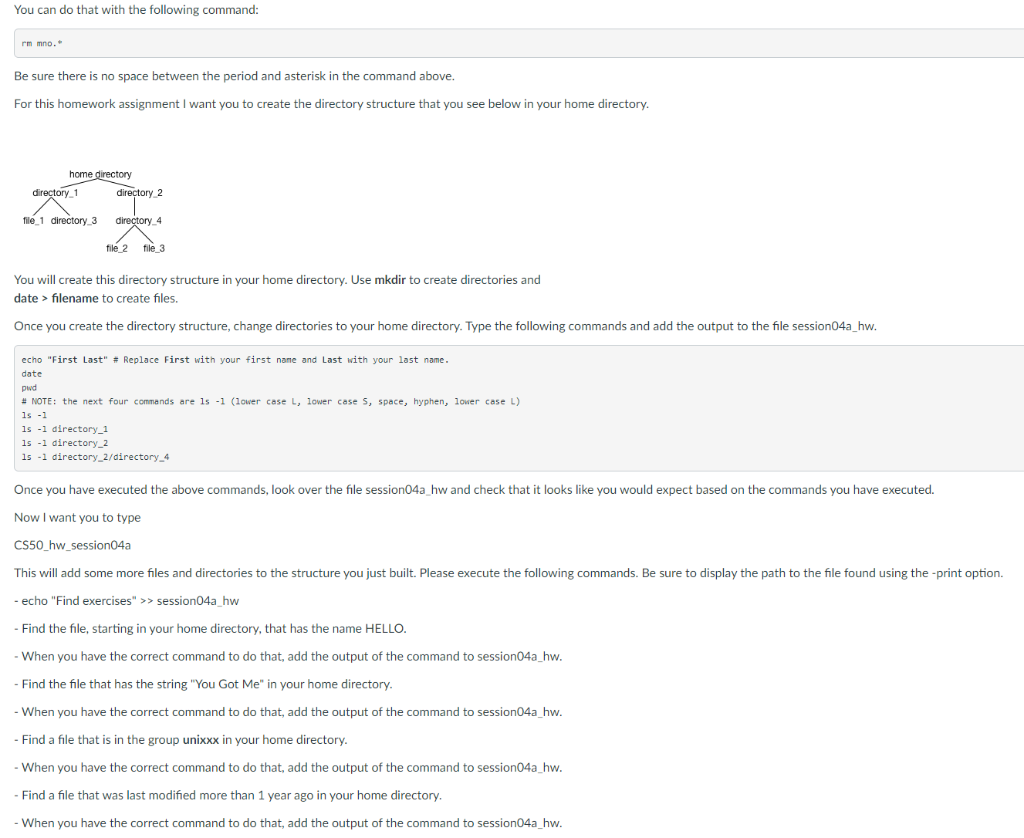
You can do that with the following command: rm mno. Be sure there is no space between the period and asterisk in the command above. For this homework assignment I want you to create the directory structure that you see below in your home directory. home directory directory 1 directory2 file 1 directory 3 directory_4 file 2 file_3 You will create this directory structure in your home directory. Use mkdir to create directories and date > filename to create files. Once you create the directory structure, change directories to your home directory. Type the following commands and add the output to the file session04a_hw. echo "First Last" # Replace First with your first name and Last with your last name. date pwd # NOTE: the next four commands are ls -1 (lower case L, lower case 5, space, hyphen, lower case L) 1s -1 1s -1 directory_1 15 -1 directory_2 15 -1 directory_2/directory_4 Once you have executed the above commands, look over the file session04a_hw and check that it looks like you would expect based on the commands you have executed. Now I want you to type CS50_hw_session04a This will add some more files and directories to the structure you just built. Please execute the following commands. Be sure to display the path to the file found using the print option. - echo "Find exercises" >> session04a hw - Find the file, starting in your home directory, that has the name HELLO. - When you have the correct command to do that, add the output of the command to session04a_hw. - Find the file that has the string "You Got Me" in your home directory. - When you have the correct command to do that, add the output of the command to session04a_hw. - Find a file that is in the group unixxx in your home directory. - When you have the correct command to do that, add the output of the command to session04a_hw. Find a file that was last modified more than 1 year ago in your home directory. When you have the correct command to do that, add the output of the command to session04a_hw
Step by Step Solution
There are 3 Steps involved in it

Get step-by-step solutions from verified subject matter experts
 Study Help