







Question: linux solve it ASAP solve it quickly to get you thumbs up directly Under your home directory, create a directory called 'finalproject_yourstudentidnumber_yoursection' (example finalproject_1200123_sec1) and
linux solve it ASAP solve it quickly to get you thumbs up directly
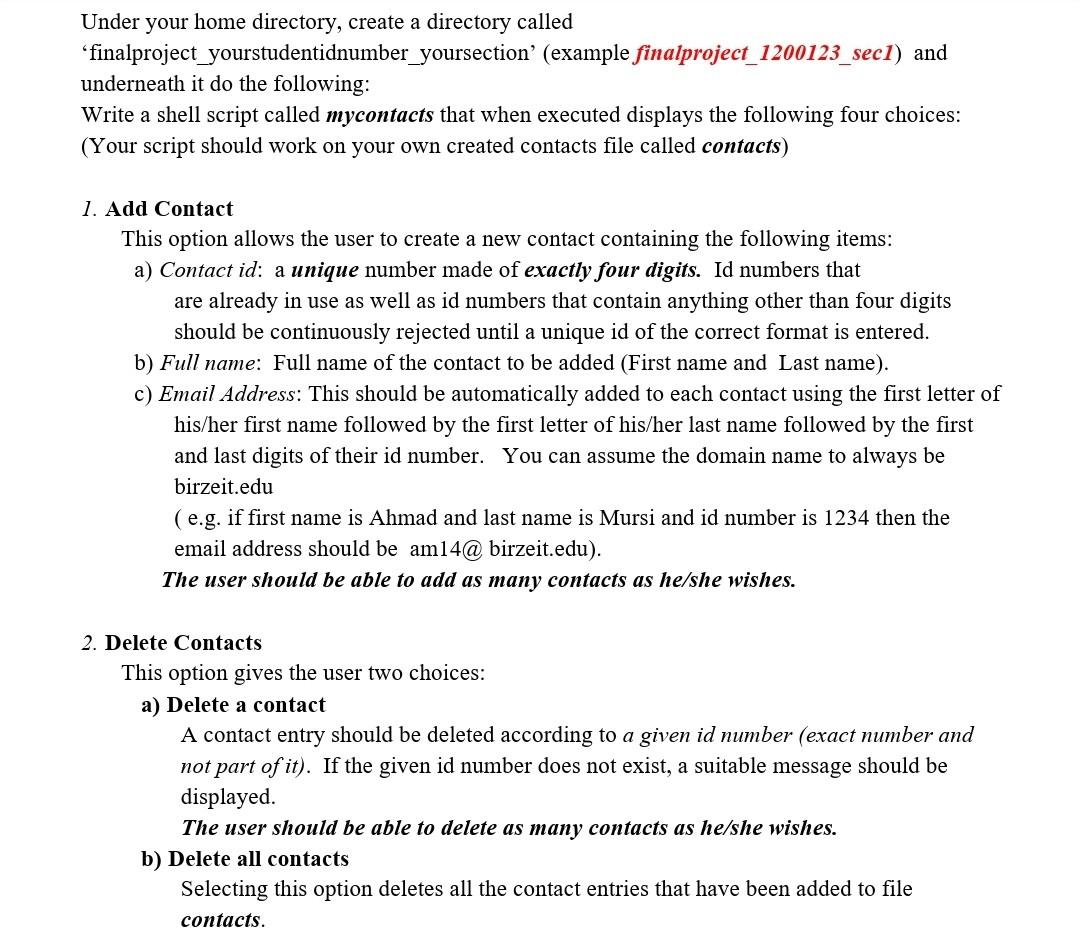
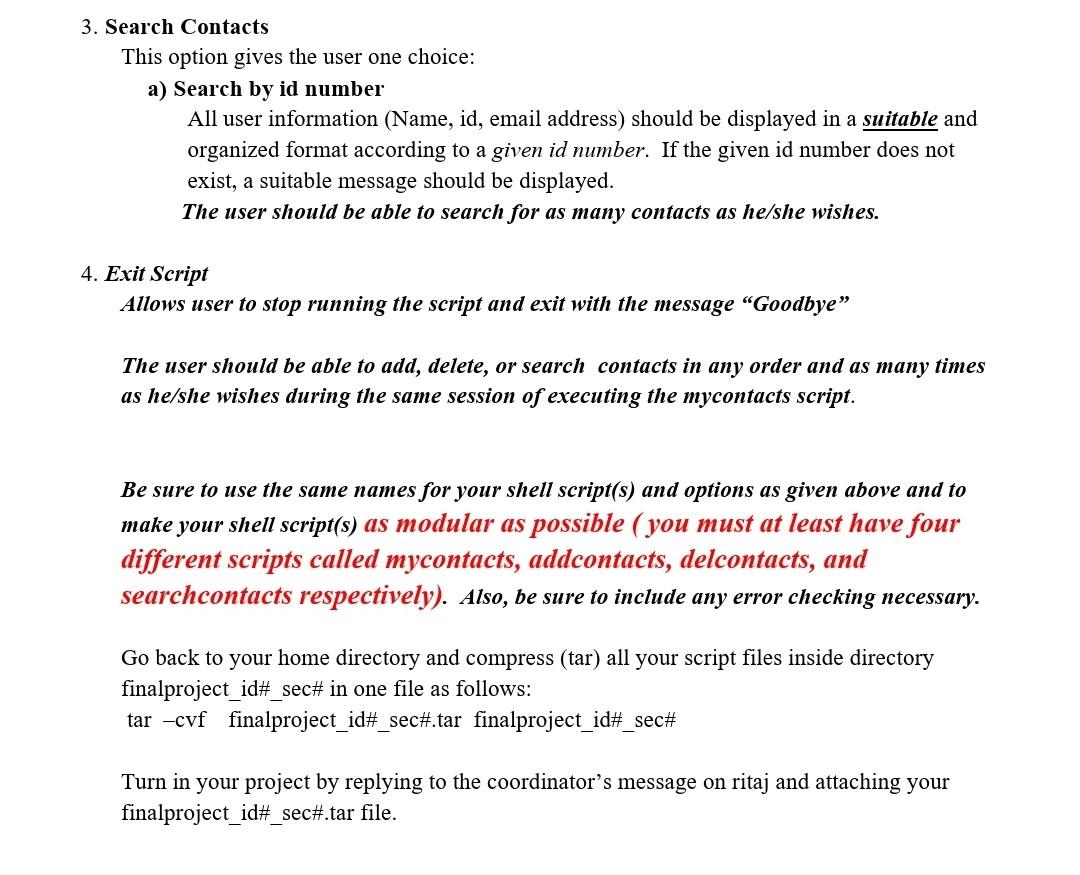
Under your home directory, create a directory called 'finalproject_yourstudentidnumber_yoursection' (example finalproject_1200123_sec1) and underneath it do the following: Write a shell script called mycontacts that when executed displays the following four choices: (Your script should work on your own created contacts file called contacts) 1. Add Contact This option allows the user to create a new contact containing the following items: a) Contact id: a unique number made of exactly four digits. Id numbers that are already in use as well as id numbers that contain anything other than four digits should be continuously rejected until a unique id of the correct format is entered. b) Full name: Full name of the contact to be added (First name and Last name). c) Email Address: This should be automatically added to each contact using the first letter of his/her first name followed by the first letter of his/her last name followed by the first and last digits of their id number. You can assume the domain name to always be birzeit.edu (e.g. if first name is Ahmad and last name is Mursi and id number is 1234 then the email address should be am14@ birzeit.edu). The user should be able to add as many contacts as he/she wishes. 2. Delete Contacts This option gives the user two choices: a) Delete a contact A contact entry should be deleted according to a given id number (exact number and not part of it). If the given id number does not exist, a suitable message should be displayed. The user should be able to delete as many contacts as he/she wishes. b) Delete all contacts Selecting this option deletes all the contact entries that have been added to file contacts. 3. Search Contacts This option gives the user one choice: a) Search by id number All user information (Name, id, email address) should be displayed in a suitable and organized format according to a given id number. If the given id number does not exist, a suitable message should be displayed. The user should be able to search for as many contacts as he/she wishes. 4. Exit Script Allows user to stop running the script and exit with the message "Goodbye The user should be able to add, delete, or search contacts in any order and as many times as he/she wishes during the same session of executing the mycontacts script. Be sure to use the same names for your shell script(s) and options as given above and to make your shell script(s) as modular as possible ( you must at least have four different scripts called mycontacts, addcontacts, delcontacts, and searchcontacts respectively). Also, be sure to include any error checking necessary. Go back to your home directory and compress (tar) all your script files inside directory finalproject_id#_sec# in one file as follows: tar -cvf finalproject_id#_sec#.tar finalproject_id#_sec# Turn in your project by replying to the coordinator's message on ritaj and attaching your finalproject_id#_sec#.tar file
Step by Step Solution
There are 3 Steps involved in it

Get step-by-step solutions from verified subject matter experts
 Study Help