







Question: ListPrintStrings.java 1 package iteratorlistreverse; Iterators - printing strings Implement the function public static void printStrings (List strings) 3 import java.util.List; 4 import java.util.ListIterator; 5 6
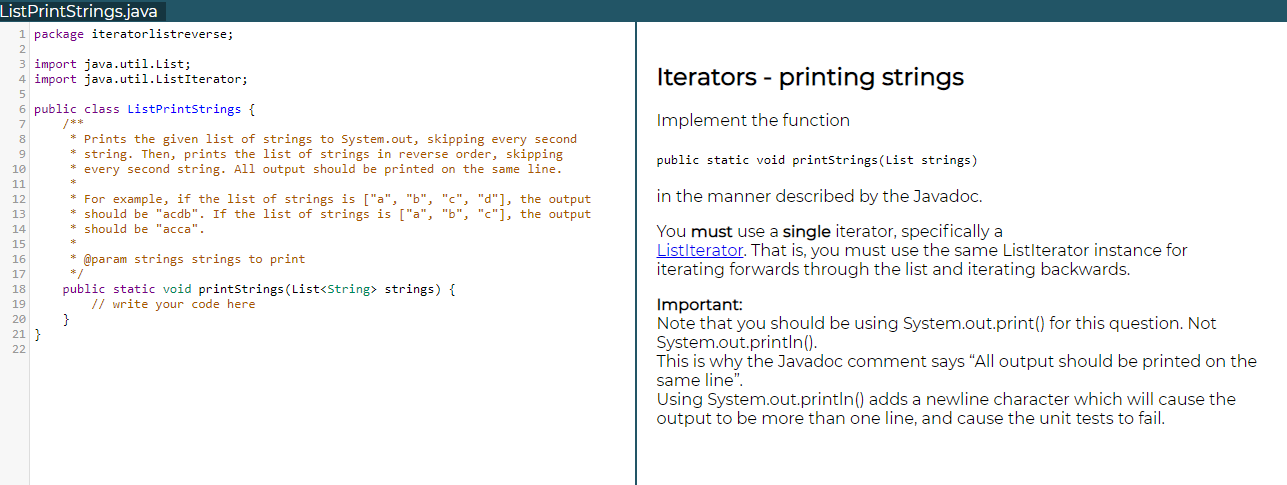
ListPrintStrings.java 1 package iteratorlistreverse; Iterators - printing strings Implement the function public static void printStrings (List strings) 3 import java.util.List; 4 import java.util.ListIterator; 5 6 public class ListPrintStrings { 7 /** 8 * Prints the given list of strings to System.out, skipping every second 9 string. Then, prints the list of strings in reverse order, skipping 10 every second string. All output should be printed on the same line. 11 12 * For example, if the list of strings is ["a", "b", "c", "d"], the output 13 * should be "acdb". If the list of strings is ["a", "b", "c"], the output 14 should be "acca". 15 16 @param strings strings to print 17 */ 18 public static void printStrings (List
Step by Step Solution
There are 3 Steps involved in it

Get step-by-step solutions from verified subject matter experts
 Study Help