



Question: ..ll AT&T 6:23 PM Project1.docx CSC-249 2017 Fall semester Project 1 ( 7%) This is a personal project assignment. Please design a form to perform
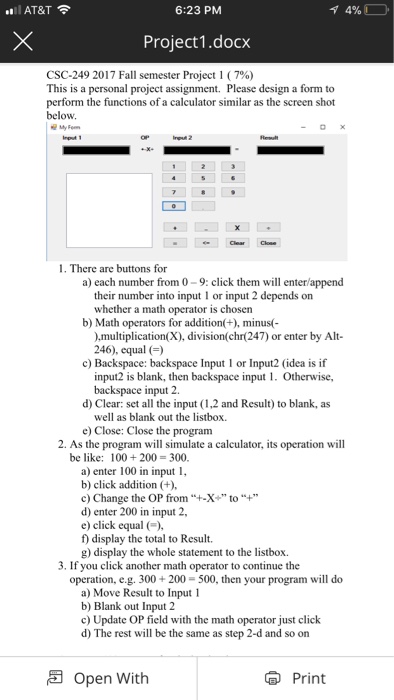
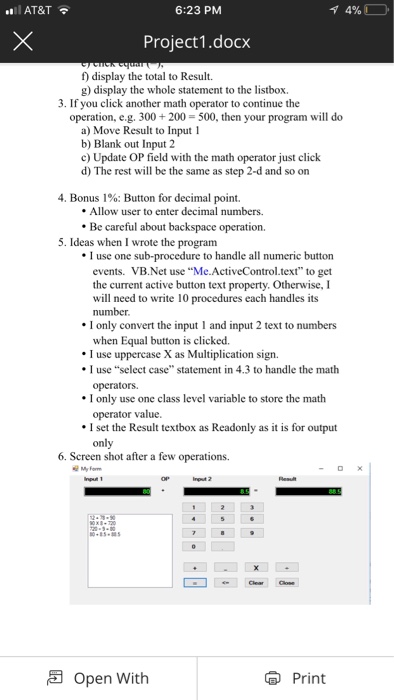
..ll AT&T 6:23 PM Project1.docx CSC-249 2017 Fall semester Project 1 ( 7%) This is a personal project assignment. Please design a form to perform the functions of a calculator similar as the screen shot below. 1. There are buttons for a) each number from 0-9: click them will enter/append their number into input 1 or input 2 depends on whether a math operator is chosern b) Math operators for addition(+), minus( ),multiplication(X), division(chr(247) or enter by Alt- 246), equal ) c) Backspace: backspace Input 1 or Input2 (idea is if input2 is blank, then backspace input 1. Otherwise, backspace input 2 d) Clear: set all the input (1,2 and Result) to blank, as well as blank out the listbox e) Close: Close the program 2. As the program will simulate a calculator, its operation will be like: 100 200 = 300 a) enter 100 in input1 b) click addition (+), c) Change the OP from''+-X+" to"+ d) enter 200 in input 2, e) click equal ) f) display the total to Result. g) display the whole statement to the listbox. 3. If you click another math operator to continue the operation, e.g. 300+200- 500, then your program will do a) Move Result to Input 1 b) Blank out Input 2 c) Update OP field with the math operator just click d) The rest will be the same as step 2-d and so on Open With
Step by Step Solution
There are 3 Steps involved in it

Get step-by-step solutions from verified subject matter experts