







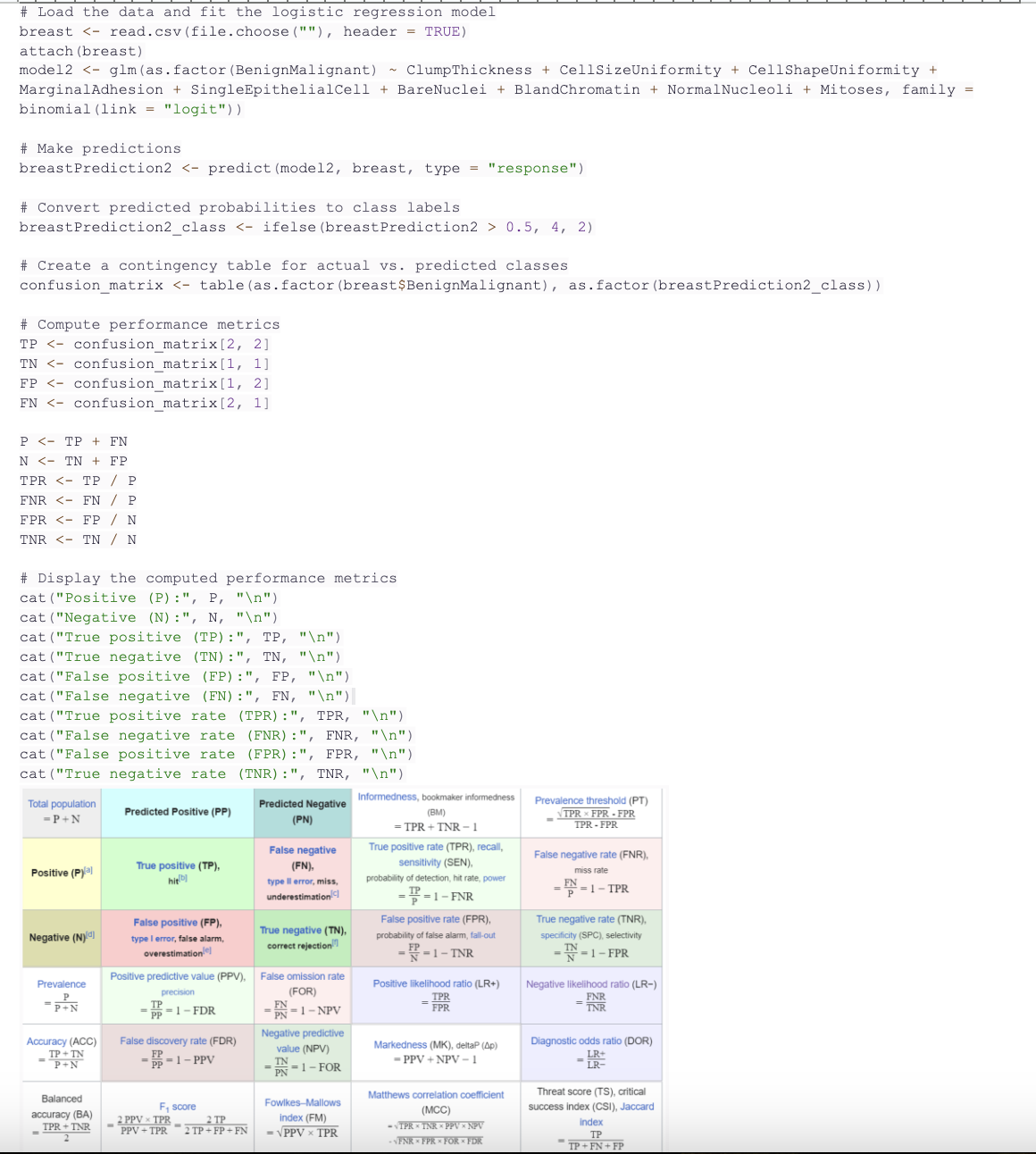
Question: # Load the data and fit the logistic regression model breast - read.csv ( file . choose ( ) , header = TRUE
# Load the data and fit the logistic regression model
breast read.csv filechoose header TRUE
attach breast
model glmasfactorBenignMalignant ClumpThickness CellsizeUniformity CellshapeUniformity
binomiallink "logit"
# Make predictions
breastPrediction predictmodel breast, type "response"
# Convert predicted probabilities to class labels
breastPredictionclass ifelsebreastPrediction
# Create a contingency table for actual vs predicted classes
confusionmatrix tableasfactorbreast$BenignMalignant asfactorbreastPredictionclass
# Compute performance metrics
confusion matrix
confusionmatrix
FP confusionmatrix
FN confusionmatrix
FNR FN
TNR
# Display the computed performance metrics
cat Positive P: P
cat Negative N: N
catTrue positive TP: TP
catTrue negative TN: TN
catFalse positive FP: FP
catFalse negative FN: FN
catTrue positive rate TPR: TPR
catFalse negative rate FNR: FNR
catFalse positive rate FPR: FPR
catTrue negative rate TNR: TNR
Step by Step Solution
There are 3 Steps involved in it
1 Expert Approved Answer
Step: 1 Unlock

Question Has Been Solved by an Expert!
Get step-by-step solutions from verified subject matter experts
Step: 2 Unlock
Step: 3 Unlock
 Study Help