







Question: LOAN SUMMARY AND AMORTIZATION SCHEDULE Task Instructions In cell H6, enter a formula using the CUMIPMT function to calculate cumulative interest payments for the third
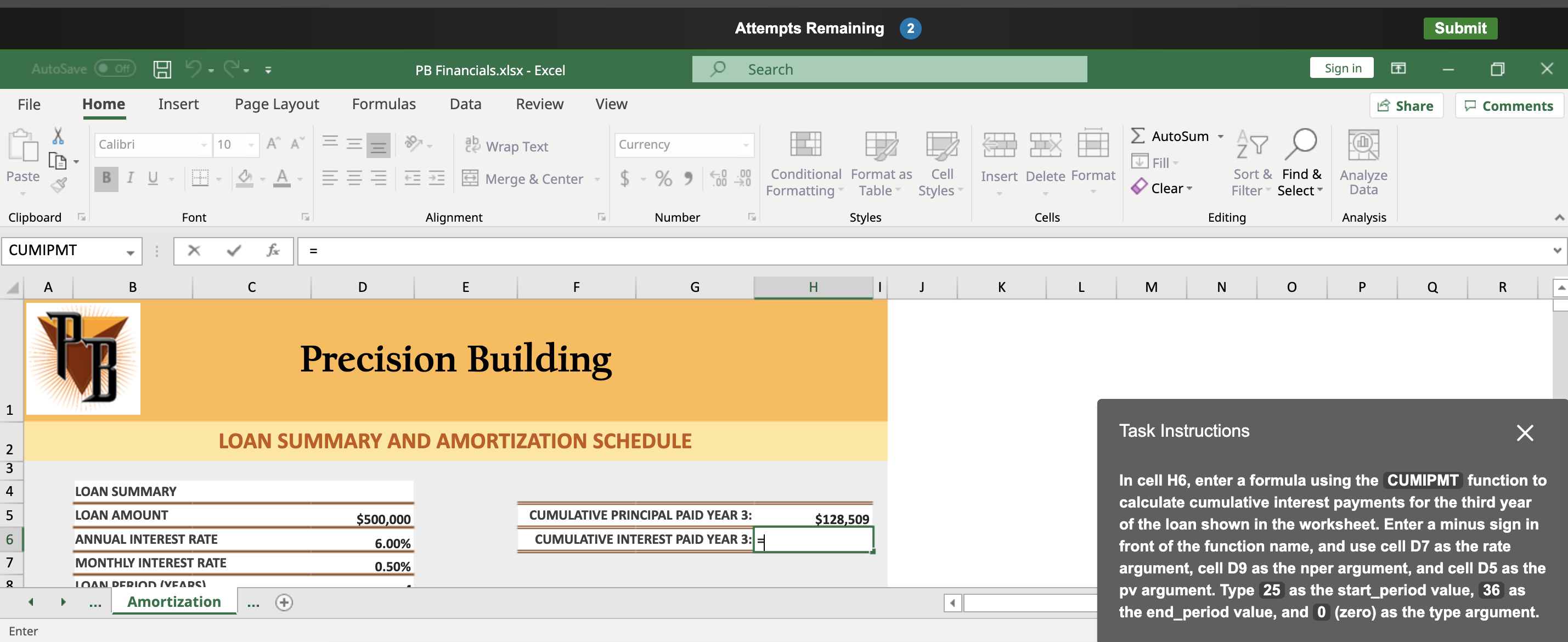
LOAN SUMMARY AND AMORTIZATION SCHEDULE Task Instructions In cell H6, enter a formula using the CUMIPMT function to calculate cumulative interest payments for the third year of the loan shown in the worksheet. Enter a minus sign in front of the function name, and use cell D7 as the rate argument, cell D9 as the nper argument, and cell D5 as the pv argument. Type 25 as the start_period value, 36 as the end_period value, and 0 (zero) as the type argument. LOAN SUMMARY AND AMORTIZATION SCHEDULE Task Instructions In cell H6, enter a formula using the CUMIPMT function to calculate cumulative interest payments for the third year of the loan shown in the worksheet. Enter a minus sign in front of the function name, and use cell D7 as the rate argument, cell D9 as the nper argument, and cell D5 as the pv argument. Type 25 as the start_period value, 36 as the end_period value, and 0 (zero) as the type argument
Step by Step Solution
There are 3 Steps involved in it

Get step-by-step solutions from verified subject matter experts
 Study Help