







Question: Login in to your database on the database server. Refer to the How To documents on D 2 L under the content section if you
Login in to your database on the database server. Refer to the How To documents on DL under the content section if you forgot the process. You will need a New Query window to run your commands. Select New Query from the Menu. Verifying you have no tables in your database Right Click on your database your login name in the Object Explorer and click Refresh Expand your database your login name Expand Tables You should not have any tables listed there just some yellow folders that the system uses Part Setup pts Using the MLC database structure write the following queries using subqueries or joins as necessary. The MLC database is located on DL in the Assignment section and you should run it before you start the questions below Points. Part Sub Query ONLY NO JOINS or multiple tables on the FROM line pts First write a query that shows only the unique officecodes that are in USA Points Then write a query that shows all employees in those office codes by using a WHERE clause with the results of the specific office codes from Question Points Leave queries from question and unmodified. Copy the query from question here and copy the query from question and place it between the from Question to create your first sub query Points Part pts JOINS Show all items ordered include the product name sort results by orderDate Points Show items ordered, for the month of January Points Show payments by customer name include payment amount and date Points Show total payments by customer name Points Extra Credit lookup how to format money so it look like $ and include that in question Points Part pts Test & Submt Test your query and submit only the code you wrote. Do not forget your honor statement. Be sure to download your submission and test it Points IT ASSIGNMENT SUBQUERY & JOINS As noted below you should be turning in one file that contains all the necessary SQL commands to create the tables and insert data in those tables, and the necessary select commands to prove your tables have data. This will be about total lines of code. The grade will be running your code and checking it is correct. You should write your code in short parts like one CREATE table at a time and test it After that works, write one INSERT line for the first table, test it and write the next INSERT lines, and test. Remember you may want to drop erase your tables to test your work. The syntax for DROP is: DROP TABLE IF EXISTS TABLE NAME ;
MLC File has over characters
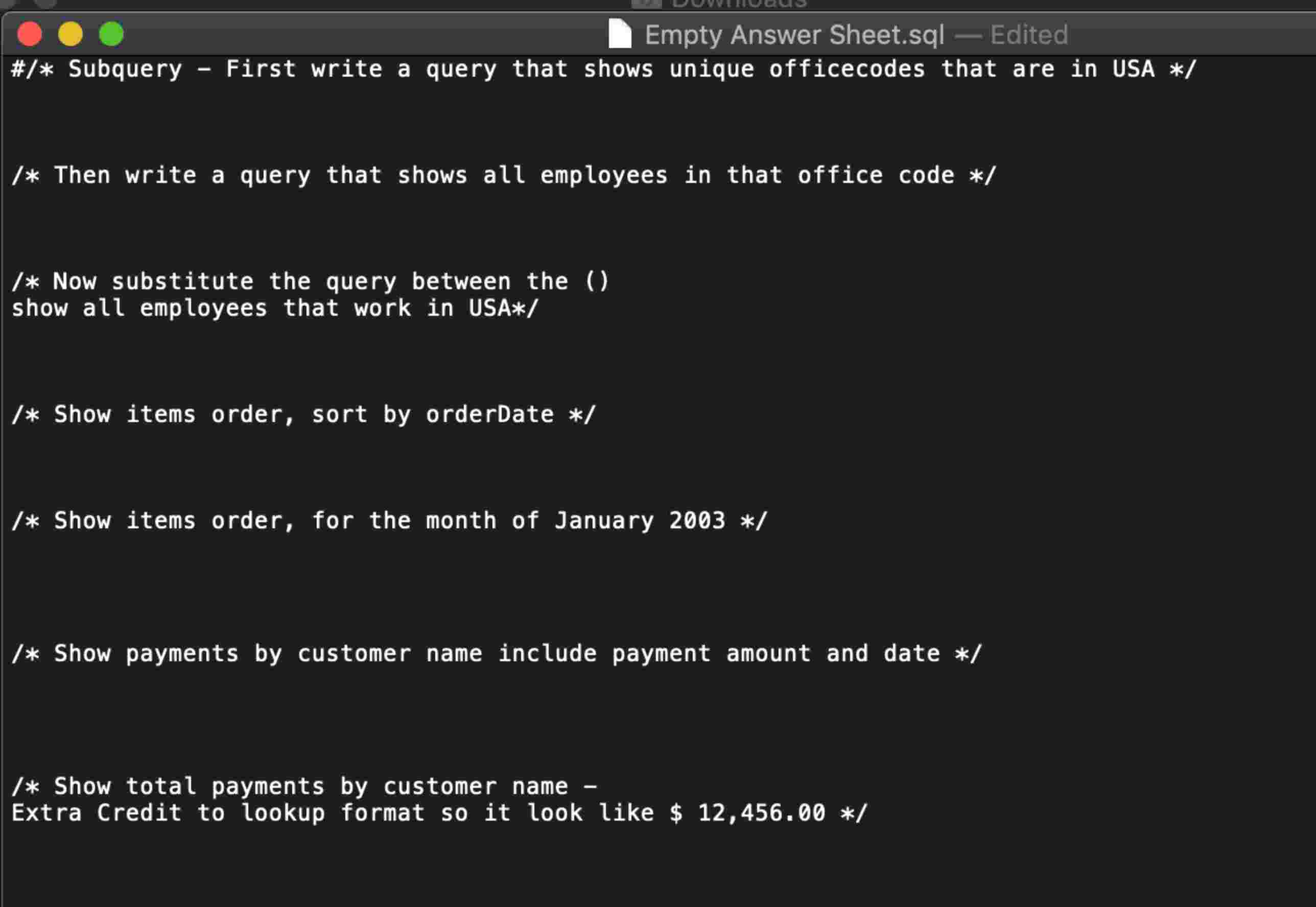
Empty Answer Sheet.sql Edited
# Subquery First write a query that shows unique officecodes that are in USA
Then write a query that shows all employees in that office code
Now substitute the query between the
show all employees that work in USA
Show items order, sort by orderDate
Show items order, for the month of January
Show payments by customer name include payment amount and date
Show total payments by customer name
Extra Credit to lookup format so it look like $
MLC Customs Database Diagram
offices
officeCode city phone addressLine addressLine state country postalCode territory
productName
productLine
productScale
productVendor
productDescription quantitylnStock buyPrice MSRP
Step by Step Solution
There are 3 Steps involved in it
1 Expert Approved Answer
Step: 1 Unlock

Question Has Been Solved by an Expert!
Get step-by-step solutions from verified subject matter experts
Step: 2 Unlock
Step: 3 Unlock
 Study Help