







Question: logixpro is required Please use LogiXPro program Please use LogiXPro program 3. Take the time to familiarize yourself with the I/O in the Traffic Light
 logixpro is required
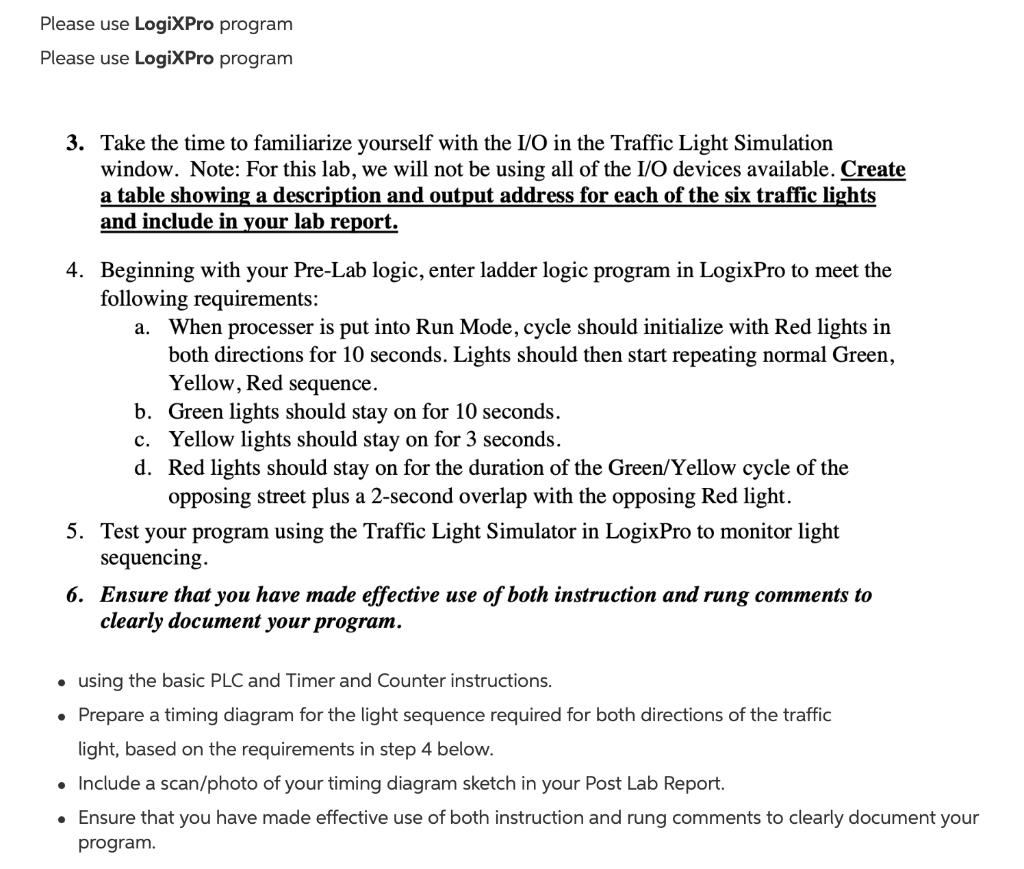
Please use LogiXPro program Please use LogiXPro program 3. Take the time to familiarize yourself with the I/O in the Traffic Light Simulation window. Note: For this lab, we will not be using all of the I/O devices available. Create a table showing a description and output address for each of the six traffic lights and include in your lab report. 4. Beginning with your Pre-Lab logic, enter ladder logic program in LogixPro to meet the following requirements: a. When processer is put into Run Mode, cycle should initialize with Red lights in both directions for 10 seconds. Lights should then start repeating normal Green, Yellow, Red sequence. b. Green lights should stay on for 10 seconds. c. Yellow lights should stay on for 3 seconds. d. Red lights should stay on for the duration of the Green/Yellow cycle of the opposing street plus a 2-second overlap with the opposing Red light. 5. Test your program using the Traffic Light Simulator in LogixPro to monitor light sequencing. 6. Ensure that you have made effective use of both instruction and rung comments to clearly document your program. . using the basic PLC and Timer and Counter instructions. Prepare a timing diagram for the light sequence required for both directions of the traffic light, based on the requirements in step 4 below. Include a scan/photo of your timing diagram sketch in your Post Lab Report. Ensure that you have made effective use of both instruction and rung comments to clearly document your program. Please use LogiXPro program Please use LogiXPro program 3. Take the time to familiarize yourself with the I/O in the Traffic Light Simulation window. Note: For this lab, we will not be using all of the I/O devices available. Create a table showing a description and output address for each of the six traffic lights and include in your lab report. 4. Beginning with your Pre-Lab logic, enter ladder logic program in LogixPro to meet the following requirements: a. When processer is put into Run Mode, cycle should initialize with Red lights in both directions for 10 seconds. Lights should then start repeating normal Green, Yellow, Red sequence. b. Green lights should stay on for 10 seconds. c. Yellow lights should stay on for 3 seconds. d. Red lights should stay on for the duration of the Green/Yellow cycle of the opposing street plus a 2-second overlap with the opposing Red light. 5. Test your program using the Traffic Light Simulator in LogixPro to monitor light sequencing. 6. Ensure that you have made effective use of both instruction and rung comments to clearly document your program. . using the basic PLC and Timer and Counter instructions. Prepare a timing diagram for the light sequence required for both directions of the traffic light, based on the requirements in step 4 below. Include a scan/photo of your timing diagram sketch in your Post Lab Report. Ensure that you have made effective use of both instruction and rung comments to clearly document your program
Step by Step Solution
There are 3 Steps involved in it

Get step-by-step solutions from verified subject matter experts
 Study Help