







Question: LTI Launch EX 2 0 2 1 SIMpath 1 0 - SIMnet rsu.simnetonline.com / sp / assignments / simpaths / launch / 8 7 1
LTI Launch
EX SIMpath SIMnet
rsu.simnetonline.comspassignmentssimpathslaunch
EX SIMpath
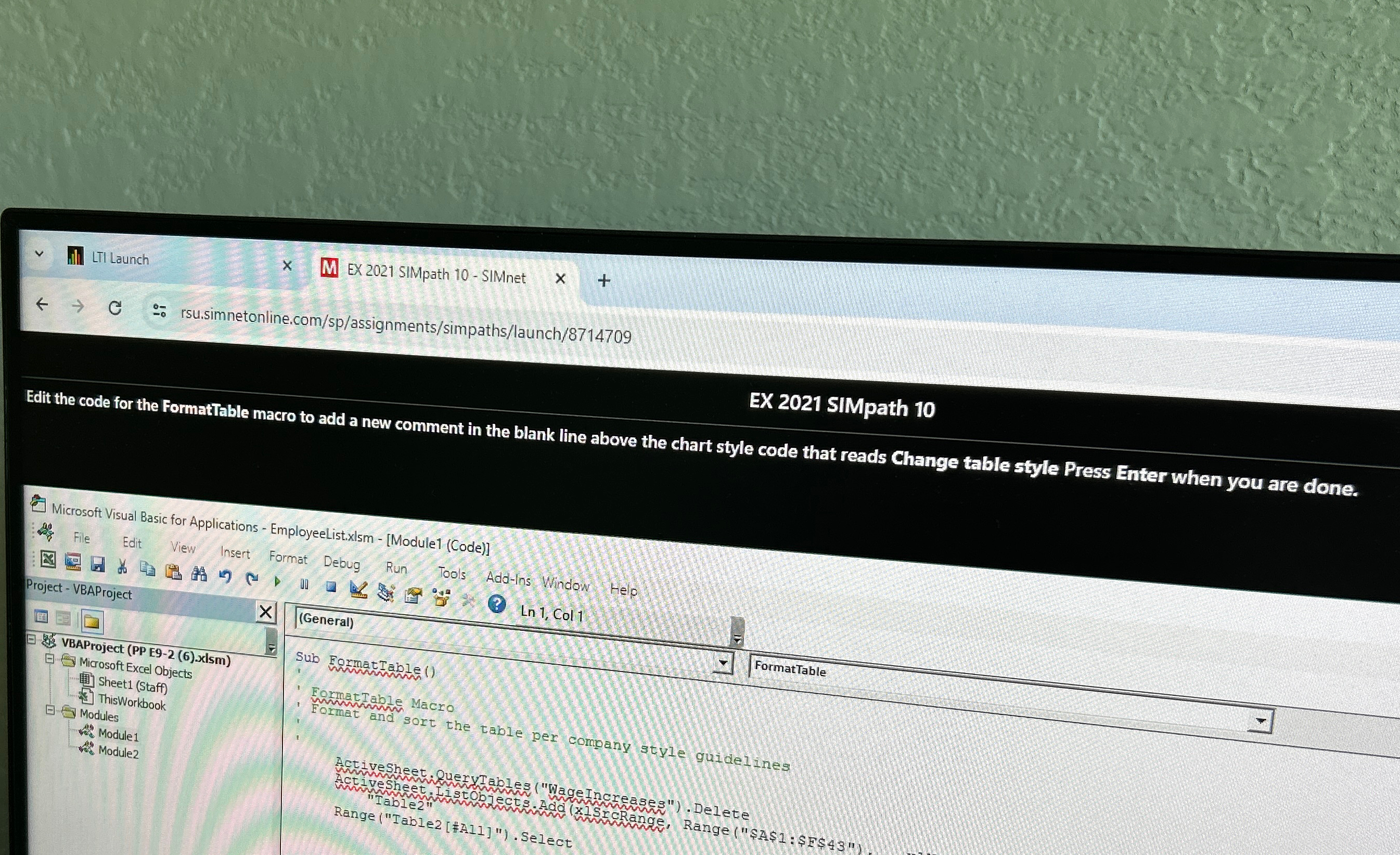
Edit the code for the FormatTable macro to add a new comment in the blank line above the chart style code that reads Change table style Press Enter when you are clone.
Microsoft Visual Basic for Applications EmployeeList.xlsm ModuleCode
VBAProject PP Exlsm
Microsoft Excel Objects
SheetStaff
$ ThisWorkbook
Modules
ra Module
Thes. Module
General
Sub FormatTable
FormatTable
FormatTable Macro
Format and sort the table per company style guidelines
Activesheet
ActiveSheet vueryTables WageIncreases Delete
"Table
RangeTable#All Select
Step by Step Solution
There are 3 Steps involved in it
1 Expert Approved Answer
Step: 1 Unlock

Question Has Been Solved by an Expert!
Get step-by-step solutions from verified subject matter experts
Step: 2 Unlock
Step: 3 Unlock
 Study Help