







Question: Mailings Review View Help Numeric controls are provided for user to enter for max and min set points for both tank level and pressure gauge.
Mailings
Review
View
Help
Numeric controls are provided for user to enter for max and min set points for both tank level and pressure gauge.
String indicators are provided to separately monitor and indicate the conditions of tank level and pressure gauge.
If tank level is within max and min set points display "LEVEL OK else, display "LEVEL HIGH" or "LEVEL LOW" appropriately.
If pressure gauge is within max and min set points display "PRESSURE OK else, display "PRESSURE HIGH" or "PRESSURE LOW" appropriately.
Additionally, the following conditions should be monitored and used to operate the status indicator string status light LED provided on the front panel.
If both the tank level AND pressure gauge are above the mark of their corresponding indicators, turn the status light ON with "WARNING" displayed in the status indicator.
If both the tank level AND pressure gauge are above the mark of their corresponding indicators, turn the status light ON with "DANGER" displayed in the status indicator. Also, provide an audible alarm.
If the above two conditions are not met, turn the status light OFF and display OK on the status indicator.
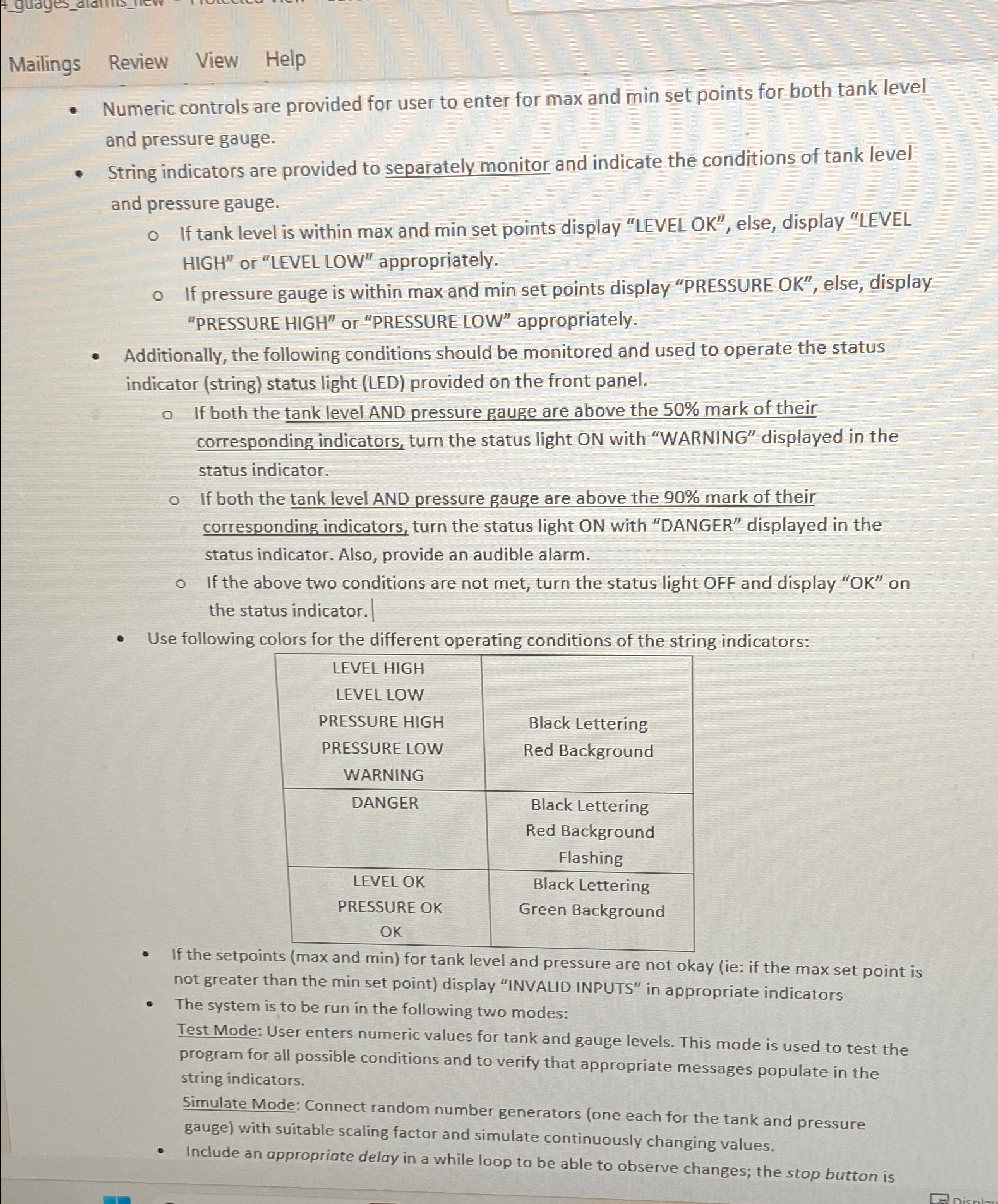
Use following colors for the different operating conditions of the string indicators:
tabletableLEVEL HIGHLEVEL LOWPRESSURE HIGHPRESSURE LOWWARNINGtableBlack LetteringRed BackgroundDANGERtableBlack LetteringRed BackgroundFlashingtableLEVEL OKPRESSURE OKOKtableBlack LetteringGreen Background
If the setpoints max and min for tank level and pressure are not okay ie: if the max set point is not greater than the min set point display "INVALID INPUTS" in appropriate indicators
The system is to be run in the following two modes:
Test Mode: User enters numeric values for tank and gauge levels. This mode is used to test the program for all possible conditions and to verify that appropriate messages populate in the string indicators.
Simulate Mode: Connect random number generators one each for the tank and pressure gauge with suitable scaling factor and simulate continuously changing values.
Include an appropriate delay in a while loop to be able to observe changes; the stop button is
Step by Step Solution
There are 3 Steps involved in it
1 Expert Approved Answer
Step: 1 Unlock

Question Has Been Solved by an Expert!
Get step-by-step solutions from verified subject matter experts
Step: 2 Unlock
Step: 3 Unlock
 Study Help