







Question: MAIN CPP FILE #include #include #include #include #include #include using namespace std; int Icounter=0; int Scounter=0; ///writes inventory data to file void writeInventoryData(std::string inventoryData[][4],int counter)
![inventoryData[][4],int counter) { std::fstream outfile; outfile.open("inventory.txt", std::fstream::out); outfile>amount; std::cin.ignore(); std::cin.clear(); if(amount>ans; std::cin.ignore(33,'](https://dsd5zvtm8ll6.cloudfront.net/si.experts.images/questions/2024/09/66f4f027826a1_29466f4f026efe07.jpg)
MAIN CPP FILE
#include#include #include #include #include #include using namespace std; int Icounter=0; int Scounter=0; ///writes inventory data to file void writeInventoryData(std::string inventoryData[][4],int counter) { std::fstream outfile; outfile.open("inventory.txt", std::fstream::out); outfile>amount; std::cin.ignore(); std::cin.clear(); if(amount>ans; std::cin.ignore(33,' '); ///break if answer is correct if((ans=='y'|| ans=='Y')||(ans=='n'||ans=='N')) break; std::cout>cost; std::cin.ignore(); std::cin.clear(); return cost; } ///adds a new item to the inventory that was not carried before void addNewItem(int i, std::string invoice[][3], std::string inventory[][4]) { int tempsize=Icounter+1; ///creates a new inventory 2D array std::string temparray[tempsize][4]; ///double for loop copies old inventory into new 2D array for(int j=0; j >filename; std::cin.ignore(); infile.open(filename.c_str(), std::fstream::in); infile>>sizeInvoice; infile.ignore(); std::string invoice[sizeInvoice][3]; getInvoice(invoice, sizeInvoice, infile); addInvoice(inventory, invoice, sizeInvoice); } ///prints a report of the inventory void printInventory(std::string inventory[][4]) { std::cout>selection; std::cin.ignore(); std::cin.clear(); if(selection>'0' && selection>Icounter; infile.ignore(); ///inventory is reloaded for every selection. this allows for updates to the inventory file std::string inventory[Icounter][4]; loadInventoryData(inventory, infile); infile.close(); infile.open("sales.txt", std::fstream::in); infile>>Scounter; infile.ignore(); ///sales data is reloaded after every loop. this allows for updates to the sales file std::string sales[Scounter][5]; int salesnum=loadSalesData(sales, infile); infile.close(); char select=menu(); switch(select) { case '5': return; case '1': newSale(salesnum, inventory, sales); ///after a sale, write the updated inventory to file writeInventoryData(inventory, Icounter ); break; case '2': printSalesReport(sales); break; case '3': printInventory(inventory); break; case '4': updateInventory(inventory); break; } } } int main() { manager(); return 0; }
inventory.txt
17 Maple:Tree:20:45.00 Holly:Tree:10:40.00 Morning Glory:Annual:75:5.00 Petunia:Annual:22:13.00 Hollyhock:Perennial:37:10.00 Digitalis:Perennial:12:10.00 Aster:Perennial:12:10.00 Burning Bush:Shrub:13:20.00 Yew:Shrub:25:40.00 Birch:Tree:15:60.00 Lilac:Shrub:22:35.00 Blue Star:Perennial:12:6.00 Ajuga:Perennial:13:8.00 Big Boys:Vegetables:400:8.00 Lobelia:Annual:50:3.00 Delphinium:Perennial:45:10.00 Rhododendron:Shrub:60:40.00
invoice.txt
5 Maple, Tree, 5 Apple, Fruit Tree, 6 Birch, Tree, 5 Lilac, Shrub, 10 Rhododendron, Shrub, 15
sales.txt
8 1:Maple:2:45.00:90.00 2:Burning Bush:8:20.00:160.00 2:Morning Glory:3:5.00:15.00 2:Blue Star:12:6.00:72.00 3:Ajuga:3:8.00:24.00 3:Big Boys:16:2.00:32.00 4:Lobelia:5:3.00:15.00 4:Delphinium:5:10.00:50.00
/////////////////////////////////////////////////
![not carried before void addNewItem(int i, std::string invoice[][3], std::string inventory[][4]) { int](https://dsd5zvtm8ll6.cloudfront.net/si.experts.images/questions/2024/09/66f4f029c18d7_29766f4f0295647d.jpg)
Not allowed to use Global Variables.
;>
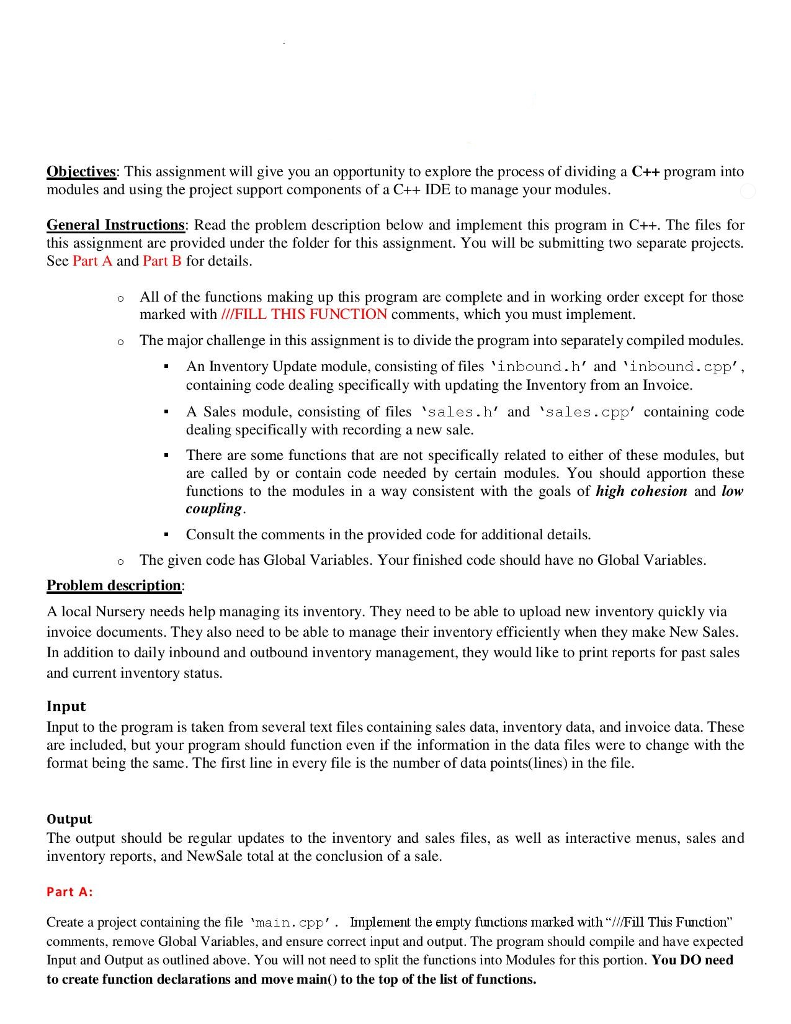
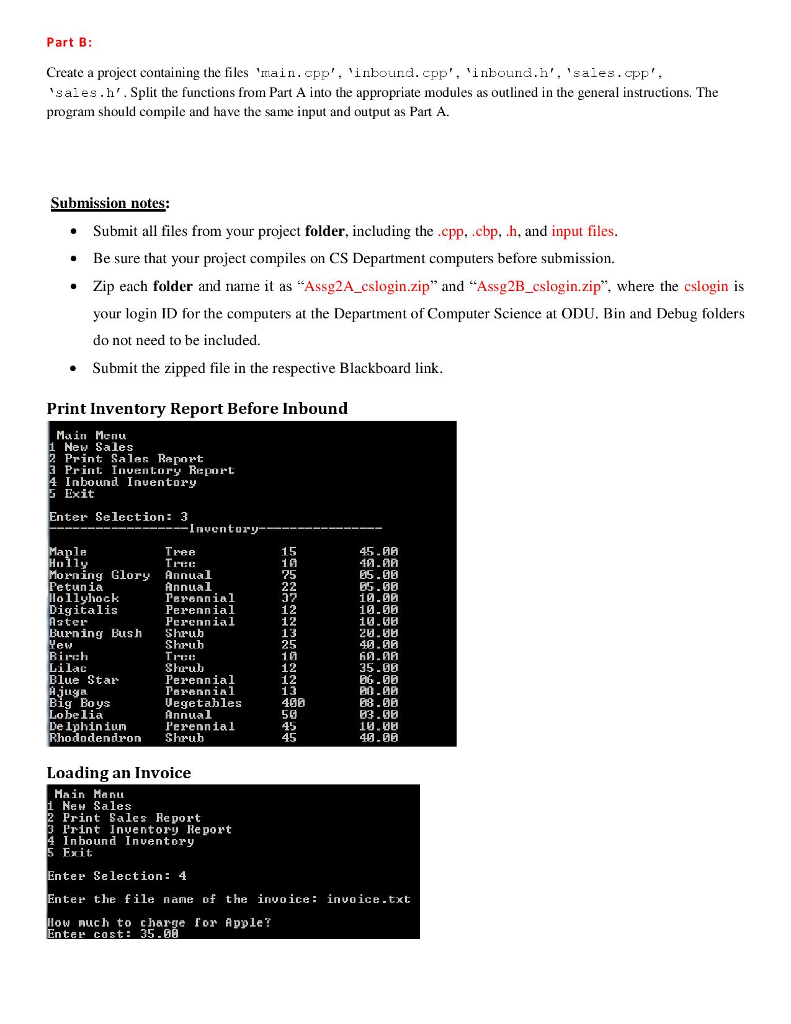
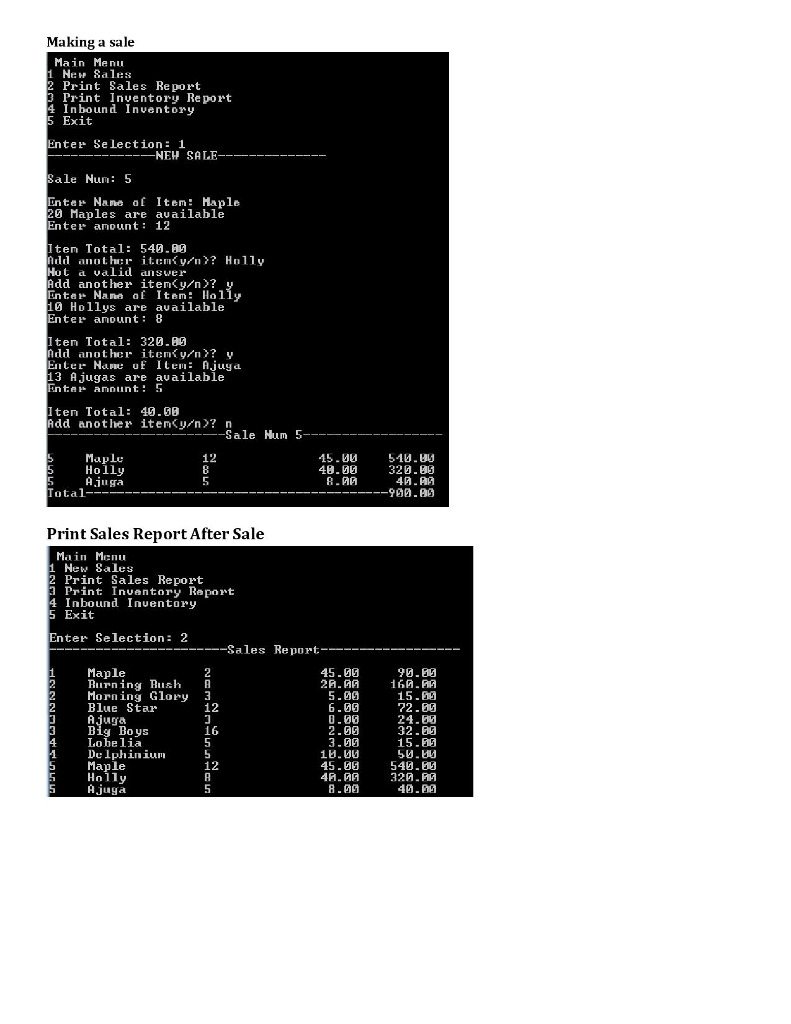
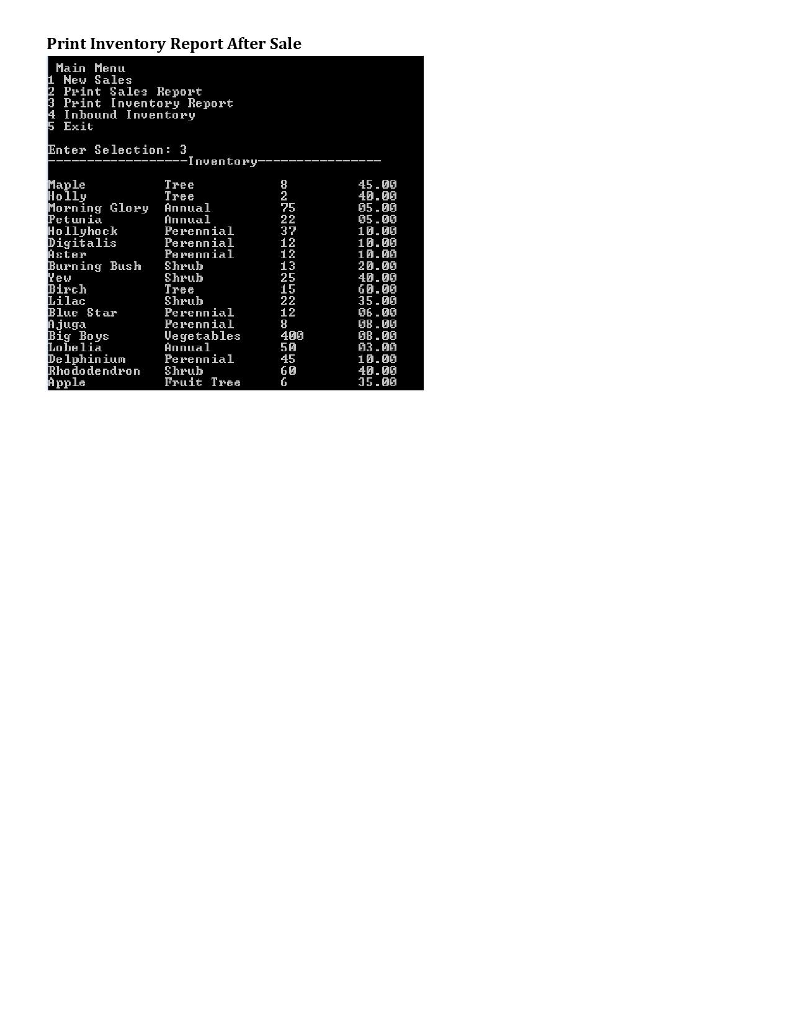
Obiectives: This assignment will give you an opportunity to explore the process of dividing a C++ program into modules and using the project support components of a C++ IDE to manage your modules General Instructions: Read the problem description below and implement this program in C++. The files for this assignment are provided under the folder for this assignment. You wil be submitting two separate projects. Sec Part A and Part B for details All of the functions making up this program are complete and in working order except for thosc marked with //FILL THIS FUNCTION comments, which you must implement. The major challenge in this assignment is to divide the program into separately compiled modules. o o An Inventory Update module, consisting of files 'inbound.h' and 'inbound.cpp' containing code dealing specifically with updating the Inventory from an Invoice - A Sales module, consisting of files 'sales.h' and 'sales.cpp' containing code dealing specifically with recording a new sale. There are some functions that are not specifically related to either of these modules, but are called by or contain code needed by certain modules. You should apportion these functions to the modules in a way consistent with the goals of high cohesion and low coupling Consult the comments in the provided code for additional details. . . The given code has Global Variables. Your finished code should have no Global Variables. o Problem description A local Nursery needs help managing its inventory. They need to be able to upload new inventory quickly via invoice documents. They also need to be able to manage their inventory efficiently when they make New Sales In addition to daily inbound and outbound inventory management, they would like to print reports for past sales and current inventory status Input Input to the program is taken from several text files containing sales data, inventory data, and invoice data. These are included, but your program should function even if the information in the data files were to change with the format being the same. The first line in every file is the number of data points(lines) in the file. Output The output should be regular updates to the inventory and sales files, as well as interactive menus, sales and inventory reports, and NewSale total at the conclusion of a sale. Part A: Create a project containing the file 'main.cpp'. mplement the empty functions marked with "Fill This Function" comments, remove Global Variables, and ensure correct input and output. The program should compile and have expected Input and Output as outlined above. You will not need to split the functions into Modules for this portion. You DO need to create function declarations and move mainO to the top of the list of functions
Step by Step Solution
There are 3 Steps involved in it

Get step-by-step solutions from verified subject matter experts
 Study Help