



Question: MairoPizzaAppSt 1 9 issues @IBAction func addCart ( _ sender: UIButton ) { / / This function adds items to shopping cart var tempPrice =
MairoPizzaAppSt issues
@IBAction func addCart sender: UIButton
This function adds items to shopping cart
var tempPrice
var location index in an array
var newitem cart Temp Cart Variable
var numofitems: Int numberof item in array before adding it
var x : Int counter variable
numofitems playerOrder.count assigns numofitems to number of items in myorder array
x numofitems assign numofitems to x
if quantity Check qty is greater than Zero
if x maxorder check number of items in cart versus max cart capacity of
tempPrice price Doublequantity set for ext price
x add new line to the order
Assign data to newitem cart variable
newitem.lineItem x
newitem.orderqty quantity
newitem.itemdesc menu
newitem.extPrice tempPrice
newitem.itemprice price
location x get next location in array
insert newitem into playerOrder array at location x
playerOrder.insertnewitem at: location
update ordertotal and bill variables
ordertotal ordertotal tempPrice
bill ordertotal tax
else
prints quanity to "Cart is full"
marioStart.text "Cart is Full"
printorder upates viewcart label
bullitBill.text $ Stringformat:fbill Updates billtext
@IBAction func removeItem sender: UIButton
Remove one item from cart at line item x
var refund:Double! Amount of money to removed from the bill and ordertotal
var removedLine: Int! Line being deleted
var checkarray :Int! amount of item in array
if deleteLinetext check if user entered line item to delete
removedLine IntdeleteLinetext!
if removedLine && removedLine playerOrder.count Check if removedline
refund playerOrderremovedLineextPrice get amount of refund from location
ordertotal ordertotal refund updates ordertotal
bill ordertotal tax updates bill
bullitBill.text Stringformat:fbillchange billtext
playerOrder.removeat: removedLine remove object from player orderder array
checkarray playerOrder.count
if checkarray
array has items to print and updates it
printorder
else ifcheckarray
array is empty reset the app
resetApp
else check if zero or less, Cause an erro
deleteLine.text "ERR"
func printorder
update Viewcart label
var newline
let arrayct playerOrder.count
if arrayct Print st item only
newline StringplayerOrderlineItem StringplayerOrderorderqty Each"playerOrderitemdesc $ Stringformat:fplayerOrderextPrice
marioText.appendnewline
else ifarrayct Print all items
let ni arrayct
marioText
for index in ni
newline StringplayerOrderindexlineItem StringplayerOrderindexorderqty "Each"playerOrderindexitemdesc $ Stringformat:fplayerOrderindexextPrice
newline.append
marioText.appendnewline
else shows empty cart
marioText
viewcart to ordertext
if marioText
cartView.text marioText
else
cartView.text "EMPTY CART"
@IBAction func payBill sender: UIButton
var change: Double
if payMariotext
let pay DoublepayMario
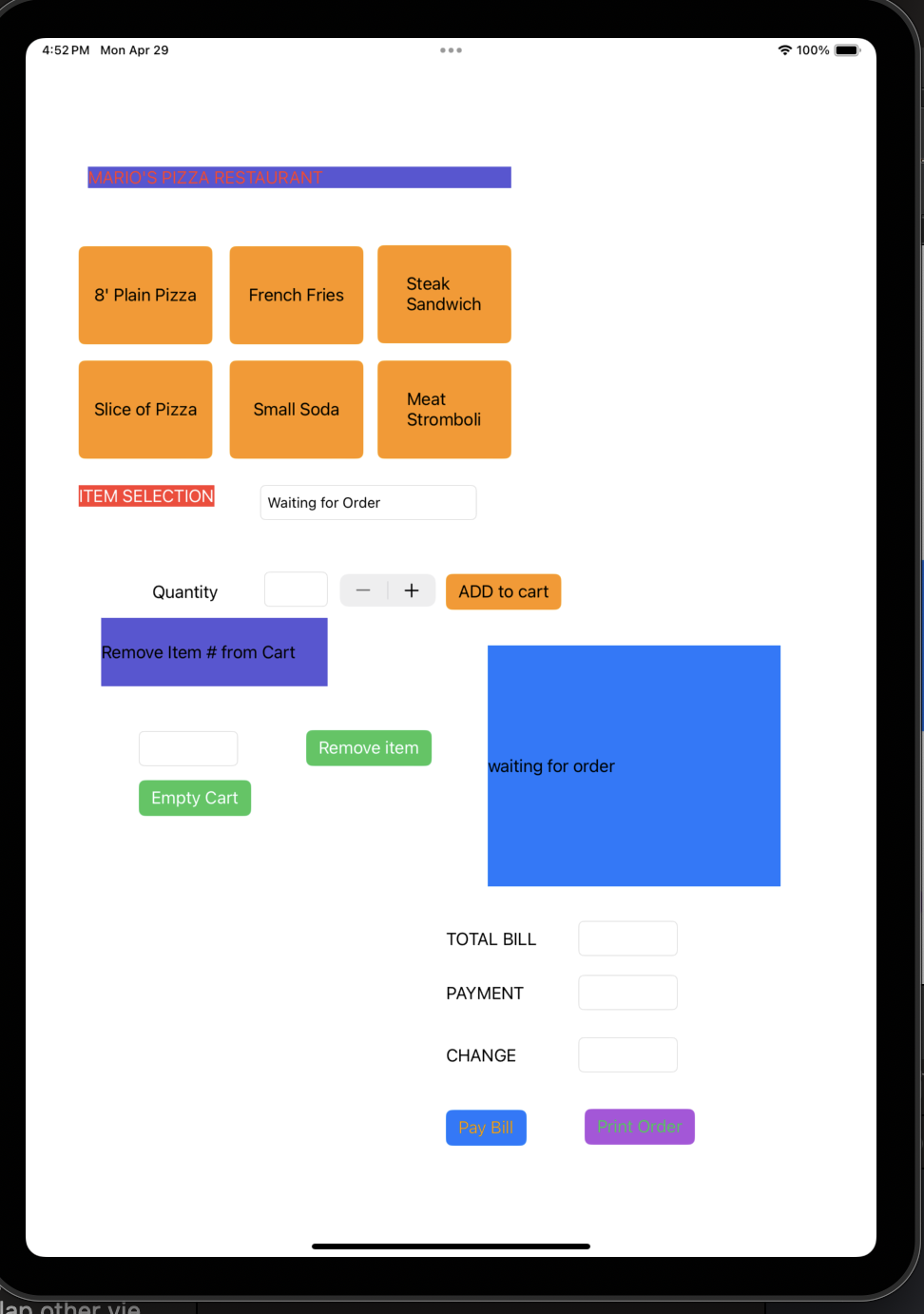
Big blue box is a shopping cart. The line items are cart structures. example of line item small soda $I got everything working execpt the empty cart button and print order needs to rest to orginal state. picutre is orginal state How do I remove line items from the cart structure items when I print order or empty cart? This is swift code cartView is the name of the box in my code. Top two items in second picture are from previous order in second pic.
Step by Step Solution
There are 3 Steps involved in it
1 Expert Approved Answer
Step: 1 Unlock

Question Has Been Solved by an Expert!
Get step-by-step solutions from verified subject matter experts
Step: 2 Unlock
Step: 3 Unlock