







Question: Make sure you name the file ascending.py (all lower case). We will call a string ascending if each letter is less than the next character.
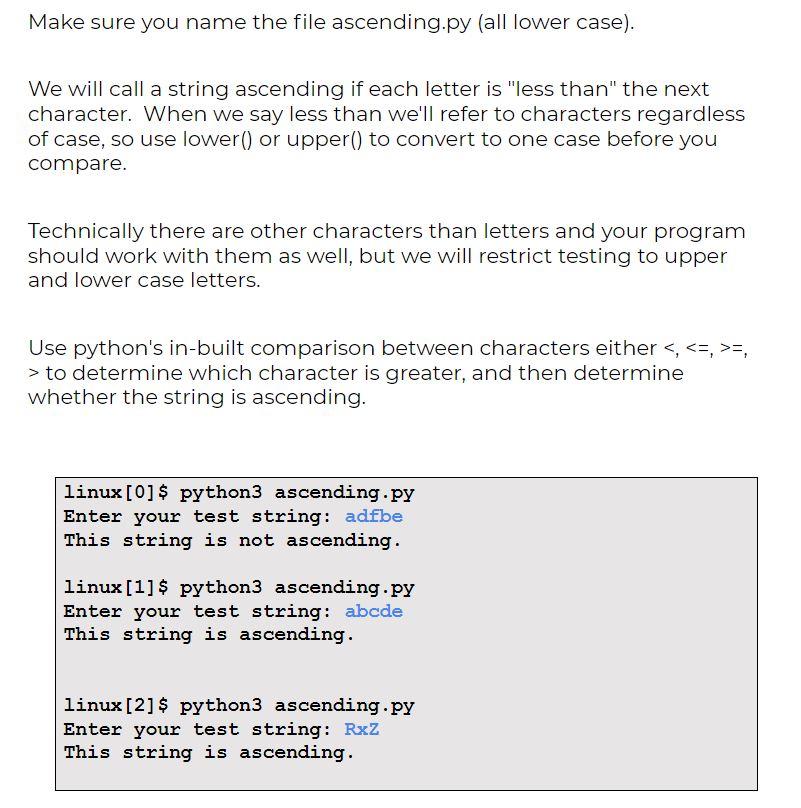
Make sure you name the file ascending.py (all lower case). We will call a string ascending if each letter is "less than" the next character. When we say less than we'll refer to characters regardless of case, so use lower() or upper() to convert to one case before you compare. Technically there are other characters than letters and your program should work with them as well, but we will restrict testing to upper and lower case letters. Use python's in-built comparison between characters either =, > to determine which character is greater, and then determine whether the string is ascending. linux [0] $ python3 ascending.py Enter your test string: adfbe This string is not ascending. linux [1] $ python3 ascending.py Enter your test string: abcde This string is ascending. linux [2] $ python3 ascending.py Enter your test string: Rxz This string is ascending
Step by Step Solution
There are 3 Steps involved in it

Get step-by-step solutions from verified subject matter experts
 Study Help