







Question: (Making rectangles using python) I couldn't figure out how to make this happen using if-else statement or while statement. Thanks! 4.12 Rectangles (homework 2) Write
(Making rectangles using python) I couldn't figure out how to make this happen using if-else statement or while statement. Thanks!
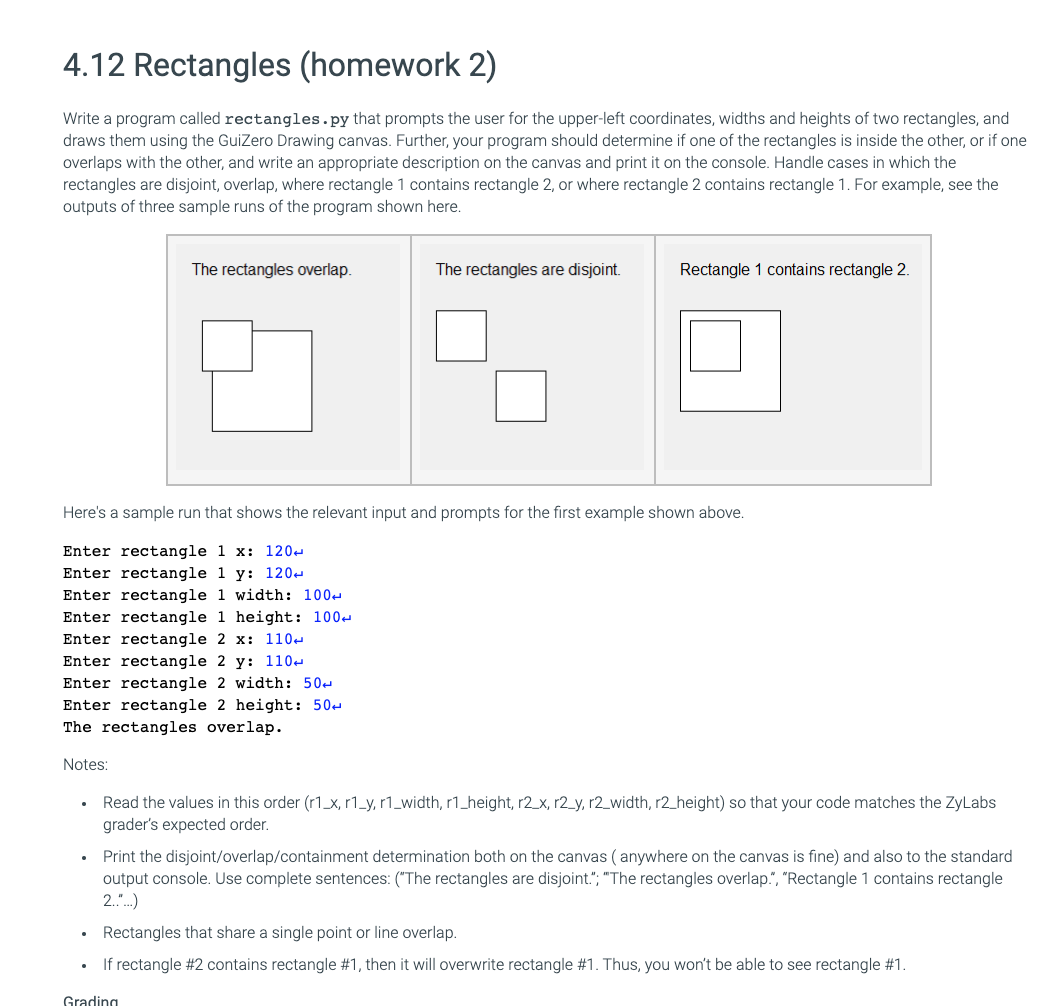
4.12 Rectangles (homework 2) Write a program called rectangles.py that prompts the user for the upper-left coordinates, widths and heights of two rectangles, and draws them using the GuiZero Drawing canvas. Further, your program should determine if one of the rectangles is inside the other, or if one overlaps with the other, and write an appropriate description on the canvas and print it on the console. Handle cases in which the rectangles are disjoint, overlap, where rectangle 1 contains rectangle 2, or where rectangle 2 contains rectangle 1. For example, see the outputs of three sample runs of the program shown here. The rectangles overlap. The rectangles are disjoint. Rectangle 1 contains rectangle 2. Here's a sample run that shows the relevant input and prompts for the first example shown above. Enter rectangle 1 x: 120 Enter rectangle 1 y: 120 Enter rectangle 1 width: 100- Enter rectangle 1 height: 100- Enter rectangle 2 x: 110 Enter rectangle 2 y: 110- Enter rectangle 2 width: 50- Enter rectangle 2 height: 50- The rectangles overlap. Notes: Read the values in this order (r1_x, r1_y, r1_width, r1_height, r2_x, r2_y, r2_width, r2_height) so that your code matches the ZyLabs grader's expected order. Print the disjoint/overlap/containment determination both on the canvas (anywhere on the canvas is fine) and also to the standard output console. Use complete sentences: ("The rectangles are disjoint."; "The rectangles overlap.", "Rectangle 1 contains rectangle 2."..) . Rectangles that share a single point or line overlap. If rectangle #2 contains rectangle #1, then it will overwrite rectangle #1. Thus, you won't be able to see rectangle #1. Gradina
Step by Step Solution
There are 3 Steps involved in it

Get step-by-step solutions from verified subject matter experts
 Study Help