





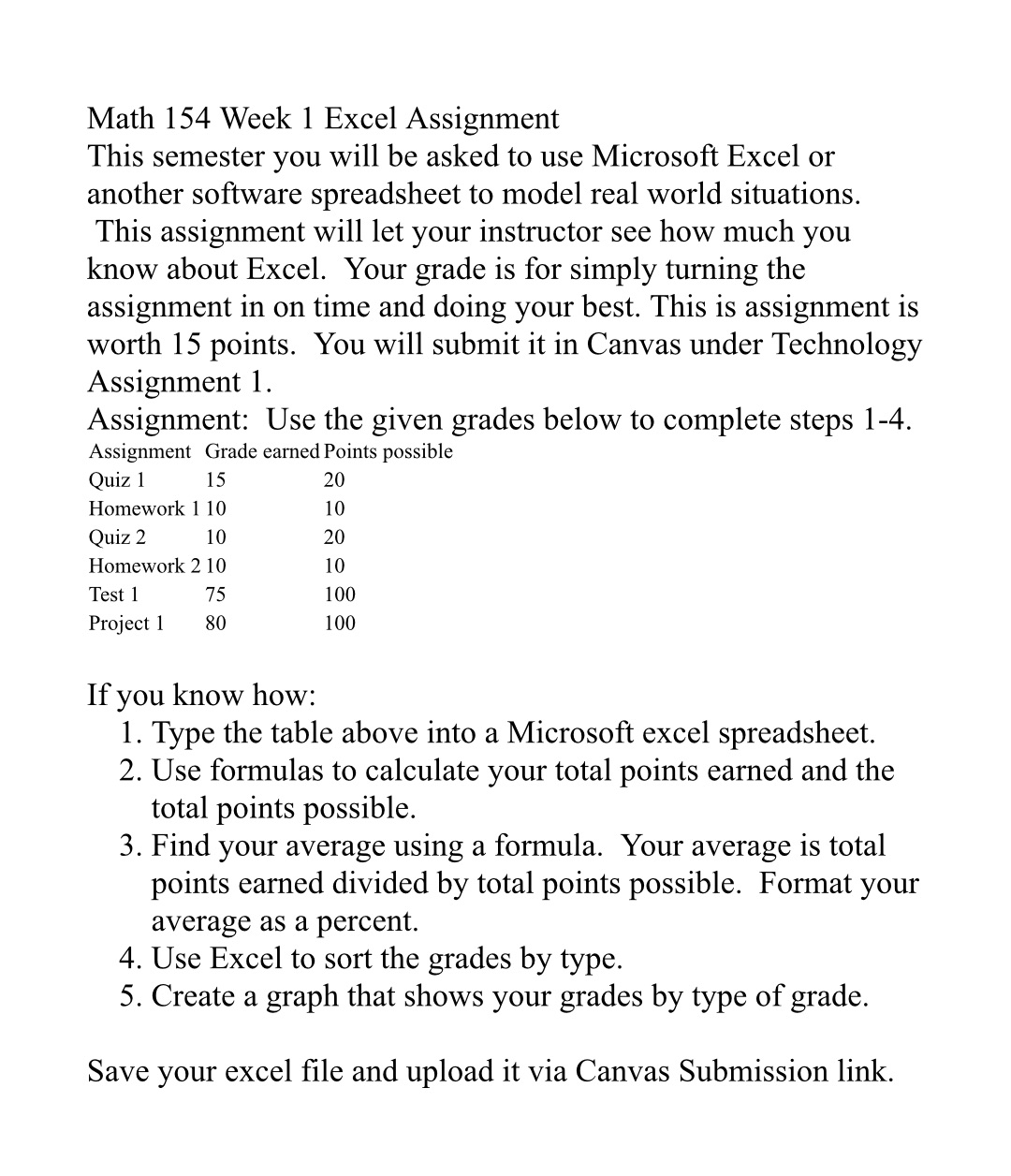
Question: Math 154 Week 1 Excel Assignment This semester you will be asked to use Microsoft Excel or another software spreadsheet to model real world situations.
Math 154 Week 1 Excel Assignment This semester
Math 154 Week 1 Excel Assignment This semester you will be asked to use Microsoft Excel or another software spreadsheet to model real world situations. This assignment will let your instructor see how much you know about Excel. Your grade is for simply turning the assignment in on time and doing your best. This is assignment is worth 15 points. You will submit it in Canvas under Technology Assignment 1. Assignment: Use the given grades below to complete steps 1-4. Assignment Grade earned Points possible Quiz 1 15 20 Homework 1 10 10 Quiz 2 10 20 Homework 2 10 10 Test 1 75 100 Project 1 80 100 If you know how: 1. Type the table above into a Microsoft excel spreadsheet. 2. Use formulas to calculate your total points earned and the total points possible. 3. Find your average using a formula. Your average is total points earned divided by total points possible. Format your average as a percent. 4. Use Excel to sort the grades by type. 5. Create a graph that shows your grades by type of grade. Save your excel le and upload it via Canvas Submission link

Step by Step Solution

There are 3 Steps involved in it

1 Expert Approved Answer
Step: 1 Unlock blur-text-image

Question Has Been Solved by an Expert!

Get step-by-step solutions from verified subject matter experts

Step: 2 Unlock
Step: 3 Unlock

Students Have Also Explored These Related Mathematics Questions!