







Question: Matlab! 2. Dialog and Output Boxes Open a dialog box that prompts the user for the coefficients of a quadratic, a, b, and c. Set
Matlab!
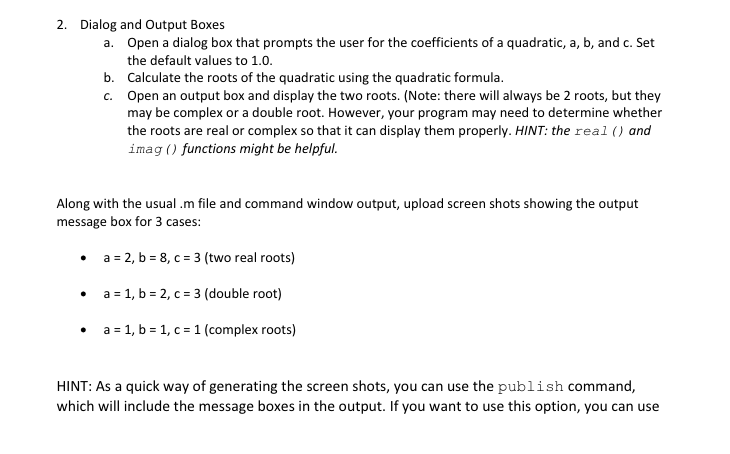
2. Dialog and Output Boxes Open a dialog box that prompts the user for the coefficients of a quadratic, a, b, and c. Set the default values to 1.0. Calculate the roots of the quadratic using the quadratic formula. Open an output box and display the two roots. (Note: there will always be 2 roots, but they may be complex or a double root. However, your program may need to determine whether the roots are real or complex so that it can display them properly. HINT: the real () and imag () functions might be helpful. a. b. c. Along with the usual .m file and command window output, upload screen shots showing the output message box for 3 cases: 2, b-8, C-3 (two real roots) 1, b-2, c :3 (double root) a-1, b-1, c 1 (complex roots) HINT: As a quick way of generating the screen shots, you can use the publish command which will include the message boxes in the output. If you want to use this option, you can use
Step by Step Solution
There are 3 Steps involved in it

Get step-by-step solutions from verified subject matter experts
 Study Help