







Question: MATLAB CODE 2560 Write a MATLAB function myfit that will be called from the command line like this: [coef, new_y, error_y] = myfit (X_list, Y_list)
MATLAB CODE
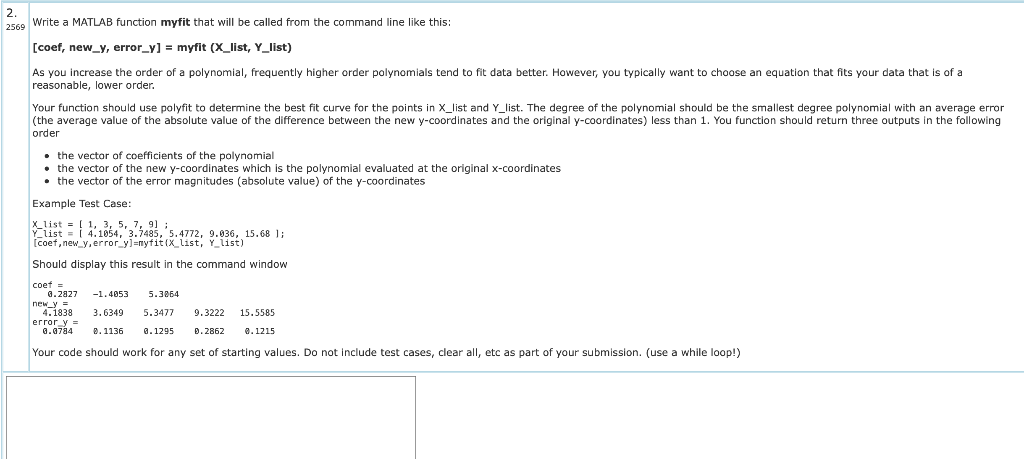
2560 Write a MATLAB function myfit that will be called from the command line like this: [coef, new_y, error_y] = myfit (X_list, Y_list) As you increase the order of a polynomial, frequently higher order polynomials tend to fit data better. However, you typically want to choose an equation that fits your data that is of a reasonable, lower order. Your function should use polyfit to determine the best fit curve for the points in X_list and Y_list. The degree of the polynomial should be the smallest degree polynomial with an average error (the average value of the absolute value of the difference between the new y-coordinates and the original y-coordinates) less than 1. You function should return three outputs in the following order the vector of coefficients of the polynomial the vector of the new y-coordinates which is the polynomial evaluated at the original x-coordinates the vector of the error magnitudes (absolute value) of the y-coordinates Example Test Case: X list = [ 1, 3, 5, 7, 9) ; Y_list = 1 4.1654, 3.7485, 5.4772, 9.636, 15.68 ); [coef, new_y,error_y]=myfit(x_list, Y_list) Should display this result in the command window new_y coet = 6.2827 -1.4853 5.3064 4.1838 3.63495.34779.3222 15.5585 error y = 8.0714 0.1136 2.1295 0.2862 0.1215 Your code should work for any set of starting values. Do not include test cases, clear all, etc as part of your submission. (use a while loop!)
Step by Step Solution
There are 3 Steps involved in it

Get step-by-step solutions from verified subject matter experts
 Study Help