







Question: Matlab code How is this code supposed to look? Ive been trying to figure this out for quite a while and not gotten any where.
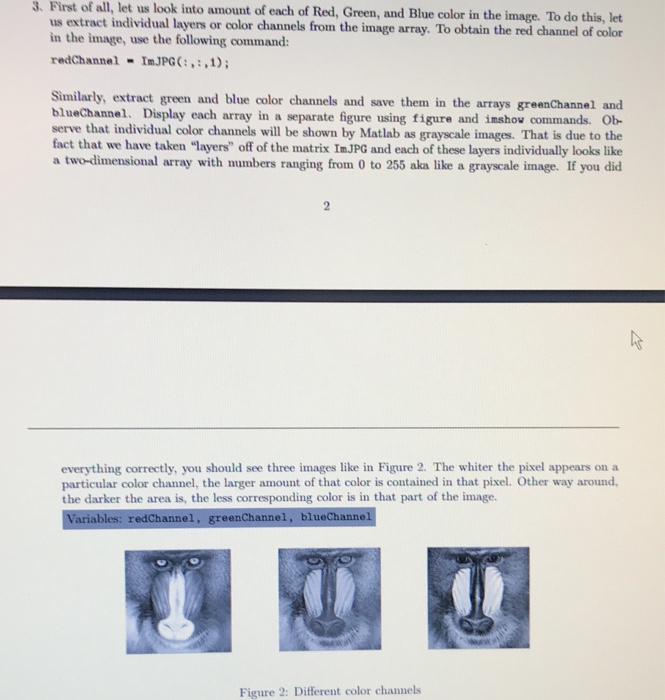
3. First of all, let us look into amount of each of Red, Green, and Blue color in the image. To do this, let us extract individual layers or color channels from the image array. To obtain the red channel of color in the image, use the following command: redChannel ImJPGC:,,1) Similarly, extract green and blue color channels and save them in the arrays greenChannel and blueChannel. Display each array in a separate figure using figure and imshow commands. Ob- serve that individual color channels will be shown by Matlab as grayscale images. That is due to the fact that we have taken "layers" off of the matrix ImJPG and each of these layers individually looks like a two-dimensional array with numbers ranging from 0 to 255 aka like a grayscale image. If you did 2 everything correctly, you should see three images like in Figure 2. The whiter the pixel appears on a particular color channel, the larger amount of that color is contained in that pixel. Other way around the darker the area is, the less corresponding color is in that part of the image. Variables: redChannel, greenChannel, blueChannel Figure 2: Different color channels
Step by Step Solution
There are 3 Steps involved in it

Get step-by-step solutions from verified subject matter experts
 Study Help