







Question: matlab code please Answer the following short coding questions. Do NOT write functions. (20 pts) a. You are writing a special note to your Valentine,
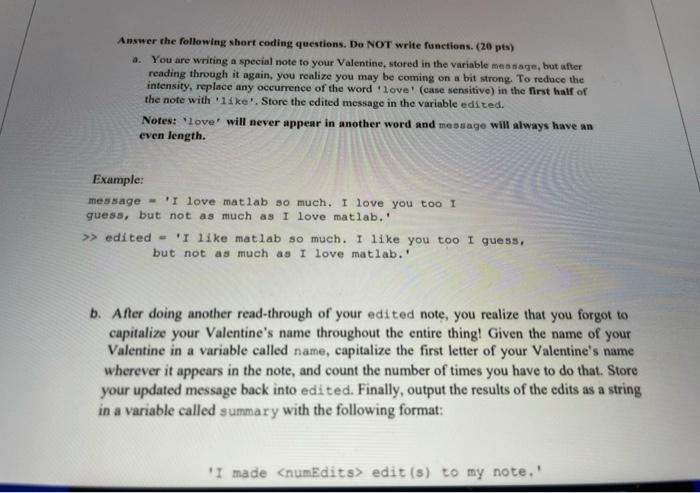
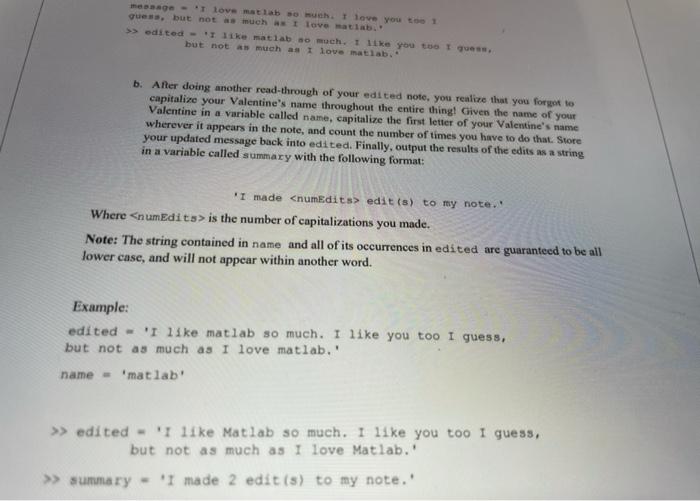
Answer the following short coding questions. Do NOT write functions. (20 pts) a. You are writing a special note to your Valentine, stored in the variable message, but after reading through it again, you realize you may be coming on a bit strong. To reduce the intensity, replace any occurrence of the word 'love' (case sensitive) in the first half of the note with 11 kell. Store the edited message in the variable edited. Notes: 'love' will never appear in another word and message will always have an even length. Example: message - 'I love matlab so much, I love you too I guess, but not as much as I love matlab. >> edited = 'I like matlab so much. I like you too I guess, but not as much as I love matlab. b. After doing another read-through of your edited note, you realize that you forgot to capitalize your Valentine's name throughout the entire thing! Given the name of your Valentine in a variable called name, capitalize the first letter of your Valentine's name wherever it appears in the note, and count the number of times you have to do that. Store your updated message back into edited. Finally, output the results of the edits as a string in a variable called summary with the following format: "I made
Step by Step Solution
There are 3 Steps involved in it

Get step-by-step solutions from verified subject matter experts
 Study Help