







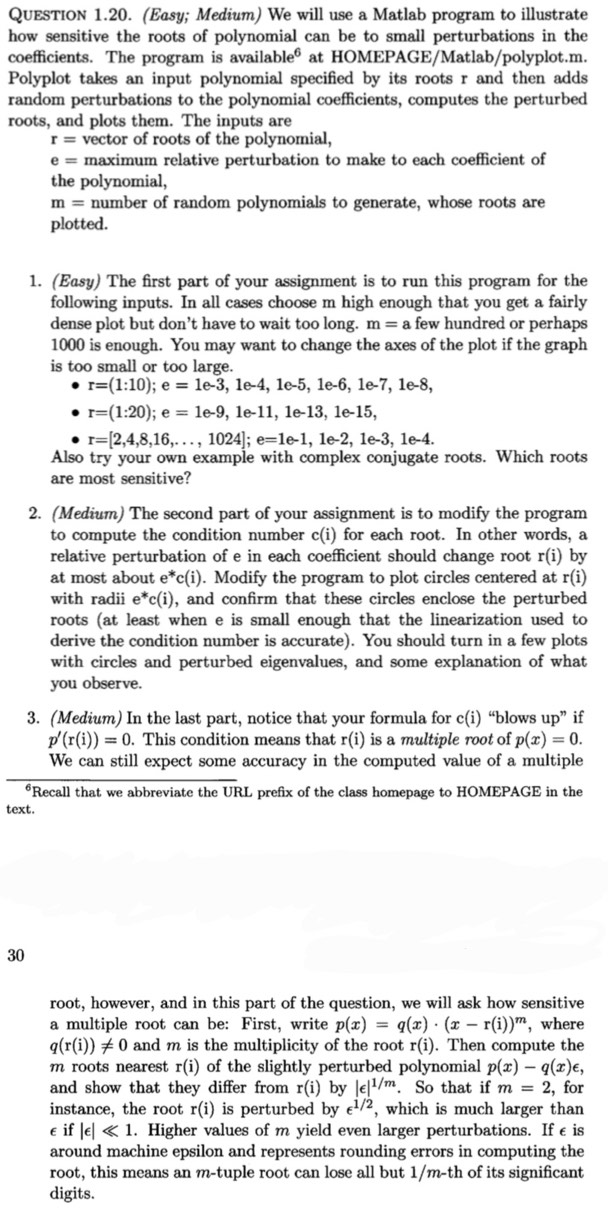
Question: % Matlab code polyplot.m % function polyplot ( r , e , m ) % Form the coefficients of a polynomial specified by its roots,
Matlab code polyplot.m
function polyplotrem
Form the coefficients of a polynomial specified by its roots,
and repeatedly add small perturbations to the coefficients,
plotting the resulting perturbed roots
Inputs:
r vector of polynomial roots
e maximum relative perturbation to make to each coefficient
m number of random polynomials to generate
Output:
Plot of perturbed roots
function polyplotrem
Generate polynomial coefficients
ppolyr;
Compute min and max roots for plotting
minx minrealr; maxx maxrealr;
miny minimagr; maxy maximagr;
Set up plot
figure hold off, clf
Generate m random polynomials
rsave;
for i:m
Add random relative perturbation of at most e to each coefficient
pponessizeperandsizep;
Compute and save perturbed roots
rrootsp;
rsaversave;r;
Update min and max for plotting
minx minrealr;minx; maxx maxrealr;maxx;
miny minimagr;miny; maxy maximagr;maxy;
end
If roots all lie in right halfplane, and
vary greatly in magnitude, use a semilog plot
if minx & minx maxx
Plot unperturbed and perturbed roots
semilogxrealrimagrkx hold on
semilogxrealrsaveimagrsaver
else
Plot unperturbed and perturbed roots
plotrealrimagrkx hold on
plotrealrsaveimagrsaver hold on
end
if miny & maxy
axisminxmaxx,ee
elseif miny maxy
axisminxmaxx,minymaxy
else
axisminxmaxx,miny,maxy
end
grid
titleBlack xs roots, red dots perturbed roots'
xlabelMax relative perturbation to each coefficient numstre
Step by Step Solution
There are 3 Steps involved in it
1 Expert Approved Answer
Step: 1 Unlock

Question Has Been Solved by an Expert!
Get step-by-step solutions from verified subject matter experts
Step: 2 Unlock
Step: 3 Unlock
 Study Help