







Question: MATLAB Double Colon Operator 4. Using the double colon operator, create the following array called myArray. (1.0) [11 9 7 5] Modifying an Array/Adding to
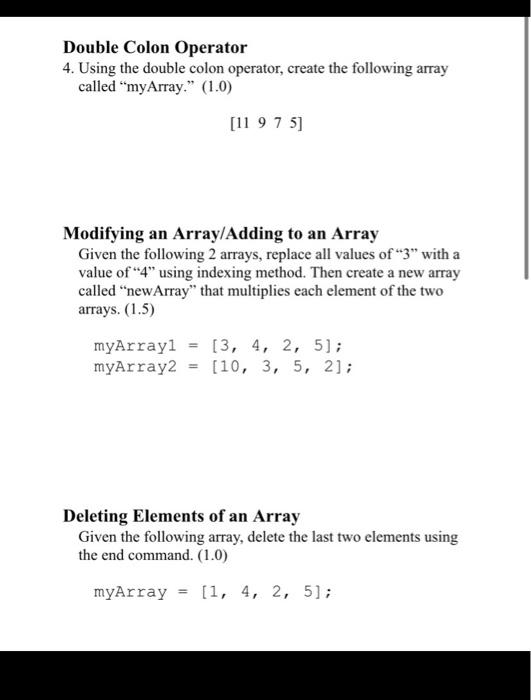
Double Colon Operator 4. Using the double colon operator, create the following array called "myArray." (1.0) [11 9 7 5] Modifying an Array/Adding to an Array Given the following 2 arrays, replace all values of "3" with a value of 4" using indexing method. Then create a new array called "newArray" that multiplies each element of the two arrays. (1.5) myArray = [3, 4, 2, 5); myArray2 = [10, 3, 5, 2]; Deleting Elements of an Array Given the following array, delete the last two elements using the end command. (1.0) myArray = [1, 4, 2, 5)
Step by Step Solution
There are 3 Steps involved in it
Double Colon Operator Creating the Array myArray Using the Double Colon Operator To create the array ... View full answer

Get step-by-step solutions from verified subject matter experts
 Study Help