







Question: Matlab (GUI) You can choose option 1 or option2 Implement Tic-Tac-Toe in Matlab (GUI) Create a Computer opponent. (Single player) String for player1 = 'X'
Matlab (GUI)
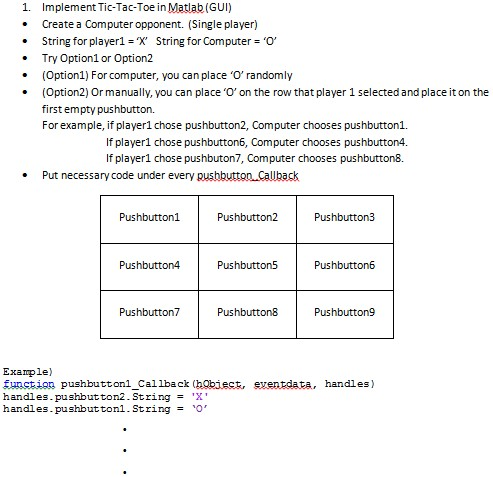
You can choose option 1 or option2
Implement Tic-Tac-Toe in Matlab (GUI) Create a Computer opponent. (Single player) String for player1 = 'X' String for Computer = 'O' Try Option1 or Option2 (Option1) For computer, you can place 'O' randomly (Option2) Or manually, you can place 'O' on the row that player 1 selected and place it on the first empty pushbutton. For example, if player1 chose pushbutton2, Computer chooses pushbutton1. If player1 chose pushbutton6, Computer chooses pushbutton4. If player1 chose pushbuton7, Computer chooses pushbutton8. Put necessary code under every pushbutton Callback Example) function pushbutton1_Callback (hObject, eventdata, handles) handles_pushbutton2_String = 'X' handles_pushbutton1_String = 'O
Step by Step Solution
There are 3 Steps involved in it

Get step-by-step solutions from verified subject matter experts
 Study Help