







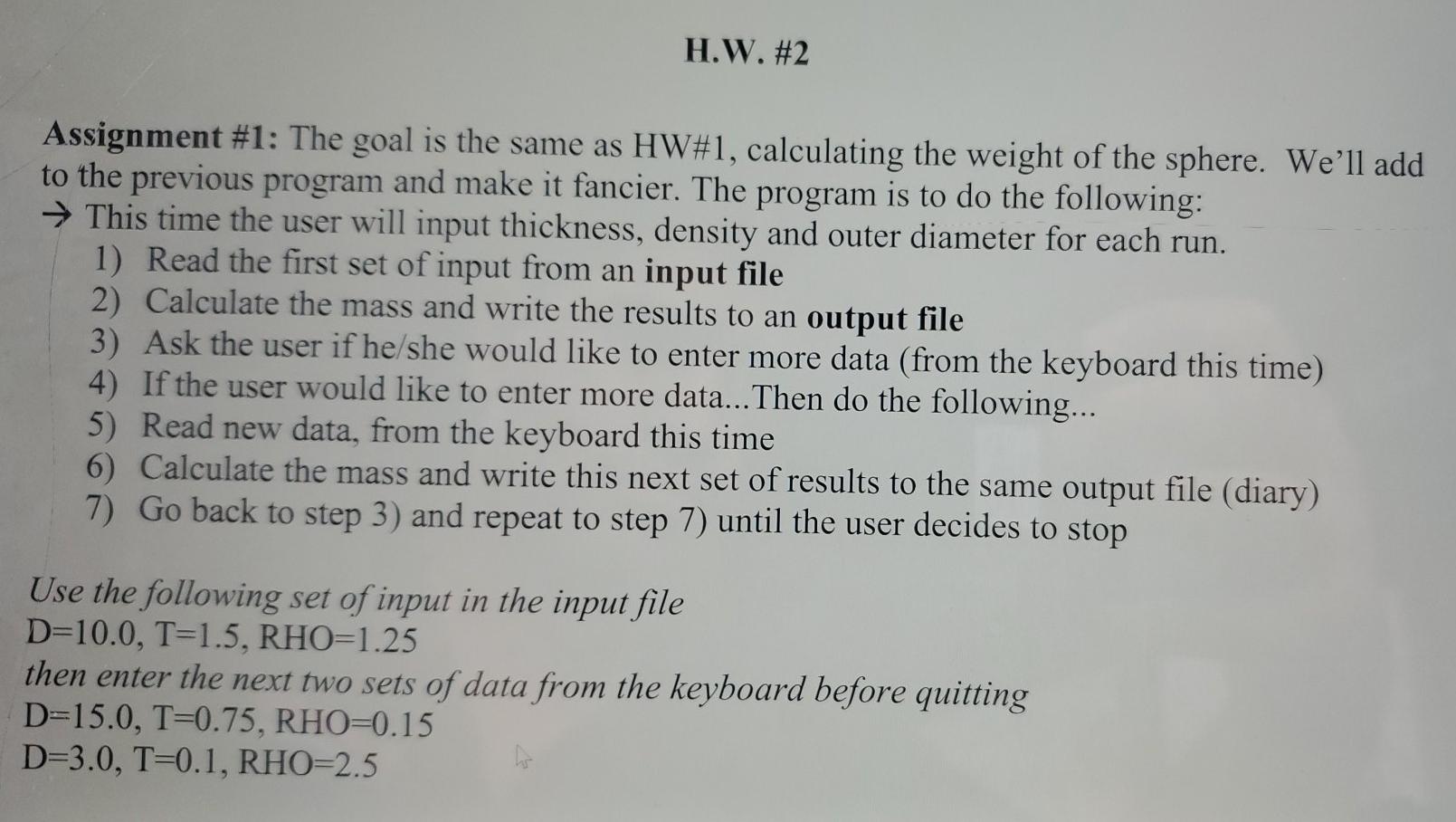
Question: Matlab H.W. #2 Assignment #1: The goal is the same as HW#1, calculating the weight of the sphere. We'll add to the previous program and
Matlab
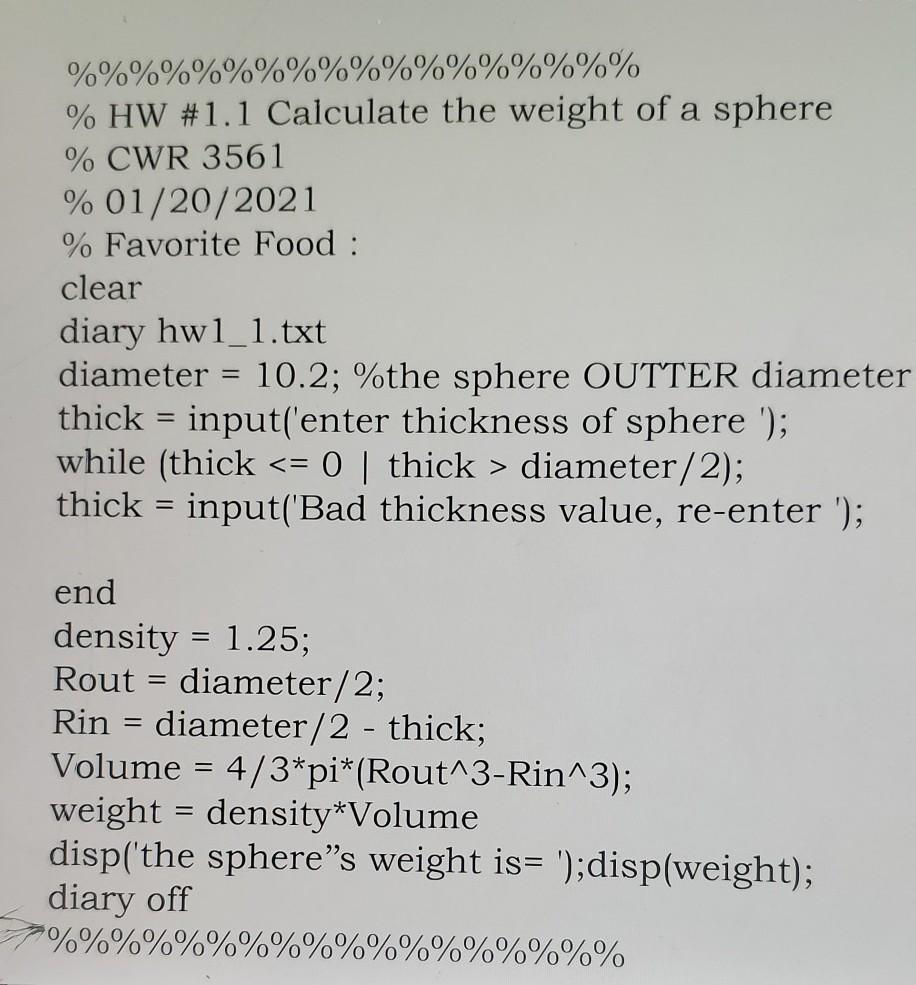
H.W. #2 Assignment #1: The goal is the same as HW#1, calculating the weight of the sphere. We'll add to the previous program and make it fancier. The program is to do the following: This time the user will input thickness, density and outer diameter for each run. 1) Read the first set of input from an input file 2) Calculate the mass and write the results to an output file 3) Ask the user if he/she would like to enter more data (from the keyboard this time) 4) If the user would like to enter more data... Then do the following... 5) Read new data, from the keyboard this time 6) Calculate the mass and write this next set of results to the same output file (diary) 7) Go back to step 3) and repeat to step 7) until the user decides to stop Use the following set of input in the input file D=10.0, T=1.5, RHO=1.25 then enter the next two sets of data from the keyboard before quitting D=15.0, T=0.75, RHO=0.15 D=3.0, T=0.1, RHO=2.5 %% %%%%%%%% % HW #1.1 Calculate the weight of a sphere % CWR 3561 % 01/20/2021 % Favorite Food : clear diary hwl_1.txt diameter = 10.2; %the sphere OUTTER diameter thick = input('enter thickness of sphere '); while (thick diameter/2); thick = input('Bad thickness value, re-enter '); end density = 1.25; Rout = diameter/2; Rin diameter/2 - thick; Volume = 4/3*pi*(Rout^3-Rin^3); weight = density*Volume disp('the sphere's weight is= ');disp(weight); diary off %%%%%% 6%%%
Step by Step Solution
There are 3 Steps involved in it

Get step-by-step solutions from verified subject matter experts
 Study Help